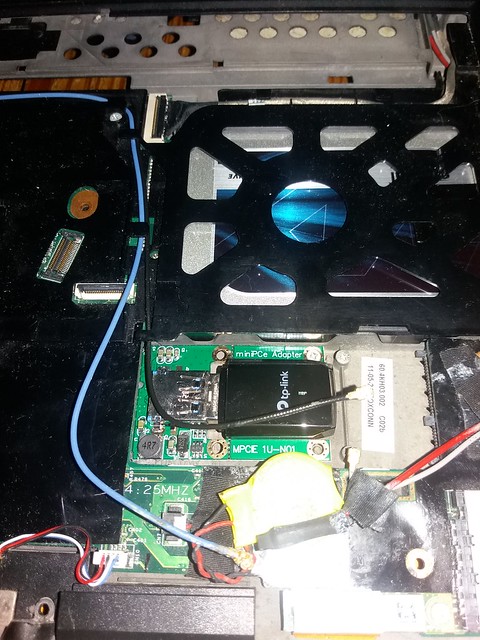
WiFi on a tiny ThinkCentre M90 USFF with USB 2.0 and PCI?
Posted: Fri Oct 22, 2021 6:24 am
Hi,
Does someone here have experience of suggestion for adding WLAN (Wifi) to a ThinkCentre M90 USFF (Ultra Small Form Factor) tiny laptop?
It has a free PCI (parallel) slot ; I believe which is likely 32-bit PCI 2.3. However, I can not find any PCI (not PCI-E) wireless card.
32-bit PCI offers theorical bandwidth of 133 Mo/s.
Then, I assume the two possible options are:
- USB 2.0 Wifi Adapter key, probably the easiest to set up but will it have acceptable bandwidth for everyday web browsing ?
- a RJ45 to Wifi Access Point (WAP), which will likely be harder to configure
Wireless USB 2.0 offers in theory 400 Mbit/s at a distance of 3 m and 112 Mbit/s at 10 m.
I assume real bandwidth would be slower. Furthermore the router is on another floor and certainly distant about 15 meters.
So, I assume this model of ThinkCenter can hardly access Internet at reasonable speed through WiFi, and should stay with RJ45 Ethernet connection.
Thank your for your suggestions.
Does someone here have experience of suggestion for adding WLAN (Wifi) to a ThinkCentre M90 USFF (Ultra Small Form Factor) tiny laptop?
It has a free PCI (parallel) slot ; I believe which is likely 32-bit PCI 2.3. However, I can not find any PCI (not PCI-E) wireless card.
32-bit PCI offers theorical bandwidth of 133 Mo/s.
Then, I assume the two possible options are:
- USB 2.0 Wifi Adapter key, probably the easiest to set up but will it have acceptable bandwidth for everyday web browsing ?
- a RJ45 to Wifi Access Point (WAP), which will likely be harder to configure
Wireless USB 2.0 offers in theory 400 Mbit/s at a distance of 3 m and 112 Mbit/s at 10 m.
I assume real bandwidth would be slower. Furthermore the router is on another floor and certainly distant about 15 meters.
So, I assume this model of ThinkCenter can hardly access Internet at reasonable speed through WiFi, and should stay with RJ45 Ethernet connection.
Thank your for your suggestions.