


 Homepage
 Forum
Forum Drivers
 HMM-Manuals
 MTM
MTM Feed
Feed
Hello again, it*s me....
so i have installed a Win7 Professinal on my T23, the one of my signature.
Specifications:
1,2 GHz PIII-M Cpu
1 GB of Ram
160 GB Western Digital Blue
1400x1050 Display
All drivers, only the standar, are well installed and win7 is working, a little bit slow, but once all updates are installed,...the performance is not bad at all....
So which software to install?
I have installed the Gdata Internet Security, so i am secure of any harm of the internet....another softwar i have installed is the malwarebyte anti malware solution, the free version....
does anyone else did this try out?
So which software did you install, which would work real good on the t23 and which would be a software mostly up to date?
Thanx a lot for answers.
Best wishes,
Pandora
Take a look at our
ThinkPads.com HOME PAGE
For those who might want to contribute to the blog, start here: Editors Alley Topic
Then contact Bill with a Private Message
ThinkPads.com HOME PAGE
For those who might want to contribute to the blog, start here: Editors Alley Topic
Then contact Bill with a Private Message
T23 and Win7
-
PandorasThinkpad
- Sophomore Member
- Posts: 209
- Joined: Tue Nov 26, 2013 9:54 am
- Location: Berlin, Germany
- Contact:
T23 and Win7
My most actual Thinkpad:
T23 with 1,2 GHz PIII-M, CCFL XGA, big Docking and even an very seldom Ultrabay2000 Zip250 Drive
T450s with I7, FHD (AUO B140HAN01.3), 20GB Ram (one with no lenovo guarantee anymore because of real bad experiences with lenovo support)
T23 with 1,2 GHz PIII-M, CCFL XGA, big Docking and even an very seldom Ultrabay2000 Zip250 Drive
T450s with I7, FHD (AUO B140HAN01.3), 20GB Ram (one with no lenovo guarantee anymore because of real bad experiences with lenovo support)
-
RealBlackStuff
- Admin Emeritus

- Posts: 24727
- Joined: Mon Sep 18, 2006 5:17 am
- Location: Loch Garman, Éire
Re: T23 and Win7
W7 on a T23 is a joke!
W7 needs at least 2-3GB of RAM to work decently.
T23 max is only 1GB.
Regardless of whatever software you install on it, it will work like an amputee!
Put W2K or XP on it, load some German car diagnostics (BMW or MB) on it and sell it.
The only usable good thing left on it is the Serial Port.
W7 needs at least 2-3GB of RAM to work decently.
T23 max is only 1GB.
Regardless of whatever software you install on it, it will work like an amputee!
Put W2K or XP on it, load some German car diagnostics (BMW or MB) on it and sell it.
The only usable good thing left on it is the Serial Port.
Lovely day for a Guinness! (The Real Black Stuff)
But I actually prefer Murphy's from Cork!
But I actually prefer Murphy's from Cork!
-
PandorasThinkpad
- Sophomore Member
- Posts: 209
- Joined: Tue Nov 26, 2013 9:54 am
- Location: Berlin, Germany
- Contact:
Re: T23 and Win7
The most actual opera version wouldn't be able to install, so i will try opera 12 oder 16....this versions will get updates so far i know...
I just want to use the t23 because i like it's design......so i will try out what will work...
Some greets out of the night (here in germany)...
Pandora
I just want to use the t23 because i like it's design......so i will try out what will work...
Some greets out of the night (here in germany)...
Pandora
My most actual Thinkpad:
T23 with 1,2 GHz PIII-M, CCFL XGA, big Docking and even an very seldom Ultrabay2000 Zip250 Drive
T450s with I7, FHD (AUO B140HAN01.3), 20GB Ram (one with no lenovo guarantee anymore because of real bad experiences with lenovo support)
T23 with 1,2 GHz PIII-M, CCFL XGA, big Docking and even an very seldom Ultrabay2000 Zip250 Drive
T450s with I7, FHD (AUO B140HAN01.3), 20GB Ram (one with no lenovo guarantee anymore because of real bad experiences with lenovo support)

Re: T23 and Win7
I wouldn't bother installing AV. I ran without AV on Windows XP and 7 for a couple years and never got a virus since I was only going to well known and trusted sites (I ran Malwarebytes every couple weeks to check for malware, of course).
Windows 7 on a T23 is actually not that bad. Performance was OK most of the time, but flash video was not an option, and installing windows updates took forever... Specs were a 4200rpm HDD, 1GB ram, 1.13Ghz P3. Any software other than basic word, internet or email will be pretty slow.
Agreed that the T23 has a nice design though .
.
Windows 7 on a T23 is actually not that bad. Performance was OK most of the time, but flash video was not an option, and installing windows updates took forever... Specs were a 4200rpm HDD, 1GB ram, 1.13Ghz P3. Any software other than basic word, internet or email will be pretty slow.
Agreed that the T23 has a nice design though
.Current Thinkpads: W530 (functional classic keyboard mod), X301, T61, T60, T43, A31p, T23, 600X, 770
Other: mk5 Toughbook cf-19, mk1 Toughbook cf-53
Other: mk5 Toughbook cf-19, mk1 Toughbook cf-53
-
PandorasThinkpad
- Sophomore Member
- Posts: 209
- Joined: Tue Nov 26, 2013 9:54 am
- Location: Berlin, Germany
- Contact:
Re: T23 and Win7
Hi!
That's it, thanks for the answer, but i don't use the t23 for video watching....what i am going to do, some chatting, some music listening, because it has good loudspeakers and i don't need a connecting to my hifi system....the sound is just good enough with that machine in fact...
For web surfing....there should be some internet security, that's my personal opinion, even if i'm going to use it just the way i described.
The best choice for the t23 would be the mint 13, which is a lts version and should run without any real lacks of security until 2017. The one t23 with standard display already is running this mint 13 and it is working quite well.
But i want to give win7 a chance, because it's a well made os, even on the t23.....so let's see what i will get....
So far....kindly regards,
Pandora
That's it, thanks for the answer, but i don't use the t23 for video watching....what i am going to do, some chatting, some music listening, because it has good loudspeakers and i don't need a connecting to my hifi system....the sound is just good enough with that machine in fact...
For web surfing....there should be some internet security, that's my personal opinion, even if i'm going to use it just the way i described.
The best choice for the t23 would be the mint 13, which is a lts version and should run without any real lacks of security until 2017. The one t23 with standard display already is running this mint 13 and it is working quite well.
But i want to give win7 a chance, because it's a well made os, even on the t23.....so let's see what i will get....
So far....kindly regards,
Pandora
My most actual Thinkpad:
T23 with 1,2 GHz PIII-M, CCFL XGA, big Docking and even an very seldom Ultrabay2000 Zip250 Drive
T450s with I7, FHD (AUO B140HAN01.3), 20GB Ram (one with no lenovo guarantee anymore because of real bad experiences with lenovo support)
T23 with 1,2 GHz PIII-M, CCFL XGA, big Docking and even an very seldom Ultrabay2000 Zip250 Drive
T450s with I7, FHD (AUO B140HAN01.3), 20GB Ram (one with no lenovo guarantee anymore because of real bad experiences with lenovo support)

Re: T23 and Win7
IDK...back when W7 was in the RC stage, and much lighter than it is today, I installed it for S&G on a T23 with 768MB RAM...talk about a three-legged dog with a bout of diarrhea... 
...Knowledge is a deadly friend when no one sets the rules...(King Crimson)
Cheers,
George (your grouchy retired FlexView farmer)
my music if anyone cares: https://www.youtube.com/@TheWaterMemory
PMs requesting personal tech support will be ignored.
Cheers,
George (your grouchy retired FlexView farmer)
my music if anyone cares: https://www.youtube.com/@TheWaterMemory
PMs requesting personal tech support will be ignored.
-
PandorasThinkpad
- Sophomore Member
- Posts: 209
- Joined: Tue Nov 26, 2013 9:54 am
- Location: Berlin, Germany
- Contact:
Re: T23 and Win7
Good morning/ good day!
It isn't that worse, i've installed opera 12.17 and web surfing is working fine with this version of opera, i have four windows open, so this is just day two of my usage of win7 on the t23...now there are 24 days left until activation should be realized, so i will see if it will be worth spending an key for it,.....i will give further informations about....
bye for now,
regards,
Pandora
It isn't that worse, i've installed opera 12.17 and web surfing is working fine with this version of opera, i have four windows open, so this is just day two of my usage of win7 on the t23...now there are 24 days left until activation should be realized, so i will see if it will be worth spending an key for it,.....i will give further informations about....
bye for now,
regards,
Pandora
My most actual Thinkpad:
T23 with 1,2 GHz PIII-M, CCFL XGA, big Docking and even an very seldom Ultrabay2000 Zip250 Drive
T450s with I7, FHD (AUO B140HAN01.3), 20GB Ram (one with no lenovo guarantee anymore because of real bad experiences with lenovo support)
T23 with 1,2 GHz PIII-M, CCFL XGA, big Docking and even an very seldom Ultrabay2000 Zip250 Drive
T450s with I7, FHD (AUO B140HAN01.3), 20GB Ram (one with no lenovo guarantee anymore because of real bad experiences with lenovo support)
-
PandorasThinkpad
- Sophomore Member
- Posts: 209
- Joined: Tue Nov 26, 2013 9:54 am
- Location: Berlin, Germany
- Contact:
Re: T23 and Win7
Just a few pictures of my T23....
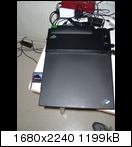
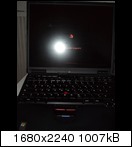
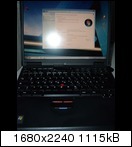
Real seldom is the big dock and this T23 isn't so often seen,....Display....1,2GHz PIII-M,...


Real seldom is the big dock and this T23 isn't so often seen,....Display....1,2GHz PIII-M,...
My most actual Thinkpad:
T23 with 1,2 GHz PIII-M, CCFL XGA, big Docking and even an very seldom Ultrabay2000 Zip250 Drive
T450s with I7, FHD (AUO B140HAN01.3), 20GB Ram (one with no lenovo guarantee anymore because of real bad experiences with lenovo support)
T23 with 1,2 GHz PIII-M, CCFL XGA, big Docking and even an very seldom Ultrabay2000 Zip250 Drive
T450s with I7, FHD (AUO B140HAN01.3), 20GB Ram (one with no lenovo guarantee anymore because of real bad experiences with lenovo support)

Re: T23 and Win7
I too am using W7 and XP dual boot on a T23, but I have an SSD fitted and this speeds things up considerably. It works fast enough for my needs when I am on the road.
I prefer XP of course but find W7 does not seem that much slower.
I prefer XP of course but find W7 does not seem that much slower.
Where to begin......
390e FOR SALE : GONE
1 x T20 : SOLD
1 X T23 + 3 breaking for parts
1 X T23 with Samsung 840 SSD and XP Great combination !: SOLD
1 X T60
3 X T61
1 X T601 15"
1 X T520
2 X T530
390e FOR SALE : GONE
1 x T20 : SOLD
1 X T23 + 3 breaking for parts
1 X T23 with Samsung 840 SSD and XP Great combination !: SOLD
1 X T60
3 X T61
1 X T601 15"
1 X T520
2 X T530
-
PandorasThinkpad
- Sophomore Member
- Posts: 209
- Joined: Tue Nov 26, 2013 9:54 am
- Location: Berlin, Germany
- Contact:
Re: T23 and Win7
Hey, thanks a lot for your answer.....
if you use an SSD, which sort of adapter would be right for the t23, will you please be so gentle to give me these informations.
What kind or sort of adapter should i take a look for?
Kindly regards,
PT
if you use an SSD, which sort of adapter would be right for the t23, will you please be so gentle to give me these informations.
What kind or sort of adapter should i take a look for?
Kindly regards,
PT
My most actual Thinkpad:
T23 with 1,2 GHz PIII-M, CCFL XGA, big Docking and even an very seldom Ultrabay2000 Zip250 Drive
T450s with I7, FHD (AUO B140HAN01.3), 20GB Ram (one with no lenovo guarantee anymore because of real bad experiences with lenovo support)
T23 with 1,2 GHz PIII-M, CCFL XGA, big Docking and even an very seldom Ultrabay2000 Zip250 Drive
T450s with I7, FHD (AUO B140HAN01.3), 20GB Ram (one with no lenovo guarantee anymore because of real bad experiences with lenovo support)
Re: T23 and Win7
OK, you have a choice of SSD options, both have been discussed at some length previously in the forum if you need more info than I will provide.
What I have done is to use an mSata SSD in this adapter: 'Lycom ST-173-7 mSata to IDE converter' in the normal HDD position.
I also have a Samsung 2.5in SSD in an Ultrabay adapter.
Normally I use the mSata as this enables me to use the Ultrabay for a CD drive as I am in the process off ripping my CDs losslessly.
However I am still undecided whether or not to give up XP on the T23 and if I keep XP then I will want to use the Samsung SSD as they provide a TRIM garbage collection program to keep the SSD in good shape.
Don't pay too much for Win7 its about 40GBP here on eBay.
Please don't follow my example of continuing with XP unless you fully understand the risks involved.
What I have done is to use an mSata SSD in this adapter: 'Lycom ST-173-7 mSata to IDE converter' in the normal HDD position.
I also have a Samsung 2.5in SSD in an Ultrabay adapter.
Normally I use the mSata as this enables me to use the Ultrabay for a CD drive as I am in the process off ripping my CDs losslessly.
However I am still undecided whether or not to give up XP on the T23 and if I keep XP then I will want to use the Samsung SSD as they provide a TRIM garbage collection program to keep the SSD in good shape.
Don't pay too much for Win7 its about 40GBP here on eBay.
Please don't follow my example of continuing with XP unless you fully understand the risks involved.
Where to begin......
390e FOR SALE : GONE
1 x T20 : SOLD
1 X T23 + 3 breaking for parts
1 X T23 with Samsung 840 SSD and XP Great combination !: SOLD
1 X T60
3 X T61
1 X T601 15"
1 X T520
2 X T530
390e FOR SALE : GONE
1 x T20 : SOLD
1 X T23 + 3 breaking for parts
1 X T23 with Samsung 840 SSD and XP Great combination !: SOLD
1 X T60
3 X T61
1 X T601 15"
1 X T520
2 X T530
-
PandorasThinkpad
- Sophomore Member
- Posts: 209
- Joined: Tue Nov 26, 2013 9:54 am
- Location: Berlin, Germany
- Contact:
Re: T23 and Win7
Hi again!
Thanks so far.....
now i have another questions, will this adapter work properly?
http://www.ebay.de/itm/Delock-Konverter ... 27e4eabc7e
And which msata ssd would be the best, especially in quality and long life?
About 32 or 64 GB should be enough for os and programs.
Maybe there are already some experiences....
Thank you very much,
sincerly,
Pandora
Thanks so far.....
now i have another questions, will this adapter work properly?
http://www.ebay.de/itm/Delock-Konverter ... 27e4eabc7e
And which msata ssd would be the best, especially in quality and long life?
About 32 or 64 GB should be enough for os and programs.
Maybe there are already some experiences....
Thank you very much,
sincerly,
Pandora
My most actual Thinkpad:
T23 with 1,2 GHz PIII-M, CCFL XGA, big Docking and even an very seldom Ultrabay2000 Zip250 Drive
T450s with I7, FHD (AUO B140HAN01.3), 20GB Ram (one with no lenovo guarantee anymore because of real bad experiences with lenovo support)
T23 with 1,2 GHz PIII-M, CCFL XGA, big Docking and even an very seldom Ultrabay2000 Zip250 Drive
T450s with I7, FHD (AUO B140HAN01.3), 20GB Ram (one with no lenovo guarantee anymore because of real bad experiences with lenovo support)
Re: T23 and Win7
That konvertor is not what is needed. This is what you need to get : http://www.ebay.de/itm/DeLock-Converter ... 1e85b27db7
It is not the same make as mine but will do the job in the same way.
Please make your own decision about which mSata to use. I got a Plextor because of its advertised garbage collection firmware but I have not been impressed by this firmware as I have been unable to see it actually working. Maybe it is, but I am just unable to see it at work. The mSata SSD still works quickly on the T23 after about a year so that is the main thing.
I suggest you do your own research for the "best" mSata.
It is not the same make as mine but will do the job in the same way.
Please make your own decision about which mSata to use. I got a Plextor because of its advertised garbage collection firmware but I have not been impressed by this firmware as I have been unable to see it actually working. Maybe it is, but I am just unable to see it at work. The mSata SSD still works quickly on the T23 after about a year so that is the main thing.
I suggest you do your own research for the "best" mSata.
Where to begin......
390e FOR SALE : GONE
1 x T20 : SOLD
1 X T23 + 3 breaking for parts
1 X T23 with Samsung 840 SSD and XP Great combination !: SOLD
1 X T60
3 X T61
1 X T601 15"
1 X T520
2 X T530
390e FOR SALE : GONE
1 x T20 : SOLD
1 X T23 + 3 breaking for parts
1 X T23 with Samsung 840 SSD and XP Great combination !: SOLD
1 X T60
3 X T61
1 X T601 15"
1 X T520
2 X T530
-
PandorasThinkpad
- Sophomore Member
- Posts: 209
- Joined: Tue Nov 26, 2013 9:54 am
- Location: Berlin, Germany
- Contact:
Re: T23 and Win7
Hi!
Now, wouldn't be bad if someone would be able to give an hint, which msata ssd would the best solution, so if there will be anyone it would be a great thing.
So thanx a lot!
Kind regards,
Pandora
Now, wouldn't be bad if someone would be able to give an hint, which msata ssd would the best solution, so if there will be anyone it would be a great thing.
So thanx a lot!
Kind regards,
Pandora
My most actual Thinkpad:
T23 with 1,2 GHz PIII-M, CCFL XGA, big Docking and even an very seldom Ultrabay2000 Zip250 Drive
T450s with I7, FHD (AUO B140HAN01.3), 20GB Ram (one with no lenovo guarantee anymore because of real bad experiences with lenovo support)
T23 with 1,2 GHz PIII-M, CCFL XGA, big Docking and even an very seldom Ultrabay2000 Zip250 Drive
T450s with I7, FHD (AUO B140HAN01.3), 20GB Ram (one with no lenovo guarantee anymore because of real bad experiences with lenovo support)
Re: T23 and Win7
Hint: See the thread New SSD opt. for T4x : mSATA-to-IDE adapter ST663FD9 *PICS* (and also T23 IDE SSD - Recommendations?* and the links pointed to therein - where I notice that you have already posted previously).PandorasThinkpad wrote:Now, wouldn't be bad if someone would be able to give an hint, which mSATA SSD would the best solution, so if there will be anyone it would be a great thing.
Suggestion: Read the thread KingSpec SSD on T23 ? and read especially the posts by JBUK very very thorough!
Johan
IBM T42p's (2373-Q1U & -Q2U): 2.1 GHz, 15" UXGA FlexView, 2 GB RAM, 128 MB FireGL T2, 128 GB 1.8" SATA SSD, IBM a/b/g, BT, Win 7 Ultimate
IBM T42 (2373-N1G): 1.8 GHz, 15" SXGA+ FlexView, 2 GB RAM, 64 MB Radeon 9600, 64 GB 1.8" SATA SSD, IBM a/b/g, BT, Win 7 Ultimate
IBM T42 (2373-N1G): 1.8 GHz, 15" SXGA+ FlexView, 2 GB RAM, 64 MB Radeon 9600, 64 GB 1.8" SATA SSD, IBM a/b/g, BT, Win 7 Ultimate
-
kfzhu1229
- Senior ThinkPadder

- Posts: 2659
- Joined: Tue Sep 22, 2015 10:59 pm
- Location: Toronto, Canada
Re: T23 and Win7
T23 is actually working good with Windows 7, much better than T22 since you get a mobile Tualatin PIII 1.13ghz instead of the old Coppermine PIII 900mhz. You also get a 133mhz front bus speed instead of 100mhz, 1gb RAM limitation instead of 512mb. Some people say S3 Graphics Savage series won't work on Win7. Well, it does work that all 360p videos and non-aero animations work just fine but Direct3D Acceleration is not supported which is not Windows 7's fault anyways.
Dell Lat CP MMX-233 64mb 40gb W2k
600 PII-266 416mb 40gb WXP
T23 PIII 1.13ghz 1gb W7
Precision M4300 X9000 8gb 160gb WUXGA Ultrasharp fp W10
T530i 15.6" i7 16gb fp W10
UXGA:
A30p PIII 1.2 1gb W7 (IDTech)
T43p 2.26 2gb fp W10 (Sharp)
Lat C840 P4-2.5 2gb 60gb W7 (Ultrasharp)
600 PII-266 416mb 40gb WXP
T23 PIII 1.13ghz 1gb W7
Precision M4300 X9000 8gb 160gb WUXGA Ultrasharp fp W10
T530i 15.6" i7 16gb fp W10
UXGA:
A30p PIII 1.2 1gb W7 (IDTech)
T43p 2.26 2gb fp W10 (Sharp)
Lat C840 P4-2.5 2gb 60gb W7 (Ultrasharp)
-
danikayser84
- Sophomore Member
- Posts: 130
- Joined: Thu Mar 20, 2014 8:55 pm
- Location: Albany, NY
Re: T23 and Win7
Yeah, I did have Windows 7 on my T23 for a while... ran OK for a Pentium III but went back to XP eventually (I even tried Windows 7 on a 600X just out of curiosity, ran surprisingly well for 650MHz/576MB but unfortunately there was no NeoMagic driver that worked so I went back to 2000)
The slowest/oldest I'd go for Windows 7 is probably a high-end T30 (>=2GHz) or T40, but even then that's pushing it Definitely want to go with a T43/R52/X41 era or later for Windows 7, anything from T2x-T42 or so would be better suited for XP or Linux
The slowest/oldest I'd go for Windows 7 is probably a high-end T30 (>=2GHz) or T40, but even then that's pushing it
Definitely want to go with a T43/R52/X41 era or later for Windows 7, anything from T2x-T42 or so would be better suited for XP or LinuxCurrent: T440p (Win10), W500 4058-CTO (Win10), T61 8892-01U (Win2000), Semi-Retired: T61 8892-01U (Win10)
Museum/Retired: T400, Z60m, T43, T42, T30, T23, A30, A31p, 600X, 600E, 380ED, 770Z, 560Z, 765D, 755CX, 755CD
Others: Dell D630, MacBook Pro Mid-2012, PowerBook G3 Pismo, AlBook 15"/1.5G
Museum/Retired: T400, Z60m, T43, T42, T30, T23, A30, A31p, 600X, 600E, 380ED, 770Z, 560Z, 765D, 755CX, 755CD
Others: Dell D630, MacBook Pro Mid-2012, PowerBook G3 Pismo, AlBook 15"/1.5G
Re: T23 and Win7
I ran W7 on a T23 (1GB ram, 1.13 Ghz cpu, XGA screen), and it was just bearable. It went on to become my main computer for my freshman year in college a couple years ago. Switched to my W530 at the end of the year and realized how painfully slow the T23 really was. Interesting how you can 'get used to' the performance of slower machines.
Current Thinkpads: W530 (functional classic keyboard mod), X301, T61, T60, T43, A31p, T23, 600X, 770
Other: mk5 Toughbook cf-19, mk1 Toughbook cf-53
Other: mk5 Toughbook cf-19, mk1 Toughbook cf-53
-
jaspen-meyer
- Senior Member

- Posts: 837
- Joined: Wed May 19, 2010 11:21 pm
- Location: Pardubice, Czech Republic
- Contact:
Re: T23 and Win7
In my PATA machines I run 16GB SSD drives sold at the local shop for 8 euros.
Running windows anti-virus software is wasting a lot of the machine's processing power.
Consider Debian or a Debian derivative and install the firewall 'gufw'.
Running windows anti-virus software is wasting a lot of the machine's processing power.
Consider Debian or a Debian derivative and install the firewall 'gufw'.
T420 i7 3612QM seabios; T420 i7 3630QM; T400 Q9100 seabios; T61 P9600; T60 libreboot; x62; x60s libreboot, led; x24 xiphmont led
-
kfzhu1229
- Senior ThinkPadder
- Posts: 2659
- Joined: Tue Sep 22, 2015 10:59 pm
- Location: Toronto, Canada
Re: T23 and Win7
Well Win7 on T23 with PIII 1.13 or 1.2 with >512mb of ram is more than good enough for office use with Microsoft Office 2007 except it takes longer time to connect to the printer since it does not support usb 2.0. And trust me, its fan runs much quieter than my T43 which roars heavily in Pentium M 1.86ghz and worse with Pentium M 2.26. And T22 in Win7 is what you call NOT bearable. It takes double the time to boot on T22 than T23. And by the time T22 finished booting, the CPU is already at 75C. The graphic driver works on T22 but you cannot go into sleep or hibernate mode or else you will encounter a blue screen while on T23 you do not have that sorts of problem except the fact that the fading black animation before turning off the display is not perfect while it is good enough on a A30 with Radeon 7k.
Dell Lat CP MMX-233 64mb 40gb W2k
600 PII-266 416mb 40gb WXP
T23 PIII 1.13ghz 1gb W7
Precision M4300 X9000 8gb 160gb WUXGA Ultrasharp fp W10
T530i 15.6" i7 16gb fp W10
UXGA:
A30p PIII 1.2 1gb W7 (IDTech)
T43p 2.26 2gb fp W10 (Sharp)
Lat C840 P4-2.5 2gb 60gb W7 (Ultrasharp)
600 PII-266 416mb 40gb WXP
T23 PIII 1.13ghz 1gb W7
Precision M4300 X9000 8gb 160gb WUXGA Ultrasharp fp W10
T530i 15.6" i7 16gb fp W10
UXGA:
A30p PIII 1.2 1gb W7 (IDTech)
T43p 2.26 2gb fp W10 (Sharp)
Lat C840 P4-2.5 2gb 60gb W7 (Ultrasharp)
Re: T23 and Win7
You may be able to squeak USB 2.0 in there if the PCMCIA bus can handle it.kfzhu1229 wrote:Well Win7 on T23 with PIII 1.13 or 1.2 with >512mb of ram is more than good enough for office use with Microsoft Office 2007 except it takes longer time to connect to the printer since it does not support usb 2.0. And trust me, its fan runs much quieter than my T43 which roars heavily in Pentium M 1.86ghz and worse with Pentium M 2.26. And T22 in Win7 is what you call NOT bearable. It takes double the time to boot on T22 than T23. And by the time T22 finished booting, the CPU is already at 75C. The graphic driver works on T22 but you cannot go into sleep or hibernate mode or else you will encounter a blue screen while on T23 you do not have that sorts of problem except the fact that the fading black animation before turning off the display is not perfect while it is good enough on a A30 with Radeon 7k.
The T43 fans can be fixed with a simple spindle hack (or replacing it with an entirely different fan assembly, I think ajkula used a T42 fan the T43s). Needless to say the loud groaning can be removed
-
kfzhu1229
- Senior ThinkPadder
- Posts: 2659
- Joined: Tue Sep 22, 2015 10:59 pm
- Location: Toronto, Canada
Re: T23 and Win7
Well it turns out that in idle, GPU was the one that heats up and even though the GPU is heatsinked, it is not the traditional thermal compound way but with some rubber/plastic pads (also may be because that I upgraded it into UXGA panel instead of the original XGA panel). Last time when I tried to use that machine just to use notepad in Windows 10 with UXGA display, CPU stayed below 40 degrees while GPU went into 55 and even when I tried to use fan 64 mode GPU temperature does not go down much at all.micrex22 wrote:The T43 fans can be fixed with a simple spindle hack (or replacing it with an entirely different fan assembly, I think ajkula used a T42 fan the T43s). Needless to say the loud groaning can be removed
Dell Lat CP MMX-233 64mb 40gb W2k
600 PII-266 416mb 40gb WXP
T23 PIII 1.13ghz 1gb W7
Precision M4300 X9000 8gb 160gb WUXGA Ultrasharp fp W10
T530i 15.6" i7 16gb fp W10
UXGA:
A30p PIII 1.2 1gb W7 (IDTech)
T43p 2.26 2gb fp W10 (Sharp)
Lat C840 P4-2.5 2gb 60gb W7 (Ultrasharp)
600 PII-266 416mb 40gb WXP
T23 PIII 1.13ghz 1gb W7
Precision M4300 X9000 8gb 160gb WUXGA Ultrasharp fp W10
T530i 15.6" i7 16gb fp W10
UXGA:
A30p PIII 1.2 1gb W7 (IDTech)
T43p 2.26 2gb fp W10 (Sharp)
Lat C840 P4-2.5 2gb 60gb W7 (Ultrasharp)
-
kfzhu1229
- Senior ThinkPadder
- Posts: 2659
- Joined: Tue Sep 22, 2015 10:59 pm
- Location: Toronto, Canada
Re: T23 and Win7
Well, I have all kinds of slower IBMs (Only because they are old, they are all on their high specs of that time if not highest of they can go):brchan wrote:I ran W7 on a T23 (1GB ram, 1.13 Ghz cpu, XGA screen), and it was just bearable. It went on to become my main computer for my freshman year in college a couple years ago. Switched to my W530 at the end of the year and realized how painfully slow the T23 really was. Interesting how you can 'get used to' the performance of slower machines.
If you want to relax on T23 you can try ThinkPad 600 with the 544mb RAM mod (because they are picky to RAM sticks) after a BIOS upgrade to support ACPI and run Win7 on it. You will never believe how a windows 7 on that thing will still work.
Windows 7 on a T22 with 384mb of RAM is pretty laggy too.
Then you will find T23 and A30 are good enough for Windows 7.
I am the one who upgrade their T43s fully:
RAM: 512mb --> 2GB (Due to the chipset's limitation)
Screen: 15" XGA --> 15" UXGA
HDD: 40GB --> 160GB with a firmware update to avoid Err2010 (I do not want to touch BIOS)
BATT: 9 Cell
CD/DVD Multi Burner
CPU: Pentium M Sonoma Dothan 1.86ghz --> 2.26ghz (That is the top of the list for the Pentium M lineup)
Windows XP --> Windows 10
New CMOS BATT + Replaced heat sink with compound
With UXGA its resolution can beat all Mac Air's displays in the year of 2016 (Not in terms of brightness though)
With these upgrades I use 2 T43s as my daily driver while my T530i just sits there waiting for some heavy games or Premiere Pro editing.
A30:
RAM: 128mb --> 1GB (Max config of laptop SDRAM)
HDD: 20GB --> 60GB (I do not need more than that)
BATT replaced
Floppy --> CD burner/DVD player
CPU: Pentium III M Tualatin 1.0ghz --> 1.2ghz (1.26 and 1.33 are extremely rare to find)
Windows 2k --> Windows 7
If you do these sorts of stuff to your W530 it would run like best best best.
Dell Lat CP MMX-233 64mb 40gb W2k
600 PII-266 416mb 40gb WXP
T23 PIII 1.13ghz 1gb W7
Precision M4300 X9000 8gb 160gb WUXGA Ultrasharp fp W10
T530i 15.6" i7 16gb fp W10
UXGA:
A30p PIII 1.2 1gb W7 (IDTech)
T43p 2.26 2gb fp W10 (Sharp)
Lat C840 P4-2.5 2gb 60gb W7 (Ultrasharp)
600 PII-266 416mb 40gb WXP
T23 PIII 1.13ghz 1gb W7
Precision M4300 X9000 8gb 160gb WUXGA Ultrasharp fp W10
T530i 15.6" i7 16gb fp W10
UXGA:
A30p PIII 1.2 1gb W7 (IDTech)
T43p 2.26 2gb fp W10 (Sharp)
Lat C840 P4-2.5 2gb 60gb W7 (Ultrasharp)
-
- Similar Topics
- Replies
- Views
- Last post
-
- 4 Replies
- 7456 Views
-
Last post by dcfbf
Fri Dec 12, 2025 2:40 am
-
- 6 Replies
- 5635 Views
-
Last post by RealBlackStuff
Fri Jan 23, 2026 2:42 am
-
-
T23 - CRC1 0175 - Where to find BIOS update?
by DarkSamus9000 » Mon Jan 05, 2026 8:41 pm » in ThinkPad T20-T23 & T30 Series. NOT for T25-Retro - 17 Replies
- 13359 Views
-
Last post by DarkSamus9000
Mon Feb 16, 2026 9:52 pm
-
-
-
WTB: 2x hard drive cover/caddy for T21 & T23
by DarkSamus9000 » Mon Feb 16, 2026 10:34 pm » in Marketplace - Forum Members only - 2 Replies
- 2495 Views
-
Last post by DarkSamus9000
Wed Feb 18, 2026 8:00 am
-
Who is online
Users browsing this forum: No registered users and 61 guests