Page 1 of 1
x220 broken screen housing
Posted: Tue May 17, 2016 8:48 pm
by slick
I recently broke my thinkpad's display housing when I tried to lift it using the left edge. I wish it was as strong as my thinkpad x60

. My wishful thinking aside, whats a decent/(read cheaper) fix for the problem?
Mine is not bad as this one[1], but its pretty weak.
[1]
http://forums.lenovo.com/t5/image/serve ... bl-1&px=-1
Thanks
Re: x220 broken screen housing
Posted: Tue May 17, 2016 9:55 pm
by brchan
This is a common problem with X220 models. Glue isn't a reliable fix, so getting a new/used lid is the way to go.
I still wonder why Lenovo didn't stick with implementing antennas on the side of the lid or even create a CFRP + GFRP hybrid lid for antennas like on the T510 or T420.
Re: x220 broken screen housing
Posted: Wed May 18, 2016 4:40 am
by RealBlackStuff
Glue the parts together with Gorilla glue as best you can, then put a decal on the lid to keep them better together.
Go fancy, like here:
http://www.ebay.com/itm/182110970657
Or blame the competition and put e.g. a Dell decal on it:
http://www.ebay.com/itm/222117218045
Or point the finger to the Fruit that really caused it all:
http://www.ebay.com/itm/271649260972
Re: x220 broken screen housing
Posted: Wed May 18, 2016 5:48 am
by axur-delmeria
What that usually breaks is the "rabbit ear" where the plastic part of the lid is screwed on.
It happened to my X220 as well, and I've managed to put it back together with a small piece of aluminum sheet and super glue.
The idea is to glue both the lid and the broken-off part to the aluminum piece, as the bigger contact area will ensure a stronger bond than directly gluing the broken part to the lid.
It will involve a bit of cutting, shaping, and folding the aluminum sheet in order to make it fit inside, and increase its strength.
Re: x220 broken screen housing
Posted: Thu May 19, 2016 12:25 pm
by johnmcdonnell
I've managed to repair a few X220 and X230 units that had this same issue.
I used a small spot of
JB Weld imbedded with a small finishing nail laid across the break for extra reinforcement in the area shown in the
photograph here. You just need to remove the screen bezel and temporarily push aside the antenna wires. Make sure everything is aligned and let it set up for about 24 hours and the bond will be virtually impossible to break.
Re: x220 broken screen housing
Posted: Thu Jun 01, 2017 8:04 am
by lectricas
axur-delmeria wrote: ↑Wed May 18, 2016 5:48 am
What that usually breaks is the "rabbit ear" where the plastic part of the lid is screwed on.
It happened to my X220 as well, and I've managed to put it back together with a small piece of aluminum sheet and super glue.
The idea is to glue both the lid and the broken-off part to the aluminum piece, as the bigger contact area will ensure a stronger bond than directly gluing the broken part to the lid.
It will involve a bit of cutting, shaping, and folding the aluminum sheet in order to make it fit inside, and increase its strength.
Hello. Can you please explain what kind of aluminum piece you've used. I mean the shape. And what type of glue. Can you show some pics?
Re: x220 broken screen housing
Posted: Thu Jun 01, 2017 9:08 am
by axur-delmeria
Glue: any cyanoacrylate-based super glue.
Can't post any pics for now since I'm typing this post on the X220 that I fixed. But I'll do my best to describe it.
Let's start with the problem area, using this picture from fellow Thinkpadder johnmcdonnell :
https://i.imgur.com/0KGtxwE.jpg
The red arrow is the point of breakage. The gray part from the topmost screw to the red arrow, that's the rabbit ear I was referring to. That part, and another ear at the other end, are what holds the plastic part of the lid. It's quite small, too small TBH, which is why it's prone to breaking.
What I did was to use a bit of thin sheet aluminum (not sure how thick, maybe 0.5mm?). It's from my scrap pile so I don't know where I originally got it from.
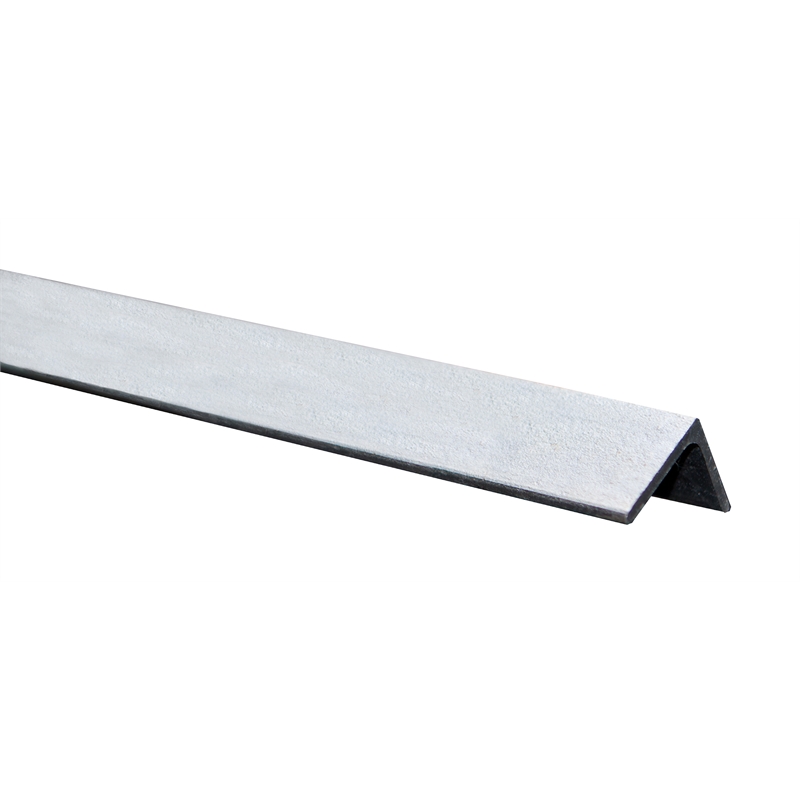
I shaped it like an L angle bar
https://2ecffd01e1ab3e9383f0-07db7b9624 ... 8b838e.jpg. It should fit inside the area between the two screws in the photo. You'll have to pinch and cut it a bit in the middle order to fit in the U-shaped notch, while allowing the wifi/LTE antenna cables (red and gray wires) to pass through. The idea is to fit it as close as possible to the magnesium lid, so that you can super glue it in place.
Since aluminum is much softer than magnesium, it won't be as strong or rigid, but at least the plastic part is held in place and doesn't move as much.
Re: x220 broken screen housing
Posted: Thu Jun 01, 2017 11:25 am
by dr_st
Great explanation. I must remember it, should my X220 ever suffer the same.

Re: x220 broken screen housing
Posted: Sun Oct 21, 2018 12:46 am
by axur-delmeria
Unfortunately, my fix didn't hold out in the long term. The aluminum sheet eventually gave way (stress fracture). I'm going to try a different solutiion when I get around to it.
Re: x220 broken screen housing
Posted: Thu Apr 02, 2020 3:13 pm
by atagunov
Hi, would anybody happen to know if the issue can occur on X200/X201/X210?
Re: x220 broken screen housing
Posted: Fri Apr 03, 2020 1:18 am
by RealBlackStuff
No, their lids are all one-solid-part.
Correction:
the X200/X201 lids (with 1280x800 LCDs, with webcam) have a similar 'split' lid as on X220/X230
the X200s/X201s lids (with 1440x900 LCDs, without webcam) are all one-solid-part.
Re: x220 broken screen housing
Posted: Fri Apr 03, 2020 2:05 am
by dr_st
RealBlackStuff wrote: ↑Fri Apr 03, 2020 1:18 am
No, their lids are all one-solid-part.
It doesn't look like it.
The construction appears similar to that of the
X220/X230 lid, but somehow the issue seems less prevalent on X200/X201 (I haven't noticed any reports).
Re: x220 broken screen housing
Posted: Sun Apr 05, 2020 10:52 pm
by axur-delmeria
IIRC only the X200/201 lid for the 1440x900 screen is one-piece. The regular lid for the 1280x800 screen has the plastic part on top.
Re: x220 broken screen housing
Posted: Mon Apr 06, 2020 1:03 am
by RealBlackStuff
axur-delmeria wrote: ↑Sun Apr 05, 2020 10:52 pm
IIRC only the X200/201 lid for the 1440x900 screen is one-piece. The regular lid for the 1280x800 screen has the plastic part on top.
Almost.
It's the X200
s/X201
s lids for 1440x900 (and without a webcam), that are one-piece