Page 1 of 1
Brightness (Backlight) control in Windows
Posted: Sat Nov 10, 2018 8:16 am
by tpx61
Brightness control in Windows works but only if I install a graphics driver. Is it possible to control brightness without installing a graphic driver? In the BIOS, the control works without any driver.
Re: Brightness (Backlight) control in Windows
Posted: Sat Nov 10, 2018 9:00 am
by tpx61
Apparently, the Linux system is done through the driver
thinkpad-acpi. The documentation shows that:
Code: Select all
Status
------

The features currently supported are the following (see below for
detailed description):

	- Fn key combinations
	- Bluetooth enable and disable
	- video output switching, expansion control
	- ThinkLight on and off
	- CMOS/UCMS control
	- LED control
	- ACPI sounds
	- temperature sensors
	- Experimental: embedded controller register dump
	- LCD brightness control
	- Volume control
	- Fan control and monitoring: fan speed, fan enable/disable
	- WAN enable and disable
	- UWB enable and disable
Bluetooth & ThinkLight on/off you can switch using the
TPFanControl application in Windows:
https://cdn1.savepice.ru/uploads/2018/1 ... b-full.png
I found the source code TPFanControl and e.g.
portio.cpp have registers of Embedded Controller:
Code: Select all
// Registers of the embedded controller
#define EC_DATAPORT	0x1600	// EC data io-port 0x62
#define EC_CTRLPORT	0x1604	// EC control io-port 0x66


// Embedded controller status register bits
#define EC_STAT_OBF	 0x01 // Output buffer full
#define EC_STAT_IBF	 0x02 // Input buffer full
#define EC_STAT_CMD	 0x08 // Last write was a command write (0=data)


// Embedded controller commands
// (write to EC_CTRLPORT to initiate read/write operation)
#define EC_CTRLPORT_READ	 (char)0x80
#define EC_CTRLPORT_WRITE	 (char)0x81
#define EC_CTRLPORT_QUERY	 (char)0x84
Maybe somehow using the HWDirect program ?:
https://cdn1.savepice.ru/uploads/2018/1 ... 4-full.png
I found this but I do not know how to read or write down the registers
ACPI-defined port 66 commands
Re: Brightness (Backlight) control in Windows
Posted: Sat Nov 10, 2018 10:39 am
by ajkula66
Colour me curious: why wouldn't you want a graphics driver installed ?
Re: Brightness (Backlight) control in Windows
Posted: Sat Nov 10, 2018 10:53 am
by tpx61
ajkula66 wrote: ↑Sat Nov 10, 2018 10:39 am
Colour me curious: why wouldn't you want a graphics driver installed ?
Because WinXP x64 in EFI mode does not boot on the Intel graphics driver.
WinXP runs with Universal VESA/VBE Video Display Driver but brightness control not work
https://www.betaarchive.com/forum/viewt ... 7c#p434999
Re: Brightness (Backlight) control in Windows
Posted: Sat Nov 10, 2018 12:26 pm
by ajkula66
OK anything XP 64 bit is utterly foreign to me, so I'll just wish you the best of luck in your quest.
Re: Brightness (Backlight) control in Windows
Posted: Sun Nov 11, 2018 3:01 am
by tpx61
OK, I learned how to switch Thinklight. This is possible using the program
RW - Read & Write Utility - I use version 64-bit 1.6.9. It is enough to change the Embedded Controller register
3B:
10 - thinklight off
12 - thinklight on
https://cdn1.savepice.ru/uploads/2018/1 ... 5-full.png
The brightness is probably not controlled by the EC. The graphic driver can control brightness. I found this topic
Fix your X220 brightness keys under Windows 10 permanently but this is for Win10. I tried entry
FeatureTestControl in the registry with the Universal VESA/VBE driver but unfortunately it does not work

Re: Brightness (Backlight) control in Windows
Posted: Mon Nov 12, 2018 4:04 am
by Screamer
tpx61 wrote: ↑Sat Nov 10, 2018 10:53 am
Because WinXP x64 in EFI mode does not boot on the Intel graphics driver.
Wait, which Intel graphics driver did you use for the HD 3000? Was it this
driver?
Re: Brightness (Backlight) control in Windows
Posted: Mon Nov 12, 2018 9:50 am
by tpx61
Screamer wrote: ↑Mon Nov 12, 2018 4:04 am
Wait, which Intel graphics driver did you use for the HD 3000? Was it this
driver?
Yes, this is version 14.51.11.64.5437. I tried also older drivers e.g. from Asrock H61M-DG3/USB3 -
14.51.6.64.5415 but WinXP x64 still not start. Only with Universal VESA/VBE OS start but this driver not support 3D and not work brightness control.
Re: Brightness (Backlight) control in Windows
Posted: Mon Nov 12, 2018 10:16 am
by dr_st
tpx61 wrote: ↑Sat Nov 10, 2018 10:53 am
WinXP runs with Universal VESA/VBE Video Display Driver but brightness control not work
Are you talking about VGA.SYS? There are plenty of things that one does not support, including Standby (Hibernation should work, though).
tpx61 wrote: ↑Sun Nov 11, 2018 3:01 am
The brightness is probably not controlled by the EC. The graphic driver can control brightness.
It's quite possible you are right. Modern Thinkpads do not support brightness control in BIOS, for example. It's possible that the BIOS for older Thinkpads actually implemented a routine to capture and handle the brightness control.
tpx61 wrote: ↑Mon Nov 12, 2018 9:50 am
Yes, this is version 14.51.11.64.5437. I tried also older drivers e.g. from Asrock H61M-DG3/USB3 - 14.51.6.64.5415 but WinXP x64 still not start. Only with Universal VESA/VBE OS start but this driver not support 3D and not work brightness control.
With these limitations, is there a point to continue running XP x64 in EFI mode, after you proved that it
can be done?
Re: Brightness (Backlight) control in Windows
Posted: Mon Nov 12, 2018 11:33 am
by tpx61
dr_st wrote: ↑Mon Nov 12, 2018 10:16 am
Are you talking about VGA.SYS? There are plenty of things that one does not support, including Standby (Hibernation should work, though).
No, with
Standard VGA Graphic Adapter WinXP also not start in EFI mode. I use Universal VESA/VBE - link ->
VBEMP NT Project Universal VESA/VBE Video Display Driver
direct link to driver:
vbempk.zip
dr_st wrote: ↑Mon Nov 12, 2018 10:16 am
With these limitations, is there a point to continue running XP x64 in EFI mode, after you proved that it
can be done?
Read this post or whole topic:
Does Windows XP have EFI?
https://www.youtube.com/watch?v=YpyVbS91UiM
dr_st wrote: ↑Mon Nov 12, 2018 10:16 am
It's quite possible you are right. Modern Thinkpads do not support brightness control in BIOS, for example. It's possible that the BIOS for older Thinkpads actually implemented a routine to capture and handle the brightness control.
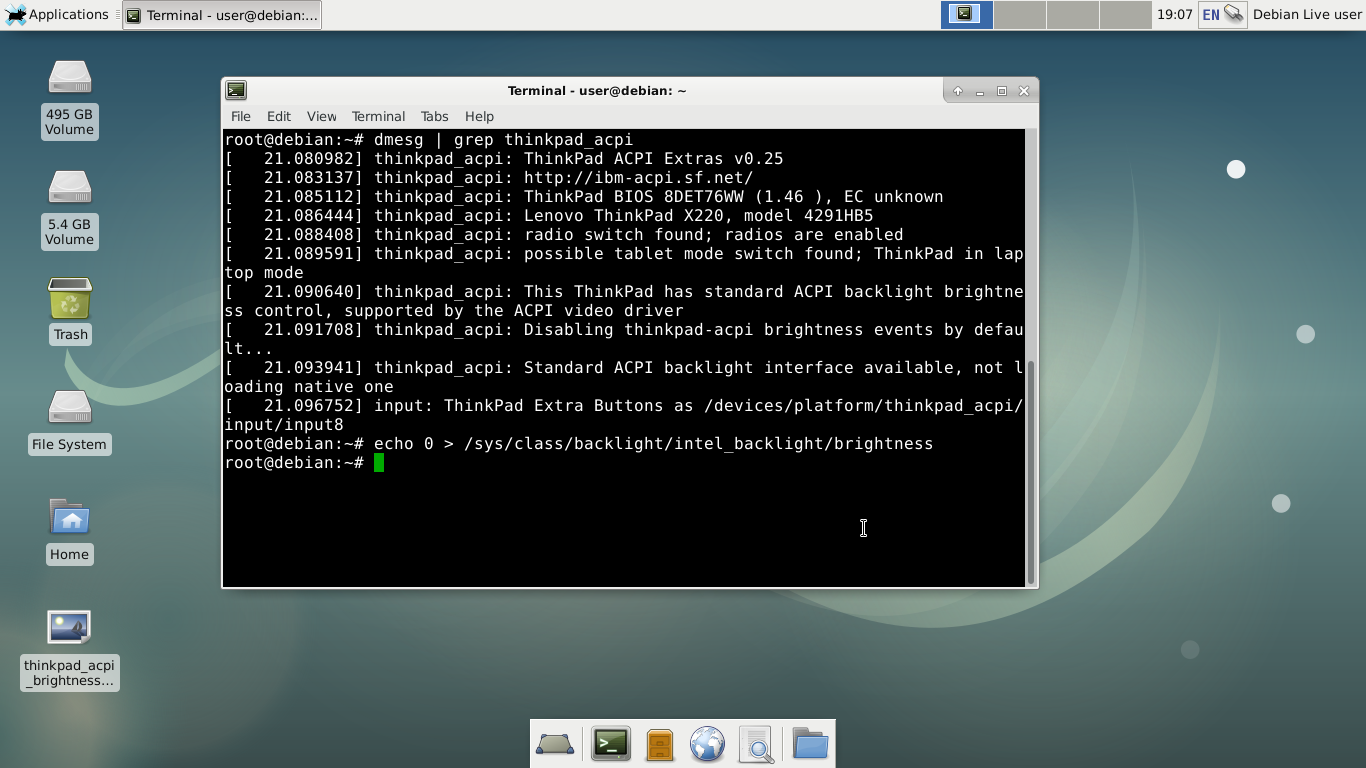
Brightness in X220 is controlled by ACPI. I checked it on Linux, after executing the command:
Code: Select all
echo 0 > /sys/class/backlight/intel_backlight/brightness
screen is black. Brightness works also over Fn+Home and FN+End:
It is interesting that in the BIOS or WinXP it is impossible to disable the screen completely using Fn+End, while in Linux you can disable it completely. On BIOS/WinXP is 15 levels of brightness, but on Linux is 10 levels.
Re: Brightness (Backlight) control in Windows
Posted: Mon Nov 12, 2018 5:29 pm
by tpx61
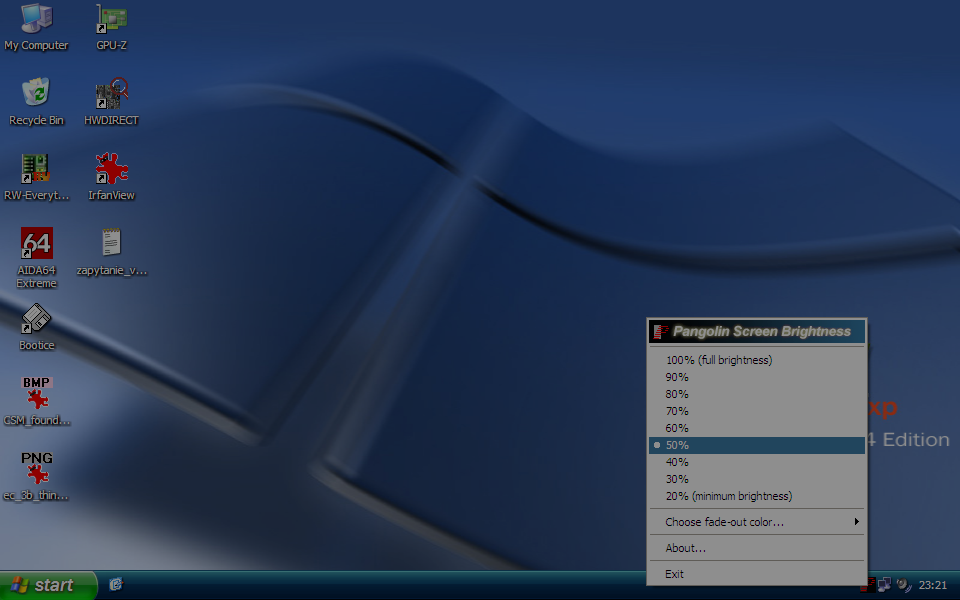
The work around the brightness problem is use tool
Pangolin Screen Brightness:
Re: Brightness (Backlight) control in Windows
Posted: Tue Nov 13, 2018 2:42 am
by dr_st
I looked it at already in the previous thread where you discussed it. I understand that it can be done, my question is - why would someone want to? What are the advantages over running it in "Legacy" mode?
Re: Brightness (Backlight) control in Windows
Posted: Tue Nov 13, 2018 1:10 pm
by tpx61
dr_st wrote: ↑Tue Nov 13, 2018 2:42 am
my question is - why would someone want to? What are the advantages over running it in "Legacy" mode?
Nobody needs to want. I just wanted to check and show that WinXP can be run in EFI mode. I think that this is very interesting.
Re: Brightness (Backlight) control in Windows
Posted: Tue Nov 13, 2018 5:01 pm
by CrazyTPFan
Your going to need the driver to get the brightness control to work properly.
Re: Brightness (Backlight) control in Windows
Posted: Mon Sep 22, 2025 3:48 am
by tpx61
I know how to control the brightness from Windows - no graphics driver required

:
https://www.elektroda.pl/rtvforum/topic4145655.html