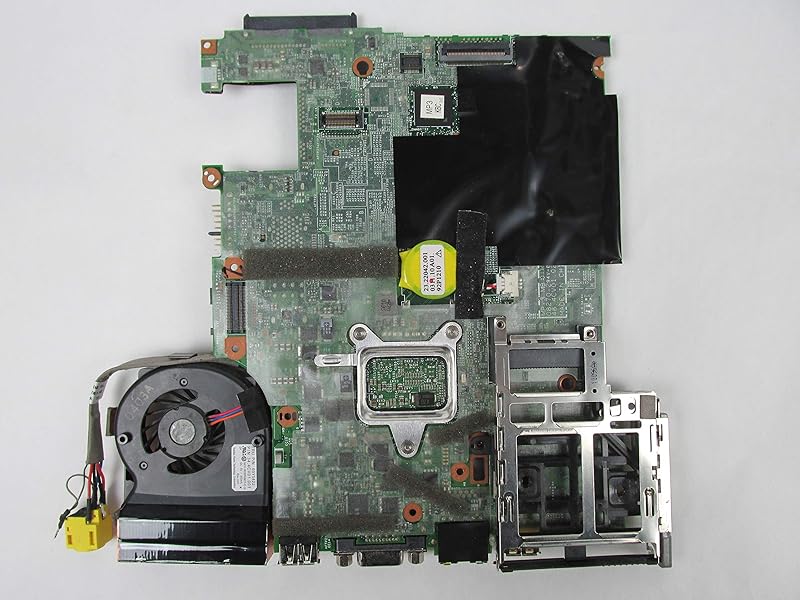
X201s: "Peel the thin film off" (pag 135 Manual)
Posted: Thu Feb 10, 2022 3:18 pm
I am confused about the "peel the thin film off from the rubber" sentence on the manual, pag 135
Is this intended for a "new" heat sink, or should I "peel off" something when reapplying thermal paste on my old heat sink?
Additionally:
1) can I put the paste on the processor and GPU instead?
2) how can I fix the rear "thing" that holds the screws of heatsink to the MB when disassembling?
I am experimenting with the X201s which doesn't boot and it is quite impossible to operate with the rear "thing" moving away.
I don't want to mess up with the functioning X201.
thanks in advance,
A.
Is this intended for a "new" heat sink, or should I "peel off" something when reapplying thermal paste on my old heat sink?
Additionally:
1) can I put the paste on the processor and GPU instead?
2) how can I fix the rear "thing" that holds the screws of heatsink to the MB when disassembling?
I am experimenting with the X201s which doesn't boot and it is quite impossible to operate with the rear "thing" moving away.
I don't want to mess up with the functioning X201.
thanks in advance,
A.