SL500 Restoration Blog
Posted: Sat Jan 12, 2019 11:17 am
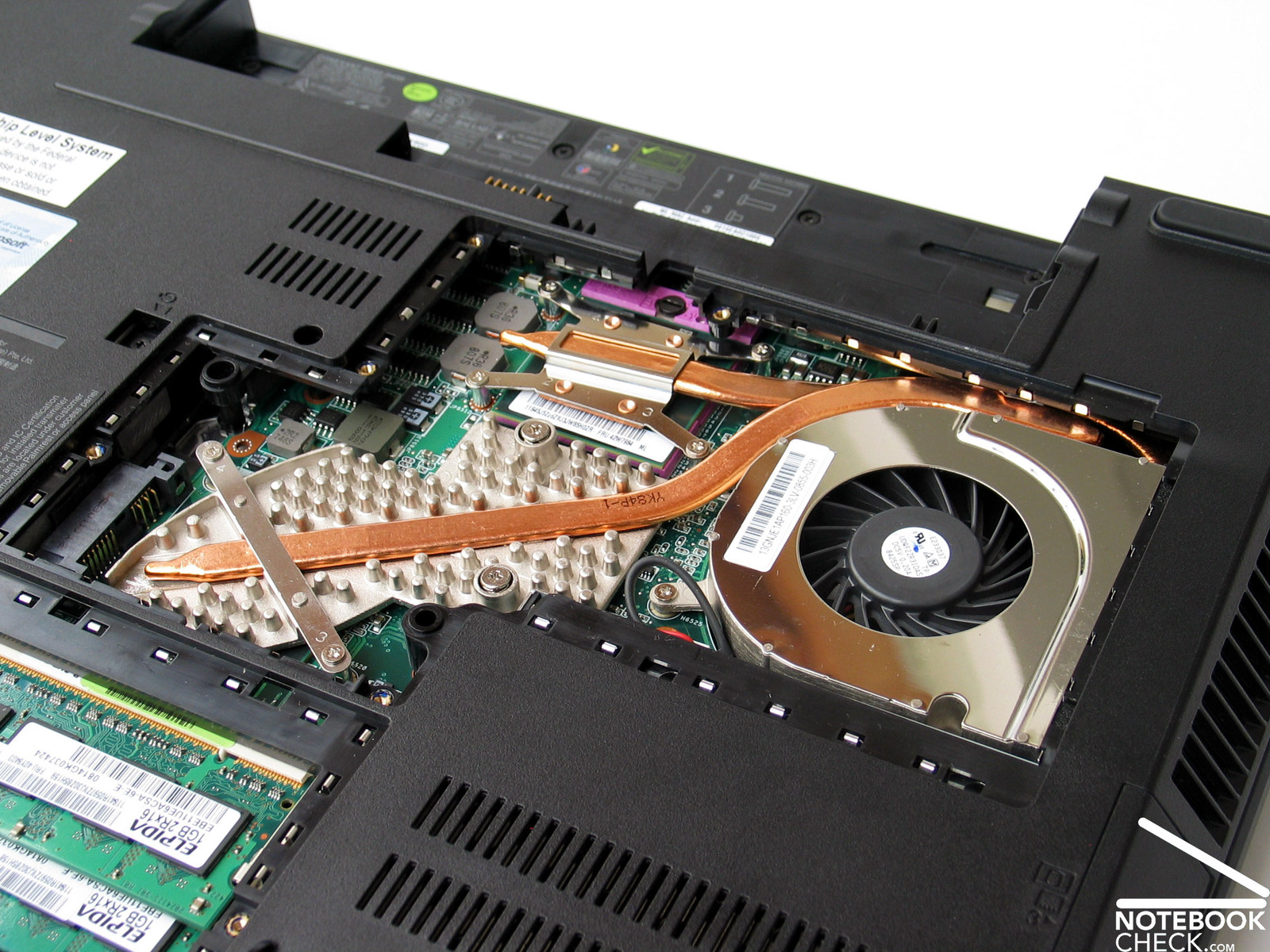
Just picked up a new laptop for my collection (sisters old laptop). This Lenovo SL500 Thinkpad is running a dual core P7350 CPU and clocks at a whopping 2.0Ghz right out of the gate. The laptop itself is fairly beat up but we have a plan in motion to restore it back to like new condition.
And we wont keep it stock, that's for sure! Seeing as though it supports the 1066Mhz FSB speed, I went right to the top of the ladder and just ordered up an Intel X9100 core 2 extreme processor which will be paired with 4GB kit of DDR2 RAM @ 800Mhz.
So far, we have performed the RAM upgrade and ditched the old mechanical hard drive for a 60GB SSD. Fixed the broken hinge with JB weld, and as you can see there is also some damage to the speaker grill, so we have a new speaker grill ordered up as well. We also have a new keyboard on the way, as the letter a is damaged, and we simply cannot have that.
The SSD paired with the Intel X9100 should eliminate some performance bottlenecks and I am confident we can do something like a 10 percent overclock with roughly a 1.1500 vcore. All CPU performance adjustments will be done with Throttlestop. Looks like TPFanControl does not work with the SL500 laptops...
We have the system now set up with Windows 10 64 bit.
I will update this thread as the build progresses. For now, enjoy some low quality pictures snapped from my cell phone.
https://ibb.co/Sv5WBbW
https://ibb.co/zs75Dth
https://ibb.co/1ZDPqHG
https://ibb.co/NC5vHf8
https://ibb.co/7jVNLvV
https://ibb.co/fQ4vXgk
https://ibb.co/syLkFt4
https://ibb.co/ccj0LM3
https://ibb.co/C8CnbYw
https://ibb.co/KqrDWVq
https://ibb.co/MssqVCj
https://ibb.co/dt3hPMy
https://ibb.co/gzjXJ1s
https://ibb.co/gP6ygb8
https://ibb.co/xLPZx70
https://ibb.co/jMbdCSt
https://ibb.co/d6CjKXg
https://ibb.co/7y9fhRX
https://ibb.co/dGWQ04P
https://ibb.co/ZXQk8NK
https://ibb.co/P58p2yz
https://ibb.co/T2DZLvK
https://ibb.co/DgwzW2F
https://ibb.co/VMPZ2Mh
https://ibb.co/3dcW4X7
https://ibb.co/4Mqg0Zr
https://ibb.co/GT97SqG
https://ibb.co/kH6pfxb
https://ibb.co/XsYybgf
https://ibb.co/pxR0HPV
https://ibb.co/4SxK8g4
https://ibb.co/Yjp5Bsw
https://ibb.co/THytpNc
https://ibb.co/mbBCpS4
https://ibb.co/Y3W68mX
And we wont keep it stock, that's for sure! Seeing as though it supports the 1066Mhz FSB speed, I went right to the top of the ladder and just ordered up an Intel X9100 core 2 extreme processor which will be paired with 4GB kit of DDR2 RAM @ 800Mhz.
So far, we have performed the RAM upgrade and ditched the old mechanical hard drive for a 60GB SSD. Fixed the broken hinge with JB weld, and as you can see there is also some damage to the speaker grill, so we have a new speaker grill ordered up as well. We also have a new keyboard on the way, as the letter a is damaged, and we simply cannot have that.
The SSD paired with the Intel X9100 should eliminate some performance bottlenecks and I am confident we can do something like a 10 percent overclock with roughly a 1.1500 vcore. All CPU performance adjustments will be done with Throttlestop. Looks like TPFanControl does not work with the SL500 laptops...
We have the system now set up with Windows 10 64 bit.
I will update this thread as the build progresses. For now, enjoy some low quality pictures snapped from my cell phone.
https://ibb.co/Sv5WBbW
https://ibb.co/zs75Dth
https://ibb.co/1ZDPqHG
https://ibb.co/NC5vHf8
https://ibb.co/7jVNLvV
https://ibb.co/fQ4vXgk
https://ibb.co/syLkFt4
https://ibb.co/ccj0LM3
https://ibb.co/C8CnbYw
https://ibb.co/KqrDWVq
https://ibb.co/MssqVCj
https://ibb.co/dt3hPMy
https://ibb.co/gzjXJ1s
https://ibb.co/gP6ygb8
https://ibb.co/xLPZx70
https://ibb.co/jMbdCSt
https://ibb.co/d6CjKXg
https://ibb.co/7y9fhRX
https://ibb.co/dGWQ04P
https://ibb.co/ZXQk8NK
https://ibb.co/P58p2yz
https://ibb.co/T2DZLvK
https://ibb.co/DgwzW2F
https://ibb.co/VMPZ2Mh
https://ibb.co/3dcW4X7
https://ibb.co/4Mqg0Zr
https://ibb.co/GT97SqG
https://ibb.co/kH6pfxb
https://ibb.co/XsYybgf
https://ibb.co/pxR0HPV
https://ibb.co/4SxK8g4
https://ibb.co/Yjp5Bsw
https://ibb.co/THytpNc
https://ibb.co/mbBCpS4
https://ibb.co/Y3W68mX