Page 1 of 1
ultrabay SATA adapter for w510
Posted: Sun Feb 07, 2010 2:40 pm
by period3
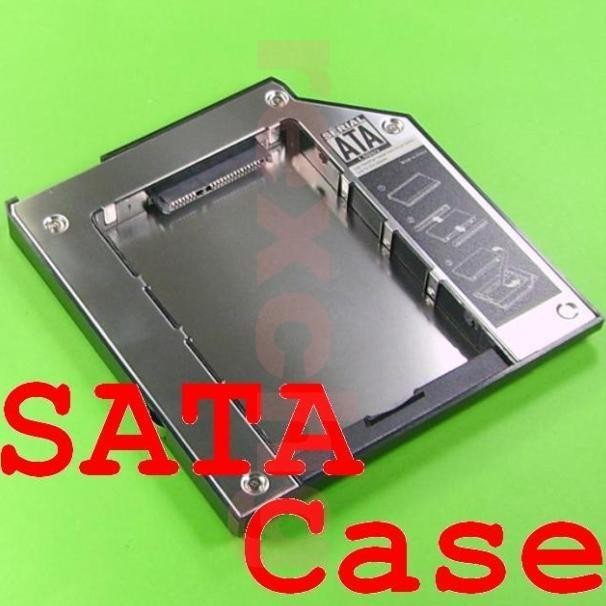
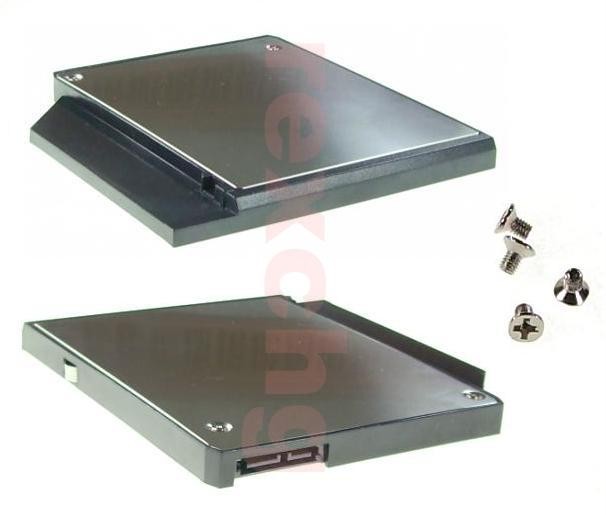
I ordered the SATA adapter III for my w510 (43N3412), as this is the only adapter listed in the TA book for this model.
It doesn't fit properly: there's a huge gap at the top. It does work, but the gap is going to let in all kinds of dirt and dust... This is very disappointing. Is there another sata ultrabay adapter for this notebook?
Re: ultrabay SATA adapter for w510
Posted: Sun Feb 07, 2010 3:19 pm
by pdth
period3 wrote:I ordered the SATA adapter III for my w510 (43N3412), as this is the only adapter listed in the TA book for this model.
It doesn't fit properly: there's a huge gap at the top. It does work, but the gap is going to let in all kinds of dirt and dust... This is very disappointing. Is there another sata ultrabay adapter for this notebook?
I wish. The only adapter they have is a "slim" type that is a few mm smaller than the normal ultrabay slot. So yes, there's a gap. Since the gap is mentioned in the Tabook I guess it's intentional, but doesn't serve any useful purpose as near as I can tell.
Re: ultrabay SATA adapter for w510
Posted: Thu Feb 11, 2010 7:01 am
by Aleq
Re: ultrabay SATA adapter for w510
Posted: Sun Feb 14, 2010 9:48 pm
by mybellyisempty
It doesn't work.
the Slim & Enhanced generic enclosures don't work in the W510. I bought a new Enhanced to replace my slim, as I didn't want the gap either.
Plug it in, and it doesn't power on. Plug in the generic on the W500, and it works just fine. I went ahead and bought a genuine Lenovo one, and will likely sell these off, or hold onto it on the chance I pick up a T400 for work.
Hopefully they'll make a new enhanced one. I'd prefer to avoid the gap as well.
Or, I'd like to find a way to merge the the generic's body with the Lenovo's guts.
Re: ultrabay SATA adapter for w510
Posted: Tue Feb 16, 2010 10:23 pm
by gregmcg
I'm finishing up installing onto my D: drive that is in the Lenovo SATA caddy in my W510. One thing I found is that you should have it keyboard side up and slide it in slowly. I actually hear a slight click when it's in.
As for the gap at the top.. .I was curious about it as well. Only think I can think of is air circulation for a hard drive versus a DVD? They could have handled this a bit better if that is the case.