


 Homepage
 Forum
Forum Drivers
 HMM-Manuals
 MTM
MTM Feed
Feed

In the following I assembled a bunch of pictures comparing the following three laptops: T60 14.1" standard, Z61t 14.1" wide and T61 14.1" wide. The goal is to compare the exterior: dimensions, looks and ports.
Unfortunately, these were taken with an old and bad camera. So the pictures are small and of sub-par quality. They should still provide enough detail for comparison. If anyone is interested, I may be able to retake some specific pics with a better camera.
Full-size pics can be accessed by clicking on the images
Starting from side-by-side comparisons of the laptops with their lid open, examining the LCD and keyboard areas:
T60 vs. Z61t on the left, T60 vs. T61 on the right:
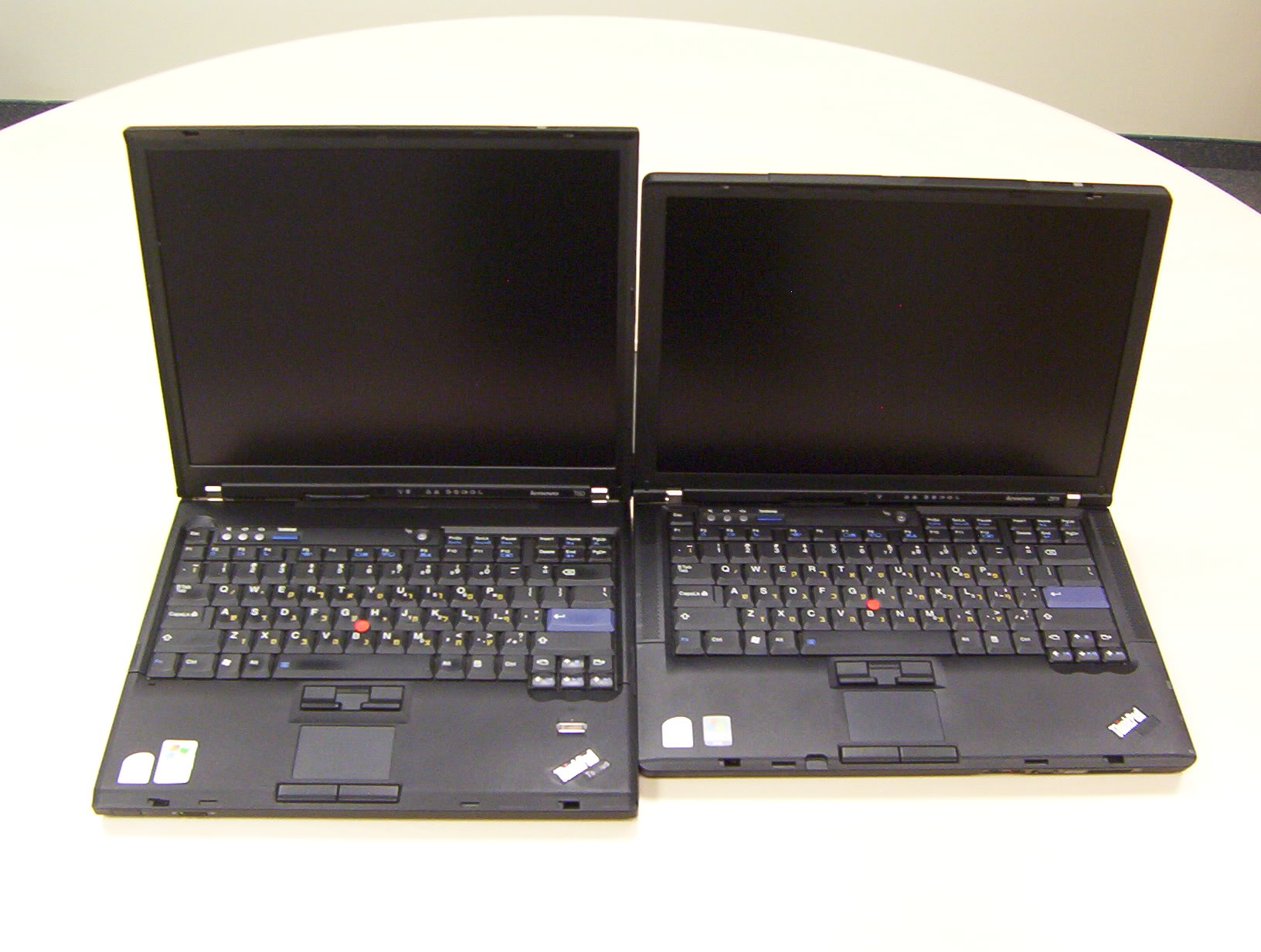
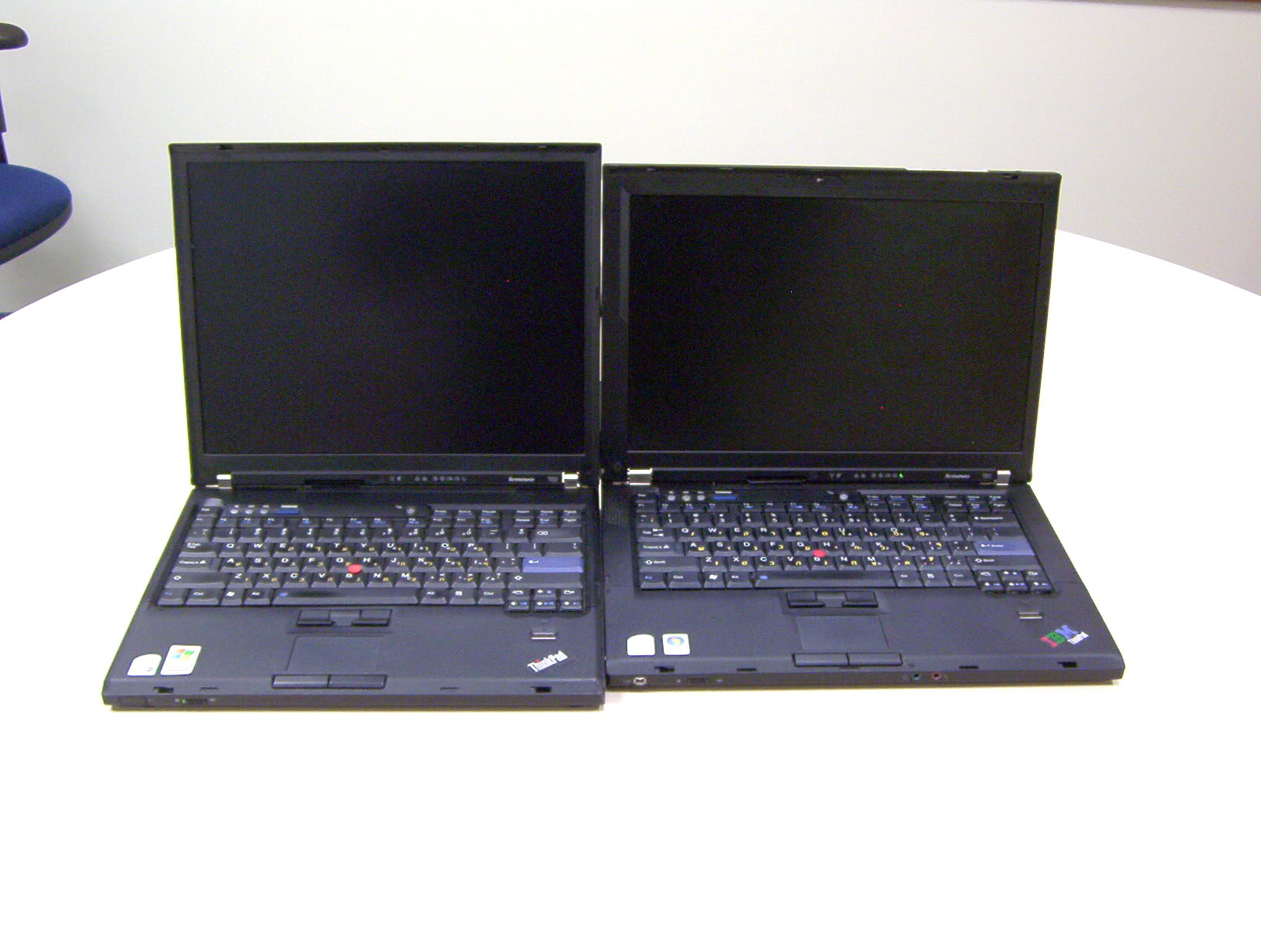
Clearly, the basic design theme is the same on both Ts, while on the Z it's slightly different: sharp versus rounded screen corners, front lip that goes straight down versus diagonally inward as on the Z (some of the pictures below show it more clearly).
The LCD bezel, however,is more similar between the T60 and the Z61, with some nice curves. The T61 bezel curves on top (to match the front lip), but is completely flat on the left/right sides.
T61 (left) vs. Z61t (right):
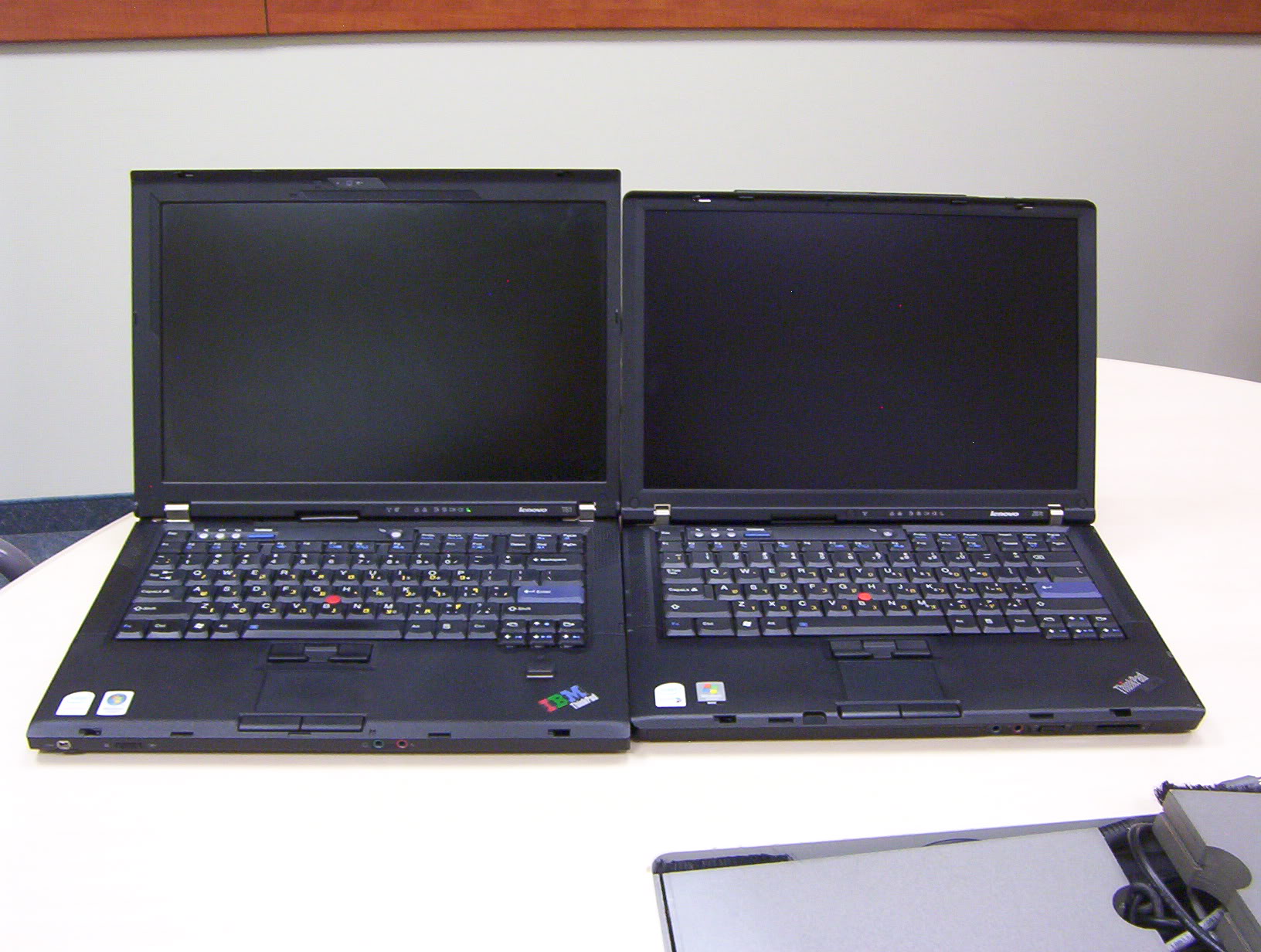
This one is the "killer" pic. Both laptops have the same physical screen size, but the T61 has so much more wasted space in the bezel, that its vertical size / depth are about 1cm (0.4" larger).
I find that the Z61t looks much nicer with its smooth edges and slim symmetric bezel. Also the left hinge on the T61 seems unnecessarily thick.
It also seems as if there is more space on the sides of the T61 keyboard, but that is mostly an optical illusion due to the narrower speaker grille and curve on the Z61t - the width of the laptops only differs by a couple mm (0.1").
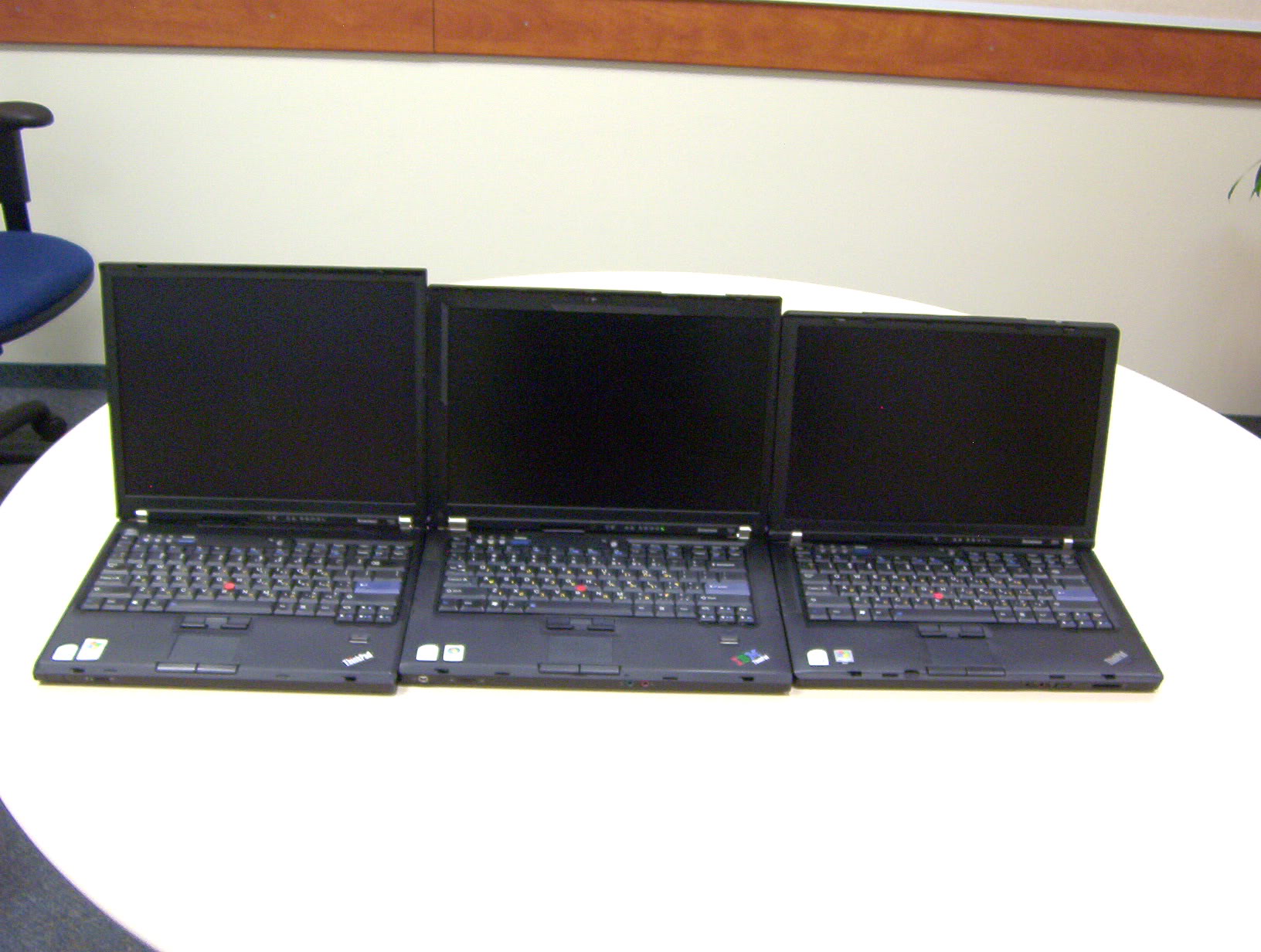
From tall to short: T60, T61, Z61t
The palmrest and the Thinkpad logos (T61-->T60-->Z61t):
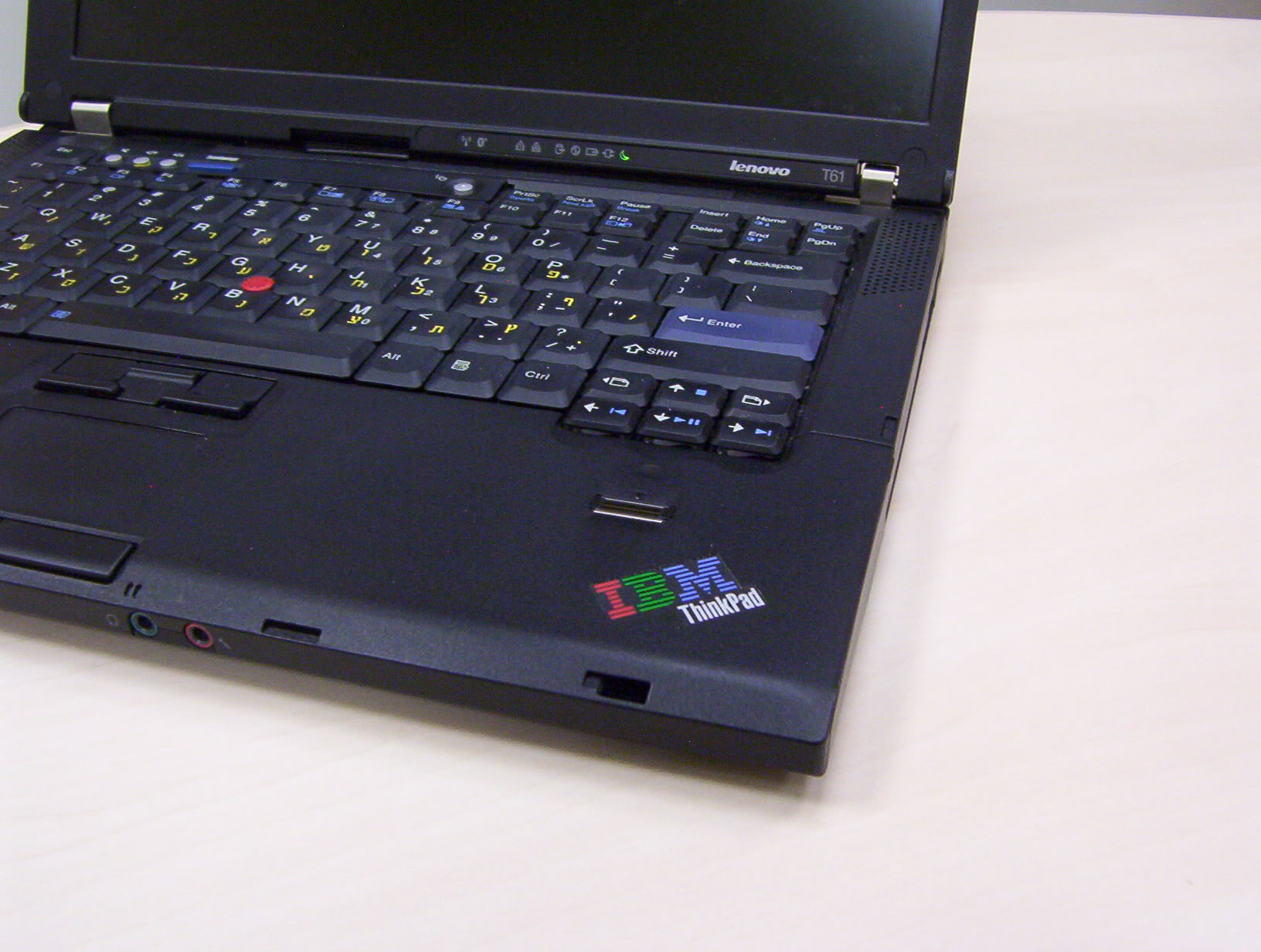

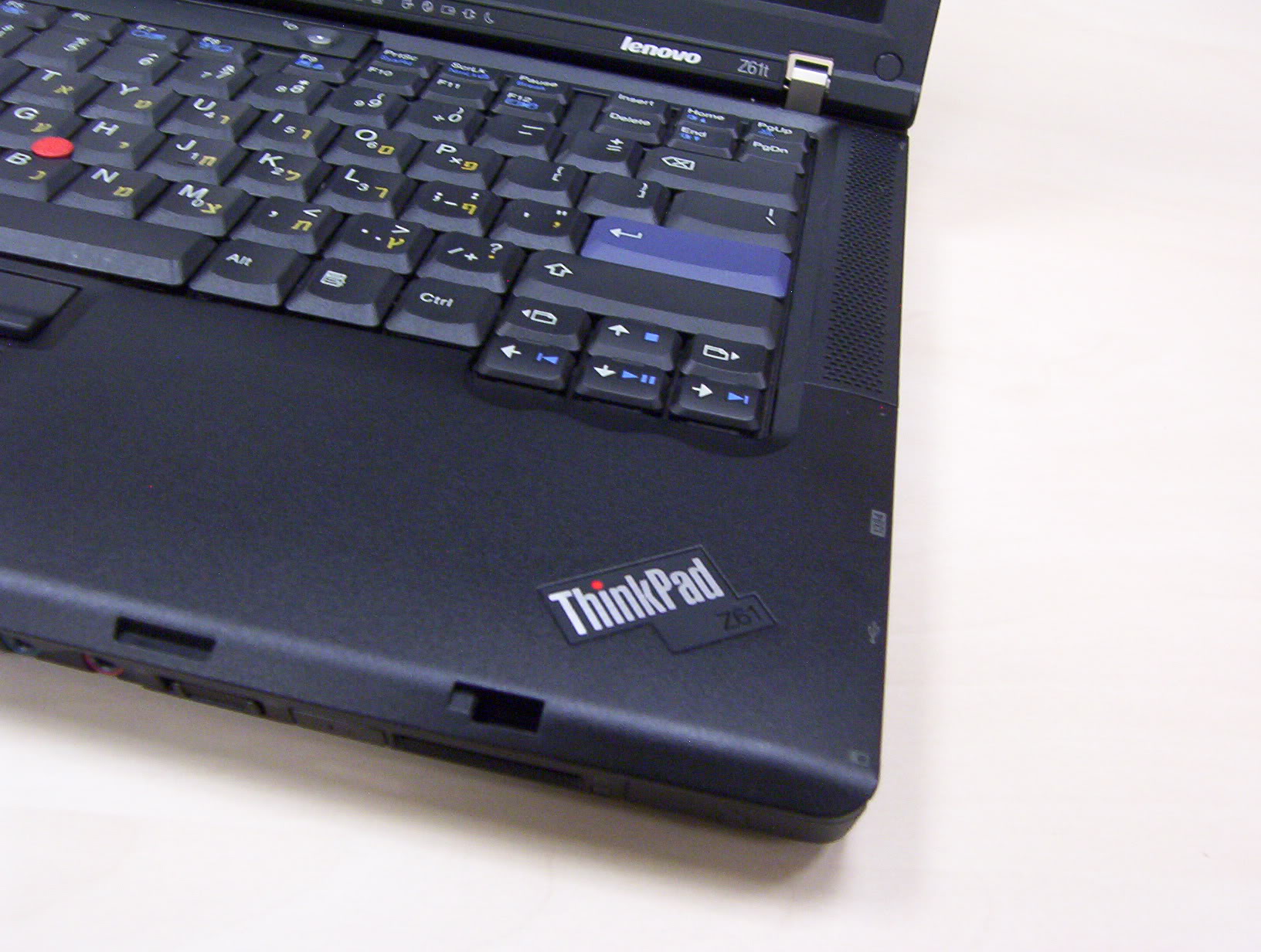
The T61, despite being a later model still sports the classic "IBM Thinkpad" logo. I think this machine was one of the last batches ever with this logo.
The T60 shows the "Thinkpad T-series" logo which replaced the old one, but still share the same size and shape, making the two interchangeable.
The Z61t has a different logo as well, saying "Thinkpad Z61". Interestingly, it does not say "Z-series". This indicates that transition to the new logos began after the Z60 series were already phased out. Only some of the very late Z61t/m/e/p series sported this logo (the machine in the picture was manufactured in September 2007).
Keyboards up front (T60-->T61-->Z61t):
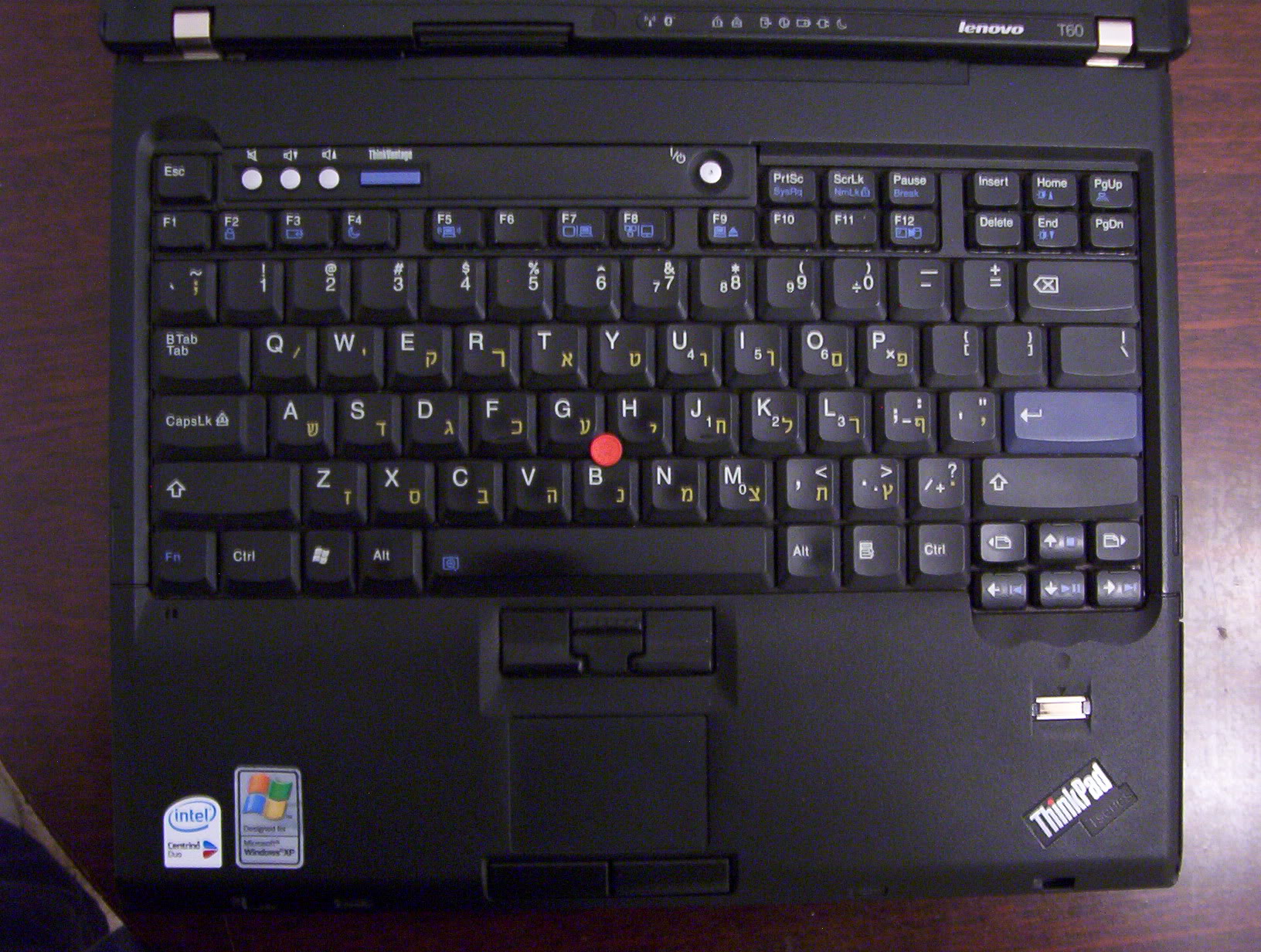
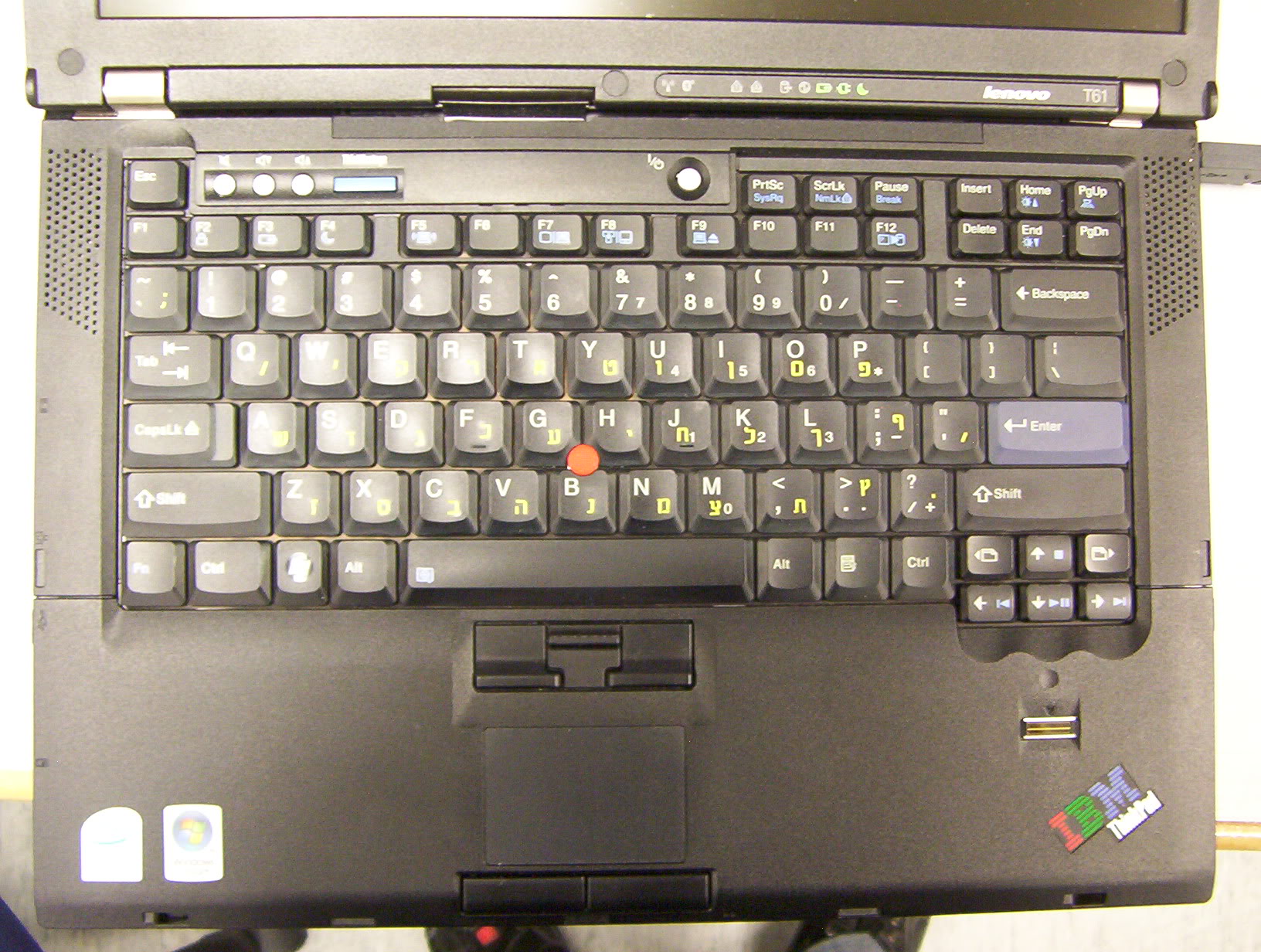
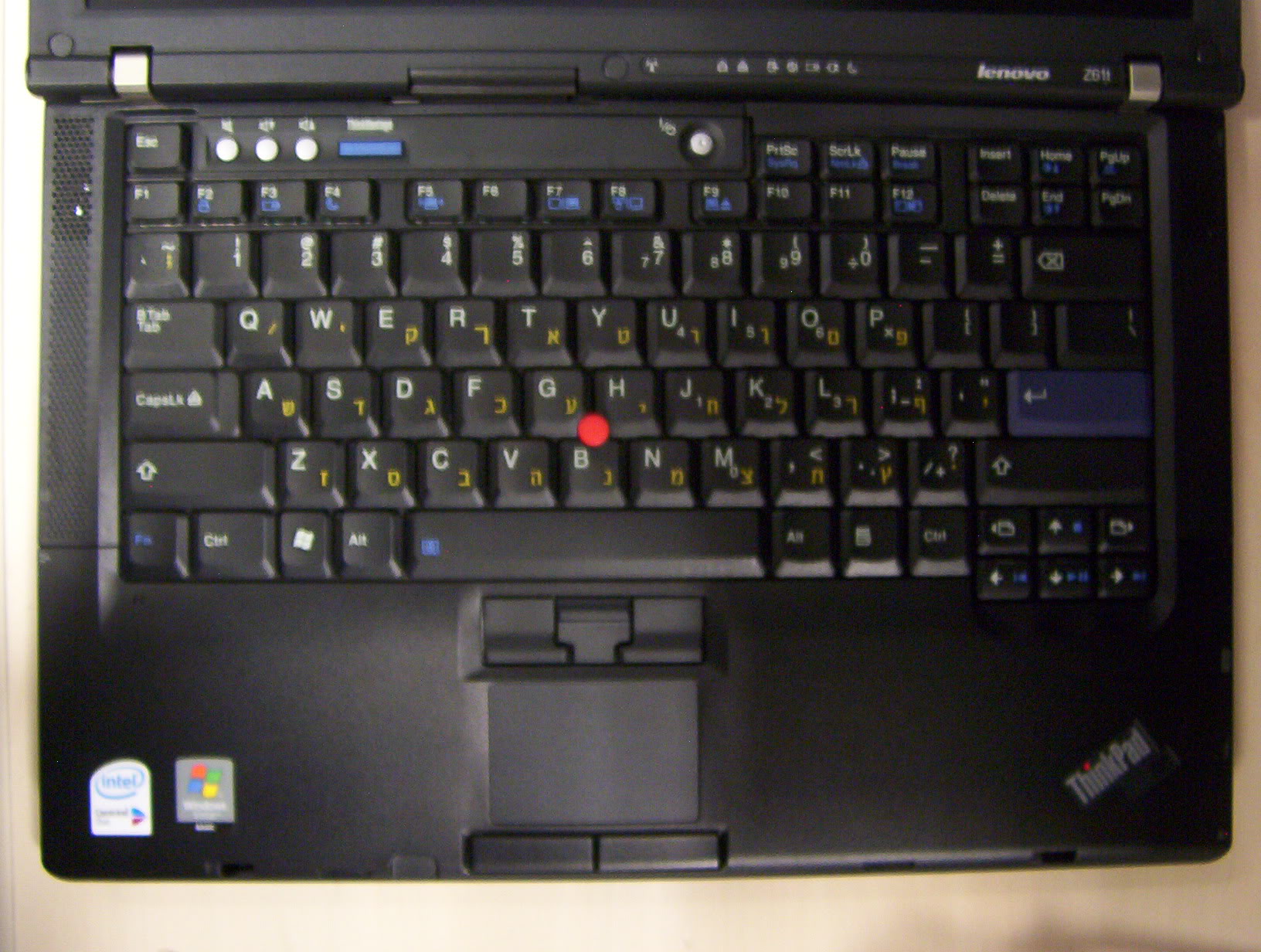
The keyboard is exactly the same between the three models.
Notice that while the T60/Z61t have genuine Hebrew keyboards, the one on the T61 is originally English-only US and Hebrew has been engraved.
The key layout is exactly the same, but the Hebrew keyboard has slightly different markings on some keys (e.g. Shift/Enter/Backspace).
The T61 and Z61t have their speakers on the side of the keyboard, while the T60 speakers are under the notebook's front lip, since there is no space on the sides of the keyboard to position them. On the other hand, there is lots of space above it, and I've known some manufacturers to position speakers above the keyboard. There are advantages and disadvantages to both top and bottom-mounted speakers, which have been thoroughly discussed in various forum threads.
Notice how the Z61t keyboard sits closer to the hinges, and the gap between the touchpad and the trackpoint buttons is smaller compared to the T61. This is due to the overall smaller depth of the Z61t.
Laptop stacks (no comparison is whole without them):

Front:
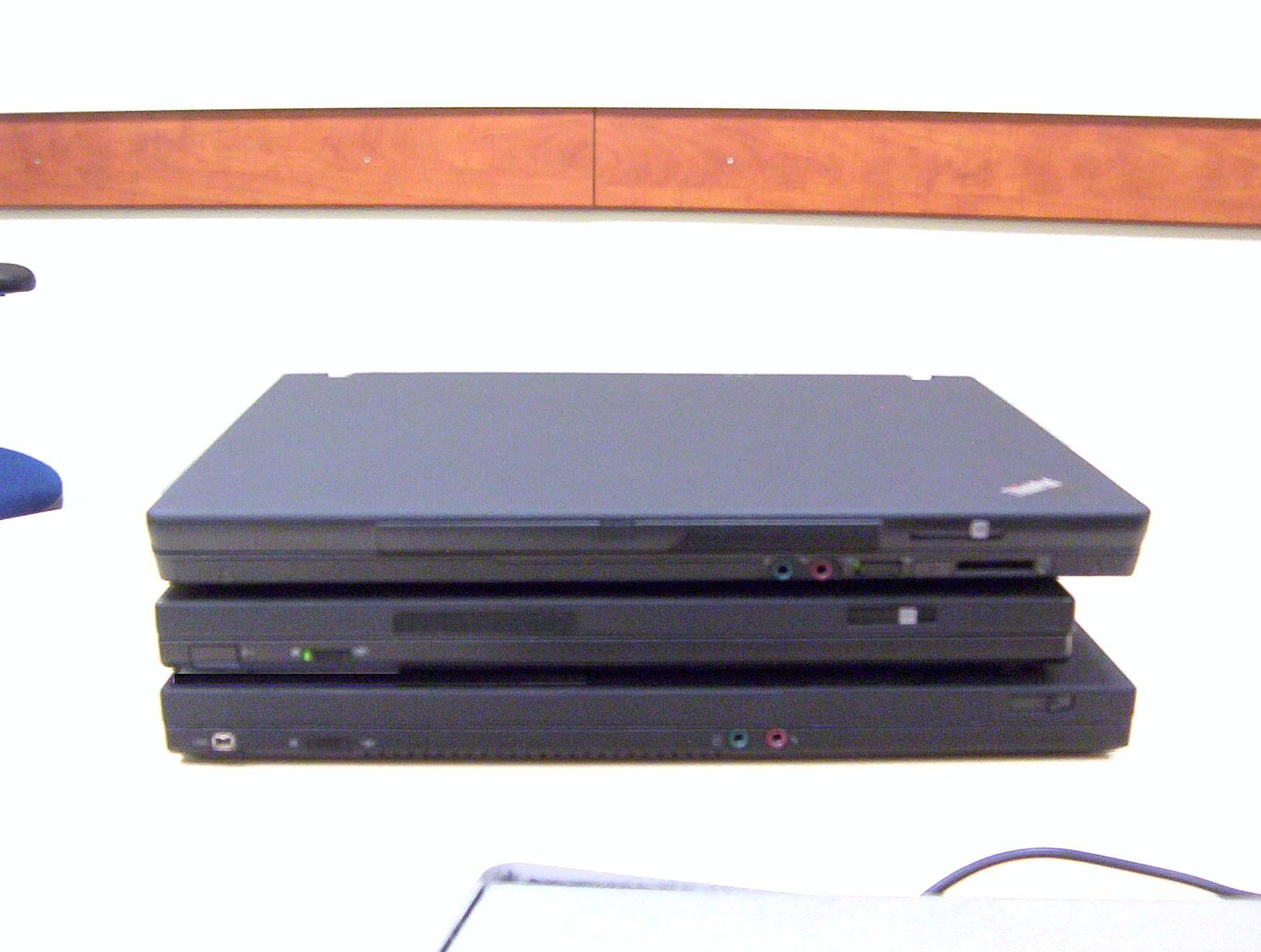
All: WiFi switch, latch (note the changes in latch placement and form between the T60/Z61 and the later T61).
T60: IR
T61/Z61t: Audio jacks (the 14.1" wide seemed too cramped to stick them on the side)
T61: Firewire
Z61t: Card reader
Notice how the Z61t has nothing on the left side, and the others have nothing on the right. This is due to the placement of the hard drive, which makes it impossible to have any ports in the corresponding areas.
Back:
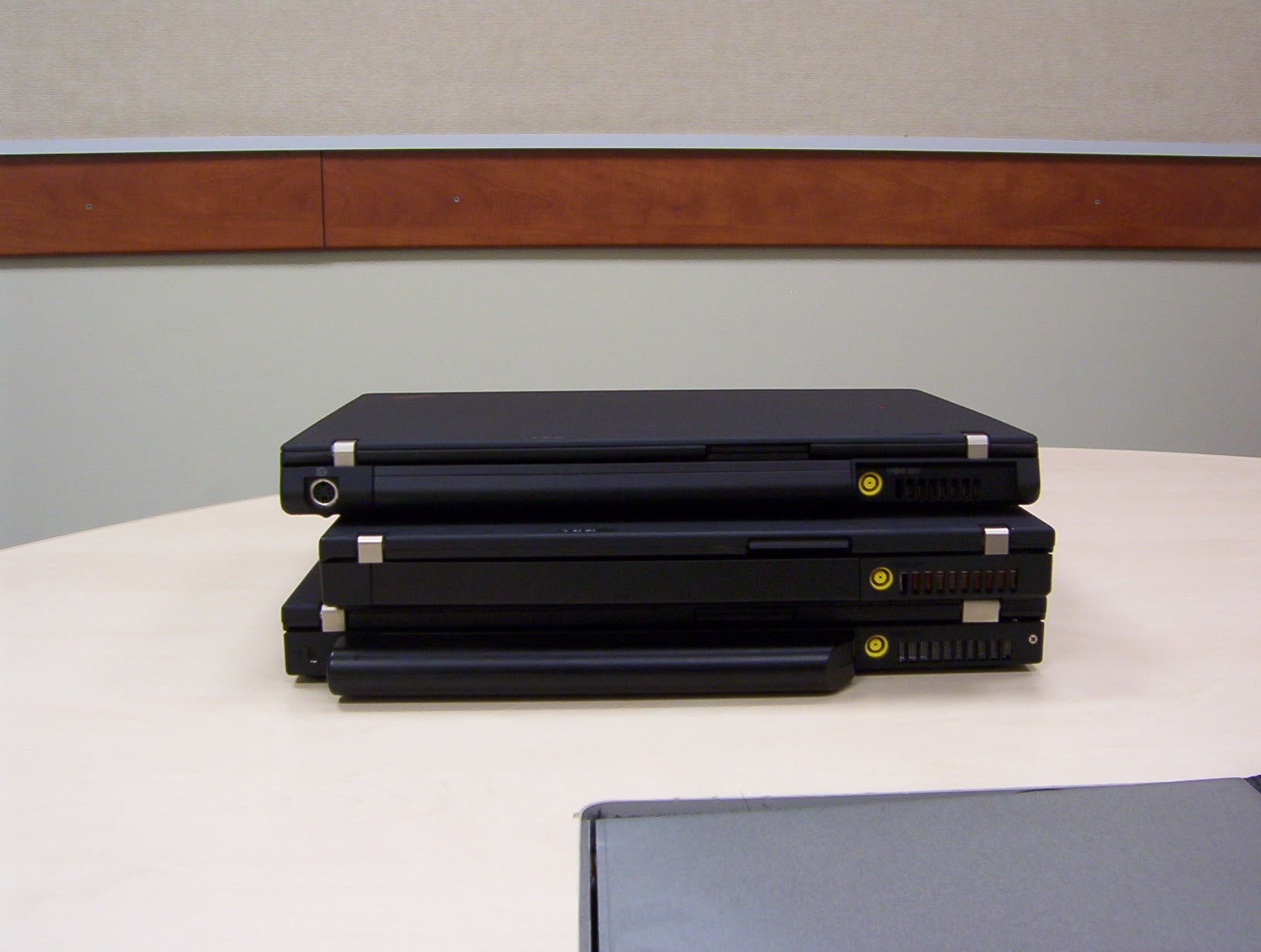
All: Fan exhaust, power jack, battery. Note that due to the slanted design of the Z61t rear, the power jack area is slightly recessed. Potentially a bit awkward when reaching for it blindly.
Z61t: S-Video; Only one of the three to have this port. Seems like Lenovo considered S-Video not important on the "strictly-business" T-series, but left it on the Z-series which was partly "consumer-oriented". I think this "orientation" partly contributed to people unjustly believing the Z series to be somehow inferior to the T series.
T61: Kensignton lock slot.
Right:
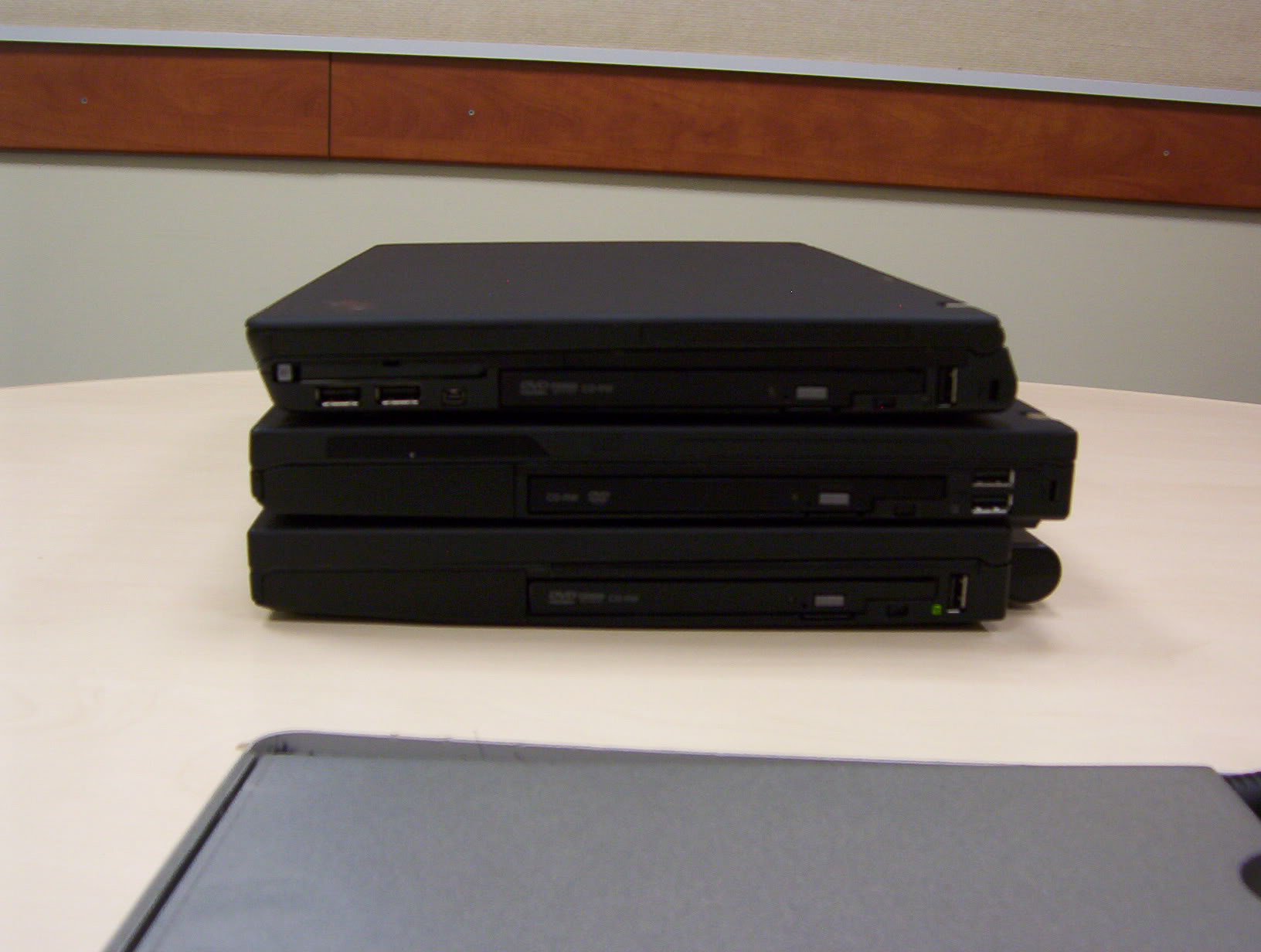
All: optical drive
T60/Z61t: Kensignon lock slot
T60/T61: Hard drive
Z61t: PCMCIA/Firewire
All: USB ports.
The placement of the USB ports is different on all machines. The T60 has two horizontal USB ports to the right of the optical drive, whereas the T61/Z61t, being widescreen, have much less space there, only sufficing for one vertical USB port. The Z61t has two additional horizontal USB ports under the PCMCIA slot (this space is occupied by the hard drive on the T60/T61).
Left:
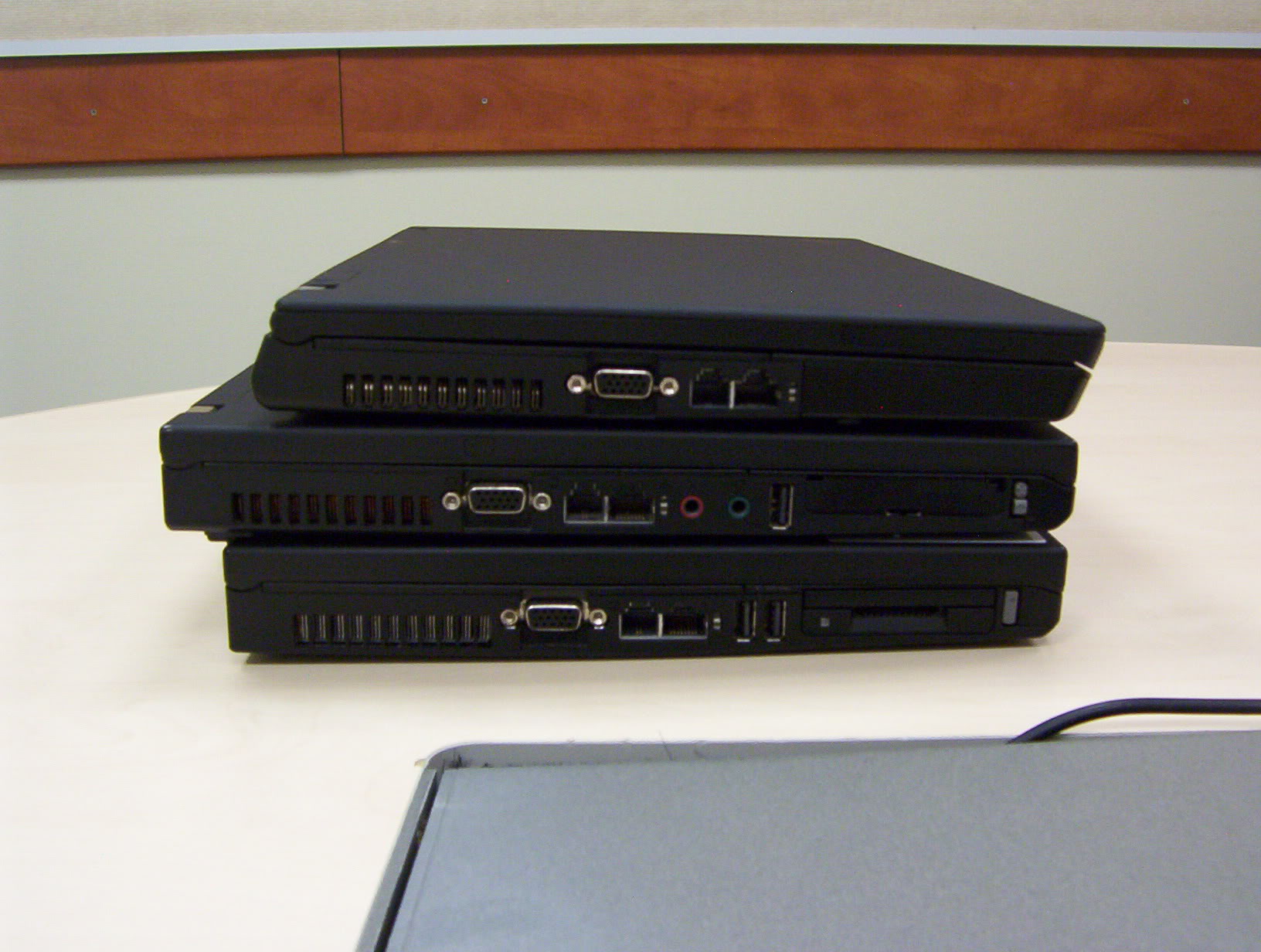
All: Fan Exhaust, VGA, LAN/Modem
Z61t: Hard drive
T60/T61: PCMCIA/USB (T61 has one extra here)
T60: Audio jacks, Expresscard
T61: Card reader (on some models this is replaced with an Expresscard/Smart Card slot).
Notice how the top of the LCD lid of the Z61t seems separate from the rest of the assembly (unlike the T-series where the lid is one piece). This is because the Z61t comes with two different lid options: CFRP (black) and titanium (silver).
Discussion on USB ports:
All 3 machines have 3 USB ports, but the locations are very different, and this might affect usability.
First, the fact that the Z61t has all ports on one side (right) is far from ideal. More over, the two ports under the PCMCIA slot are very close and if a wide USB device is inserted into one of them, the other one is blocked. Even most USB keys are wide enough to block the adjacent port. Therefore, for many common scenarios, the Z61t has de-facto only 2 USB ports.
The T61 suffers from a different problem: all 3 of its USB ports are vertical. It means that some very wide USB devices (card readers for instance, or strangely shaped USB keys) will not go in, unless the laptop is raised or positioned on the edge of the table. However, most USB devices are not that wide, so there should be no problem.
The T60's horizontal USB ports are stacked together, one on top of the other. This will not create problems with wide devices (although something very wide can block the CD tray), but might become problematic with thick USB devices, such as wireless/cellular modem dongles.
Experience shows that USB devices are more often wide than thick, so all in all, I deem the USB port placement of the T60 as the best of the three, followed by the T61, and the Z61t.
Discussion on PCMCIA/ExpressCard slots:
The good thing is that all three notebooks have PCMCIA available on all models. Since there are still far more PC cards than Express Cards out there, this seems a right decision by Lenovo.
In addition to PCMCIA, the T60 has Expresscard on all models, whereas the Z61t has the card reader. Of these two, I prefer having the Expresscard, since card reader functionality can easily be added via USB, whereas nothing can replace Expresscard except cumbersome PCMCIA adapters, which don't always work and have performance bottlenecks (Expresscard uses faster bus). So if you need Expresscard, the Z61t is not for you.
The T61 offers the highest flexibility, since you can choose whether to have an Expresscard slot, a Smartcard slot or a card reader.
Considering all the above, I rank the card slot selection to be the best on the T61, followed by the T60 and the Z61t.
Thickness comparison (sorry about the very blurry pictures):
Left: T61-->T60. Right: Z61t-->T60
The T60 is actually the thinner of the three. The Z61t and the T61 are roughly the same thickness. The extra thickness is probably to accommodate the two lid options on the Z61t, and the LCD rollcage on the T61.
General comments on weight and battery life:
This is not evident from the pictures, but is evident from the Ltwbook or from daily usage of the laptops.
The biggest advantage of the Z61t over the T60/T61 is the weight. When considering the weight with the standard battery, it is noticeably lighter than the other two. However, one must not forget that the T60's standard battery is 6-cell, providing better battery life than the 4-cell in the Z61t.
The T61 seems to lag behind in battery/weight ratio, since with the 4-cell it weighs about as much as the T60 with the 6-cell, and more than the Z61t with the 4-cell.
However, with the addition of the 9-cell option for the 14.1" wide T61, it can once again compete with the 14.1" 4:3/15"/15.4" counterparts in battery life. The Z61t is forever stuck with the 7-cell as the maximum, and the added weight of the latter erases the advantage of the Z61t compared to the T60 configured with 6-cell.
This concludes this show.


 Very nice comparison! I enjoyed reading it!


