


 Homepage
 Forum
Forum Drivers
 HMM-Manuals
 MTM
MTM Feed
Feed

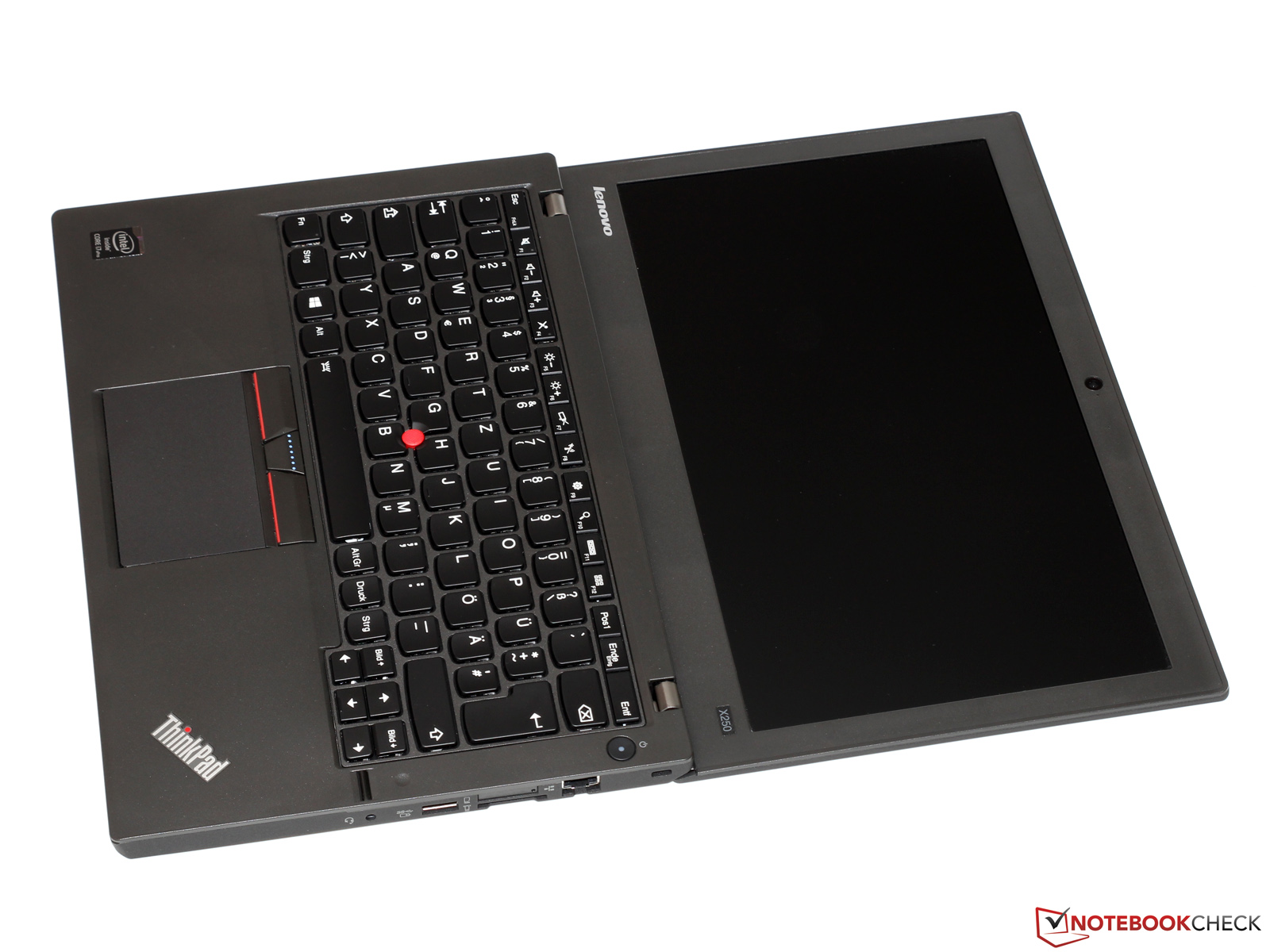
After using the X250 for a bit I thought I'd give my few cents as to what Lenovo did *right* and what they did *wrong*. First here's a photo of the ThinkPad in question:
http://i.imgur.com/vKoBWl0.jpg
First the problems:
#1 the 'rotating' style hinges instead of the typical upright ones cause the lid to fold behind the laptop. This means that ports cannot be placed at the back, and it cannot be opened 180 degrees (in some cases older T6x laptops will open even more than that).
#2 As a result of the poor design choice for rotating hinges, the power jack is on the left side, and the ethernet port is on the right! This is exactly the ridiculousness HP does / so what ends up happening is your laptop has a bunch of nasty cords sticking out of the side instead of neatly coming out of the back. good laptop design #101: power jack ALWAYS goes at the back. Shame on the designer who let that get onto the assembly line.
#3 the keyboard layout has been compromised, so you have keys in weird spots-- for instance when I went to hit print screen (which on the 7 row ThinkPad keyboard it's right above F10 where you'd expect it), I had to do a double take and discovered it's between ctrl and alt! What?!
#4 16:9 was used instead of 16:10. Bad lenovo, bad. Do I watch movies on my ThinkPad? Rarely. Do I program, do textual work and graphics editing on my ThinkPad? Yes.
#5 CHICLET KEYBOARD. Why??? Why???? Although the backlit-capable keyboards actually have a superior feel and coating than their non-backlit counterparts (I'm sure anyone else who has used many new generation ThinkPads will also come to that conclusion). The standard non-backlit ThinkPad keyboards are as bad as low-end HP chiclets. So it doesn't actually feel all that terrible, and I can type on it very well. But, I miss proper height keycaps, proper layout and the blue enter key.
Maybe I'll go on a tangent and say that IBM was opposed to the stupid Island key design, but Lenovo doesn't have those same restrictions in place so the designers have went wild and that's what we get...
Now the good aspects:
#1 Lenovo finally brought back a good implementation of the TrackPoint for once! Buttons are crisp, it travels very well, and you don't have to put up with the stupid oversized touchpad. In fact, I was grinning because it was as good as my trusty T601. Love it. 100% awesome.
#2 It feels really nice to carry and isn't a "lap pancake" like the hideous ThinkPad T540 (unfortunately the T540 gets the hinges right, though-- with both the power and ethernet at the BACK where they belong).
So how could Lenovo fix it and make it the best ThinkPad ever? By simply making it 16:10, add hinges like the T540's so the jacks are on the back and 180 folding, and make the keyboard LIKE THIS:
http://i.imgur.com/Ui5Z9yH.jpg
THAT is *all* Lenovo has to do. That's it. So simple. But they won't because IBM isn't around to put collars on the engineers and implement business standards. I suppose you could just jerry rig an IBM UltraNav into an X250 and call it a day... In fact it could connect to the system internally by USB / and the TrackPoint and buttons could be rigged through the IBM UltraNav (still using their original Lenovo connector).
On an interesting note, IBM actually continued to produce those UltraNavs as late as 2013... they may still offer them to corporate customers in their POWER rack setups, I don't know.
Take a look at our
ThinkPads.com HOME PAGE
For those who might want to contribute to the blog, start here: Editors Alley Topic
Then contact Bill with a Private Message
ThinkPads.com HOME PAGE
For those who might want to contribute to the blog, start here: Editors Alley Topic
Then contact Bill with a Private Message
Lenovo ThinkPad X250 Review *pictures*
Lenovo ThinkPad X250 Review *pictures*
Last edited by micrex22 on Mon Apr 04, 2016 8:11 am, edited 1 time in total.

Re: Lenovo ThinkPad X250 Review *pictures*
Nice review, but that
is incorrect. Lenovo made this design so it can very well be opened a 180°. See this picture: http://www.notebookcheck.com/fileadmin/ ... _ges11.jpgmicrex22 wrote:#1 the 'rotating' style hinges instead of the typical upright ones cause the lid to fold behind the laptop. This means that ports cannot be placed at the back, and it cannot be opened 180 degrees (in some cases older T6x laptops will open even more than that).
I disagree with that. On my P50 the power jack in at the back of the machine, as on older ThinkPads, and I don´t like this position at all. Why? Because its harder to plug in the power adapter on the back. I do agree Ethernet should be put on the back.micrex22 wrote:good laptop design #101: power jack ALWAYS goes at the back
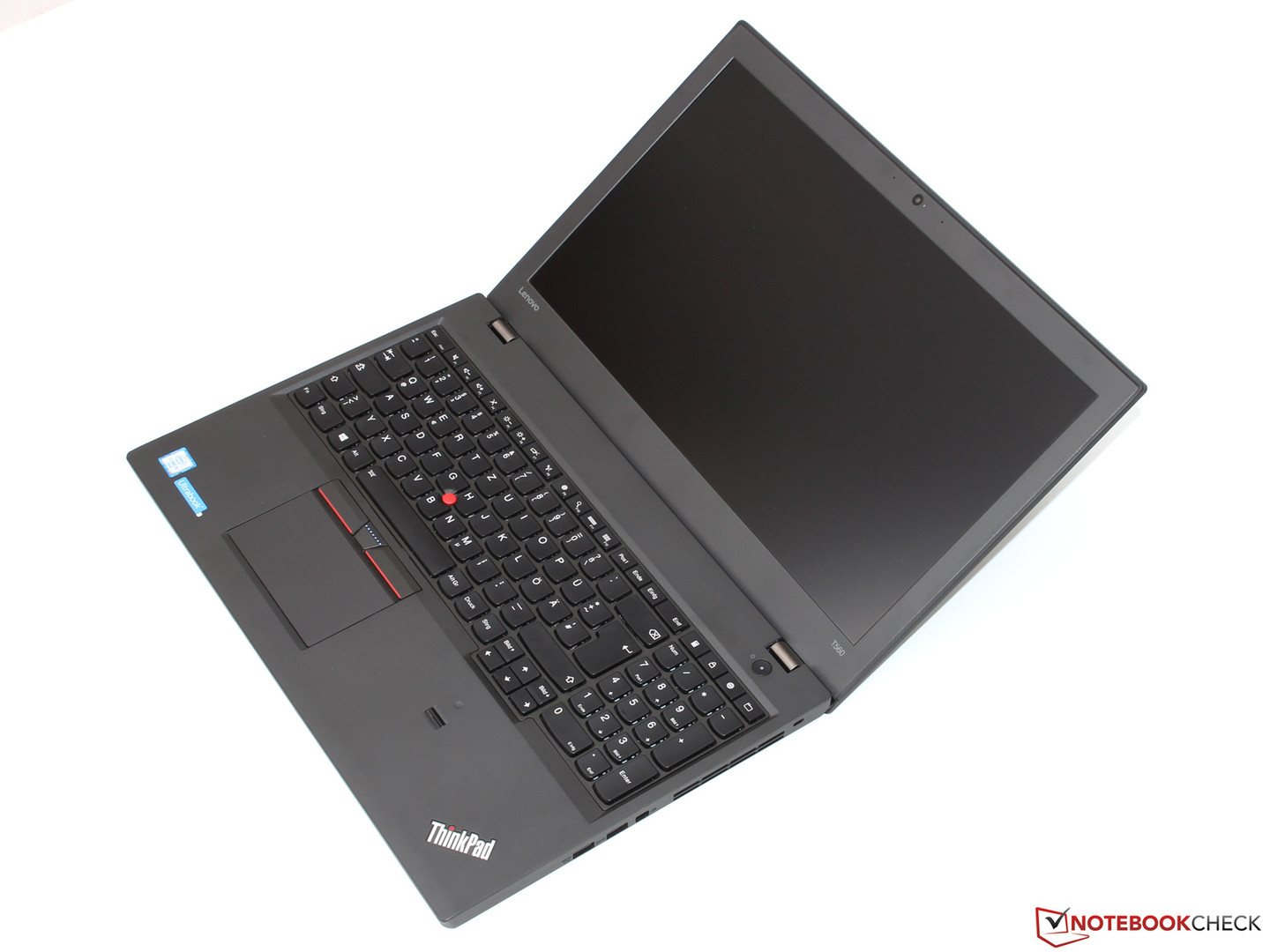
Maybe you confused T560 and P50? T560 has the same hinge design as X250, see this picture of one: http://www.notebookcheck.com/fileadmin/ ... 7b4503.jpgmicrex22 wrote:unfortunately the T560 gets the hinges right
IBM ThinkPad R50e | lenovo ThinkPad X301 | lenovo ThinkPad Z61t


Re: Lenovo ThinkPad X250 Review *pictures*
I never liked ports being on the back of the machine. If I move my laptop I tend to tilt the front forwards first. Having the power brick plugged in, or any other device on the back, would probably get hit and bend the ports if you aren't careful. It's also more annoying to reach over to the rear of the unit, compared to the side or front.
Current Thinkpads: W530 (functional classic keyboard mod), X301, T61, T60, T43, A31p, T23, 600X, 770
Other: mk5 Toughbook cf-19, mk1 Toughbook cf-53
Other: mk5 Toughbook cf-19, mk1 Toughbook cf-53
Re: Lenovo ThinkPad X250 Review *pictures*
Ah, I meant the T540 -- will correct that.Ibthink wrote:Nice review, but that
is incorrect. Lenovo made this design so it can very well be opened a 180°. See this picture: http://www.notebookcheck.com/fileadmin/ ... _ges11.jpg
I disagree with that. On my P50 the power jack in at the back of the machine, as on older ThinkPads, and I don´t like this position at all. Why? Because its harder to plug in the power adapter on the back. I do agree Ethernet should be put on the back.
Maybe you confused T560 and P50? T560 has the same hinge design as X250, see this picture of one: http://www.notebookcheck.com/fileadmin/ ... 7b4503.jpg
I'm surprised that some people prefer the power jack on the side (I don't necessarily consider its placement a question of convenience, but irritation). Having a cable on either side asymmetrically of the laptop means if you slide it around to adjust it, you'll have cables tugging from either side. But I guess that's just me

Re: Lenovo ThinkPad X250 Review *pictures*
Thanks for the review. I actually just ordered an X250, somewhat grudgingly. I have come to accept the fact that nobody makes a laptop the way I want anymore and the X250 is probably a decent compromise. I do have some questions though before mine arrives.
Is there any keyboard flex when typing? If so, how bad? How is the key travel? I'm not a fan of the new keyboard layout, but if it still feels good to type on, I am willing to be more forgiving.
How is build quality in general? Any creaking, flexing, etc of the chassis or lid under normal usage? My X201 has developed an incredibly irritating creak over the ExpressCard slot and it's driving me nuts.
Does yours have the 3 cell battery or the 6 cell? If it's the 6 cell, does its bulging bottom make the laptop unstable or awkward to use on a small desk such as a university desk? Mine is coming with the 3 cell which might be good enough, so I am not sure if it's worth buying the 6 cell yet.
Thanks
Is there any keyboard flex when typing? If so, how bad? How is the key travel? I'm not a fan of the new keyboard layout, but if it still feels good to type on, I am willing to be more forgiving.
How is build quality in general? Any creaking, flexing, etc of the chassis or lid under normal usage? My X201 has developed an incredibly irritating creak over the ExpressCard slot and it's driving me nuts.
Does yours have the 3 cell battery or the 6 cell? If it's the 6 cell, does its bulging bottom make the laptop unstable or awkward to use on a small desk such as a university desk? Mine is coming with the 3 cell which might be good enough, so I am not sure if it's worth buying the 6 cell yet.
Thanks
T23, T42, T43p, T60, X201, and T420 all running OpenBSD
Re: Lenovo ThinkPad X250 Review *pictures*
A) The keyboard does not flexKilkenny wrote:Thanks for the review. I actually just ordered an X250, somewhat grudgingly. I have come to accept the fact that nobody makes a laptop the way I want anymore and the X250 is probably a decent compromise. I do have some questions though before mine arrives.
Is there any keyboard flex when typing? If so, how bad? How is the key travel? I'm not a fan of the new keyboard layout, but if it still feels good to type on, I am willing to be more forgiving.
How is build quality in general? Any creaking, flexing, etc of the chassis or lid under normal usage? My X201 has developed an incredibly irritating creak over the ExpressCard slot and it's driving me nuts.
Does yours have the 3 cell battery or the 6 cell? If it's the 6 cell, does its bulging bottom make the laptop unstable or awkward to use on a small desk such as a university desk? Mine is coming with the 3 cell which might be good enough, so I am not sure if it's worth buying the 6 cell yet.
Thanks
B) The key travel isn't as deep as a traditional TP keyboard (at least to my fingers; I didn't actually measure but maybe I should have). But the backlit keyboards are decently tactile.
C) I only used it for a few days, but it felt sturdy. It's a lot more 'condensed' than an X201 so creaking shouldn't be a problem.
D) I'm not sure what battery type it had, fairly certain the 3 cell since there was no bulging to speak of
Yeah, if I didn't have my T601s and needed a new computer this is the one I'd get (X1 Carbons are notoriously unreliable, I think the guy at our office sent his back five times and still counting?). The only shortcoming is the single channel memory, but meh-- life could be worse, Lenovo could have soldered it in preventing the use of a 16 GB SODIMM.
-
- Similar Topics
- Replies
- Views
- Last post
-
-
Lenovo Thinkpad L16 AMD Ryzen 7 PRO 250, UEFI and SMTP
by jgpallero » Fri Dec 05, 2025 5:23 am » in Thinkpad AMD-Ryzen - 1 Replies
- 7568 Views
-
Last post by Ibthink
Tue Jan 27, 2026 5:58 pm
-
-
-
FS: Lenovo ThinkPad T510 Core i5
by PiZzA EnGiNeEr » Tue Dec 16, 2025 12:50 pm » in Marketplace - Forum Members only - 1 Replies
- 4131 Views
-
Last post by PiZzA EnGiNeEr
Wed Dec 31, 2025 5:29 pm
-
-
-
Can Lenovo Lock/Unlock LTE IMEI on ThinkPad X1 Yoga Gen 6
by ThinkpadX1Dallas » Wed Feb 04, 2026 12:31 pm » in ThinkPad X1 / X1-Carbon / X1-Extreme and later Series - 2 Replies
- 3684 Views
-
Last post by ThinkpadX1Dallas
Thu Feb 05, 2026 9:12 am
-
-
-
Lenovo Thinkpad L540, Ram confusion?
by Insomniac1971 » Sat Mar 07, 2026 12:54 am » in ThinkPad L430/L530 and later Series - 1 Replies
- 2191 Views
-
Last post by LUC1FER
Tue Mar 31, 2026 12:54 am
-
Who is online
Users browsing this forum: No registered users and 68 guests