


 Homepage
 Forum
Forum Drivers
 HMM-Manuals
 MTM
MTM Feed
Feed
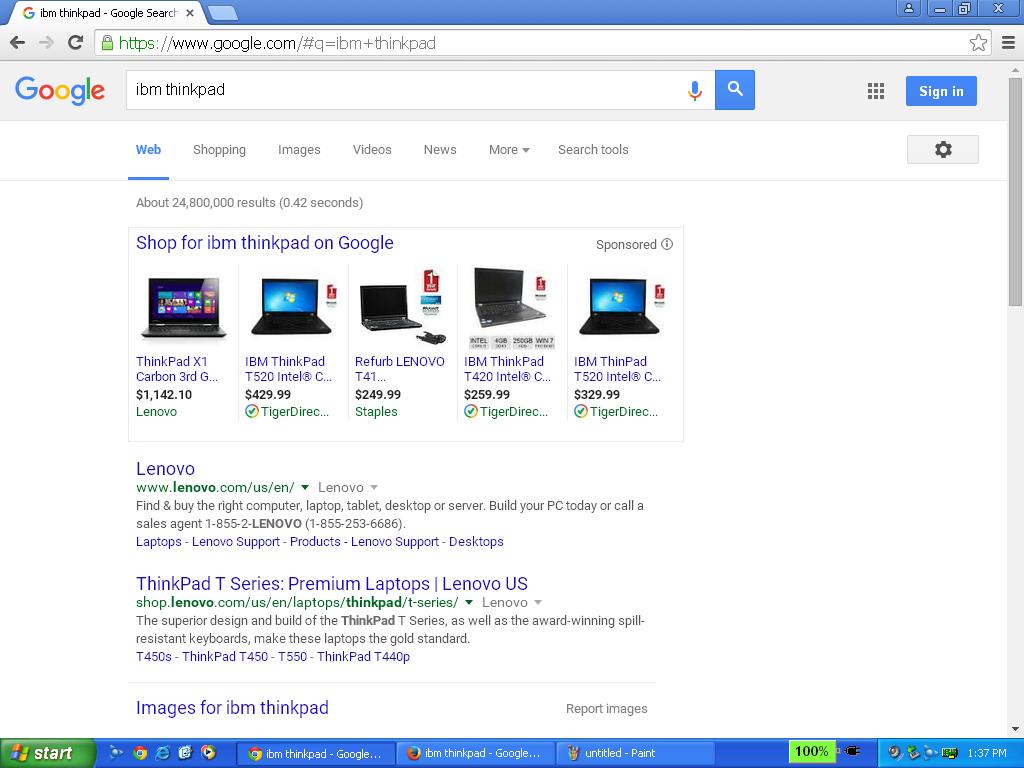
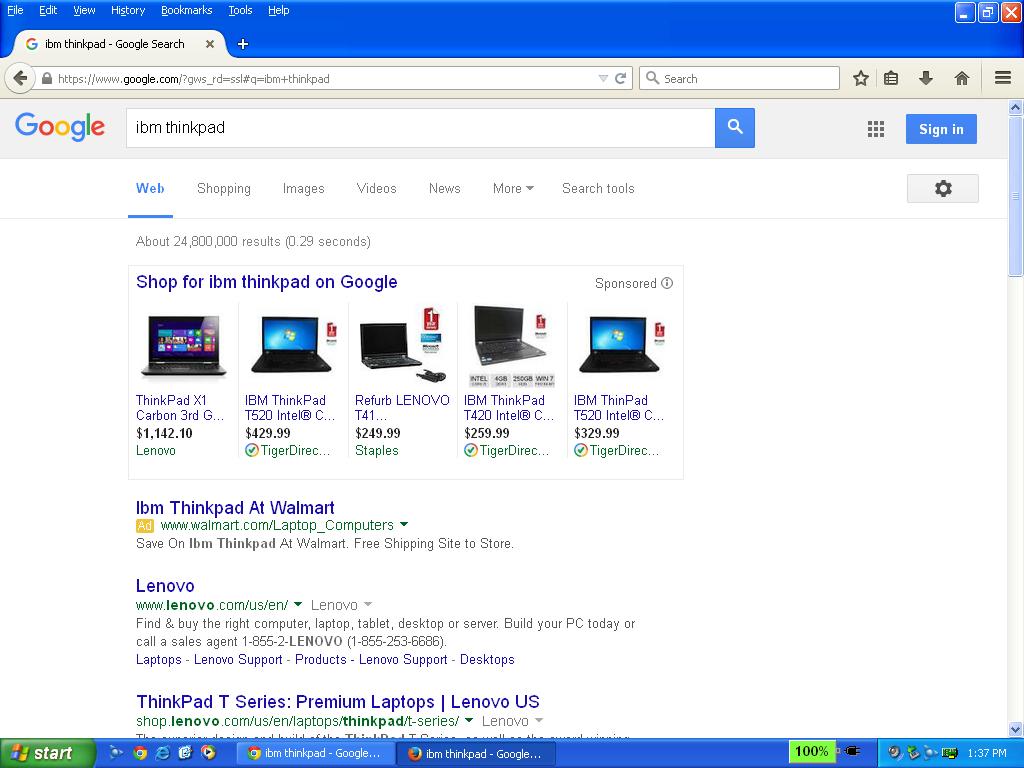
I have noticed that when rendering search results on Google in Chrome that the text font appears slightly different from Mozilla Firefox. I use both browsers on my ThinkPad T40 and it seems to be either the way Google detects the browser, or a recent update to the Chrome browser.
Anybody know why? Firefox renders in the standard Arial/Helvetica while Chrome seems to use a proprietary "cleartype" font. Just curious.
http://sdfox7.com/ibm/t40/untitled.jpg
http://sdfox7.com/ibm/t40/untitled2.jpg
Moderator edit: Moved topic from the T4x-forum
Take a look at our
ThinkPads.com HOME PAGE
For those who might want to contribute to the blog, start here: Editors Alley Topic
Then contact Bill with a Private Message
ThinkPads.com HOME PAGE
For those who might want to contribute to the blog, start here: Editors Alley Topic
Then contact Bill with a Private Message
Web Page formatting: Google Chrome vs Mozilla Firefox
-
sdfox7
- Sophomore Member
- Posts: 131
- Joined: Mon Sep 01, 2014 10:06 pm
- Location: Danbury, CT, United States of America
Web Page formatting: Google Chrome vs Mozilla Firefox
ThinkPad 600E (Win98); T23 (WinNT 4.0); T41 (Win2000); T61p (WinXP)
My name is Stephen Fox. I am a '18 BBA and '20 MBA student at WCSU.
Disable Google Chrome End of Support Infobar on Windows XP/Vista
My name is Stephen Fox. I am a '18 BBA and '20 MBA student at WCSU.
Disable Google Chrome End of Support Infobar on Windows XP/Vista

Re: Web Page formatting: Google Chrome vs Mozilla Firefox
Same thing happens to me, so you are not the only one. Personally, I prefer chrome's font since it is easier for me to read. Chrome usually handles media content and animations much faster than firefox. BUT, firefox tends to have the best addons.
Also, you might want to consider a different OS. XP is pretty vulnerable these days. Lubuntu or puppy linux might be a good place to start.
Also, you might want to consider a different OS. XP is pretty vulnerable these days. Lubuntu or puppy linux might be a good place to start.
Current Thinkpads: W530 (functional classic keyboard mod), X301, T61, T60, T43, A31p, T23, 600X, 770
Other: mk5 Toughbook cf-19, mk1 Toughbook cf-53
Other: mk5 Toughbook cf-19, mk1 Toughbook cf-53
-
sdfox7
- Sophomore Member
- Posts: 131
- Joined: Mon Sep 01, 2014 10:06 pm
- Location: Danbury, CT, United States of America
Re: Web Page formatting: Google Chrome vs Mozilla Firefox
Thanks for the info. I prefer the XP look and feel. I am aware of the risks of running an unsupported system; been doing it for years. I have a few legacy laptops still running 95, NT 4.0, 98 and 2000. I use Avast antivirus and run behind a hardware/software firewall. I also avoid using Internet Explorer.brchan wrote:Also, you might want to consider a different OS. XP is pretty vulnerable these days.
At the pace software exploits are being released, everyone is equally vulnerable and the "malware suppression" industry is constantly playing catch-up.
I believe XP is a smaller target since it is a minority of the OS market. There was no "XPocalypse", which I believe the software industry propagated to spur new hardware and OS sales.
ThinkPad 600E (Win98); T23 (WinNT 4.0); T41 (Win2000); T61p (WinXP)
My name is Stephen Fox. I am a '18 BBA and '20 MBA student at WCSU.
Disable Google Chrome End of Support Infobar on Windows XP/Vista
My name is Stephen Fox. I am a '18 BBA and '20 MBA student at WCSU.
Disable Google Chrome End of Support Infobar on Windows XP/Vista
Who is online
Users browsing this forum: No registered users and 31 guests