Sorry I took so long to post. I had to chew things over with a bunch of Twix

Also, I apologize for the long post. There was a lot of work done and I thought it needed to be explained.
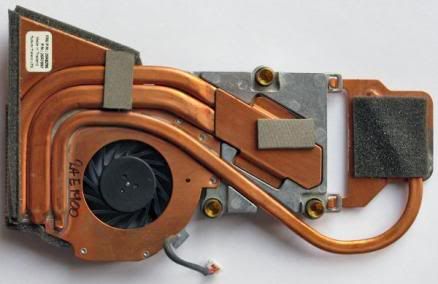
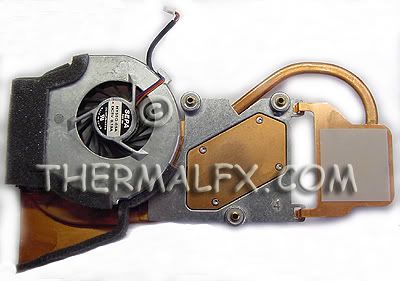
My first major obstacle was to overcome was the heat pipe issue. I wanted to get as much contact with the GPU heat sink as possible. Also, the question of, “is the smaller heat pipe from the R52 fan able to carry the heat away and should there be a second pipe installed?” I would have to say mostly and maybe. I will explain as I go through my post.
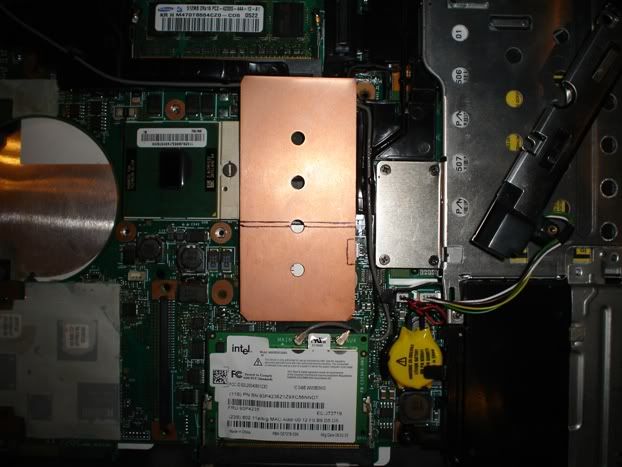
So, there I was, a brand new R52 fan on the table just taunting me. (All I could think about was when I tried to remove the damaged heat pipe from the last fan. Just as the pipe came loose, the whole fan collapsed and I was left with a bunch of soldered copper.) Hmm, to heat the pipe, or not to heat the pipe, that is the question. I thought about cutting off the most of the GPU plate with a dremmel and dry assemble everything. That idea was quickly nixed because heat will always transfer better if the parts are soldered.
To start, I decided to use a smaller torch, like the ones you can buy from a smoke shop. On the lowest setting, and with care, the GPU plate came off with ease. I let the fan cool down. Now, to see if the pipe was still functioning, I put the tip of the torch at the end of the pipe. If it works, I should feel heat at the fan side. The pipe heated up quickly. So far, so good. (By the way, the last fan’s pipe never acted this way. It was always cold near the fan side. Sleep deprivation + propane torch = bad ideas)
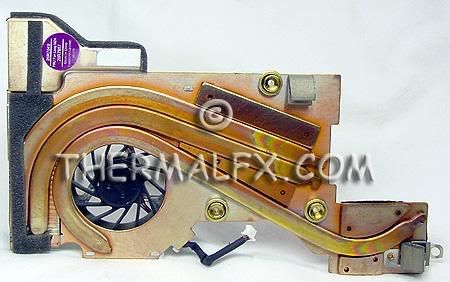
Next step was to figure out how to bend the pipe and where it should lay. Fortunately, I bought 10 scrap T43 fans from fleabay and I could practice desoldering the pipes and different methods of bending them. I found that with enough patience that these pipes can be bent very slowly by hand. No heating needed or wanted. If this pipe gets damaged, the project is over. This was definitely a bonus.
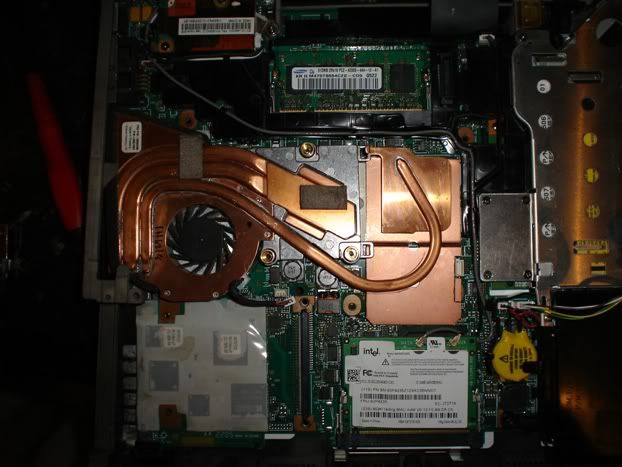
Being that the pipe was so long, I had 2 options. Either I could run it next to the trackpoint and other components (not a good idea), or run it on top of the CD-ROM cage. The only problem with the second option is that it covered one of the screw holes for the keyboard. Well, there are tabs that lock the keyboard in place and I will have 2 screw holes left, so I removed the standoff from the keyboard so it would clear.
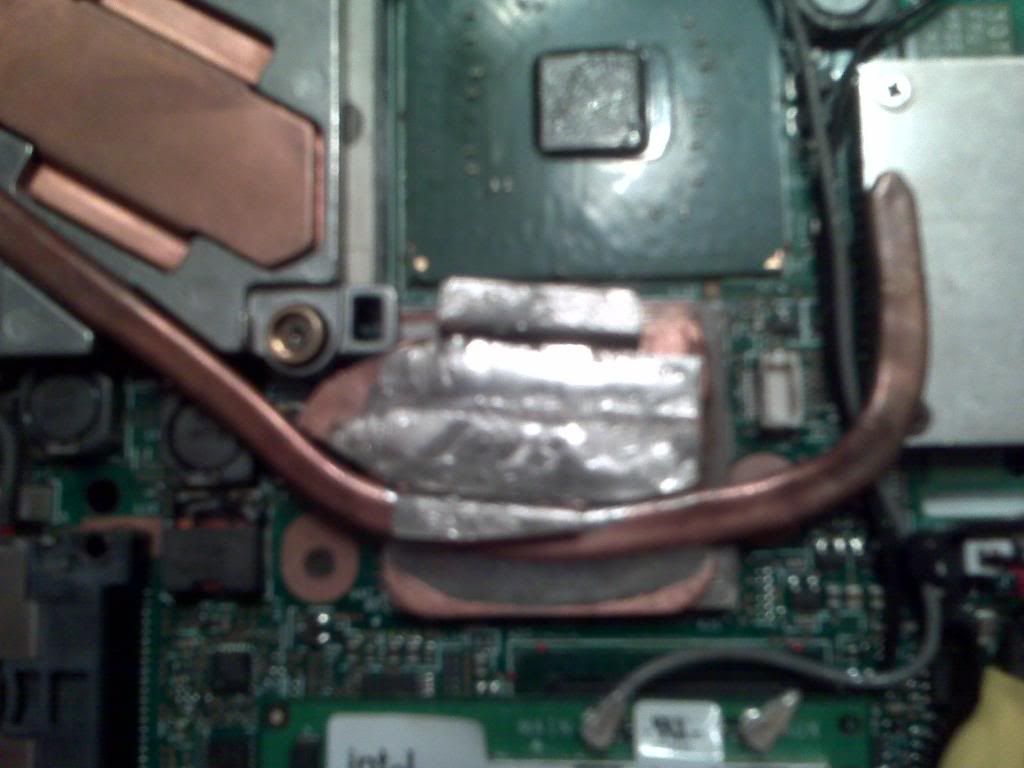
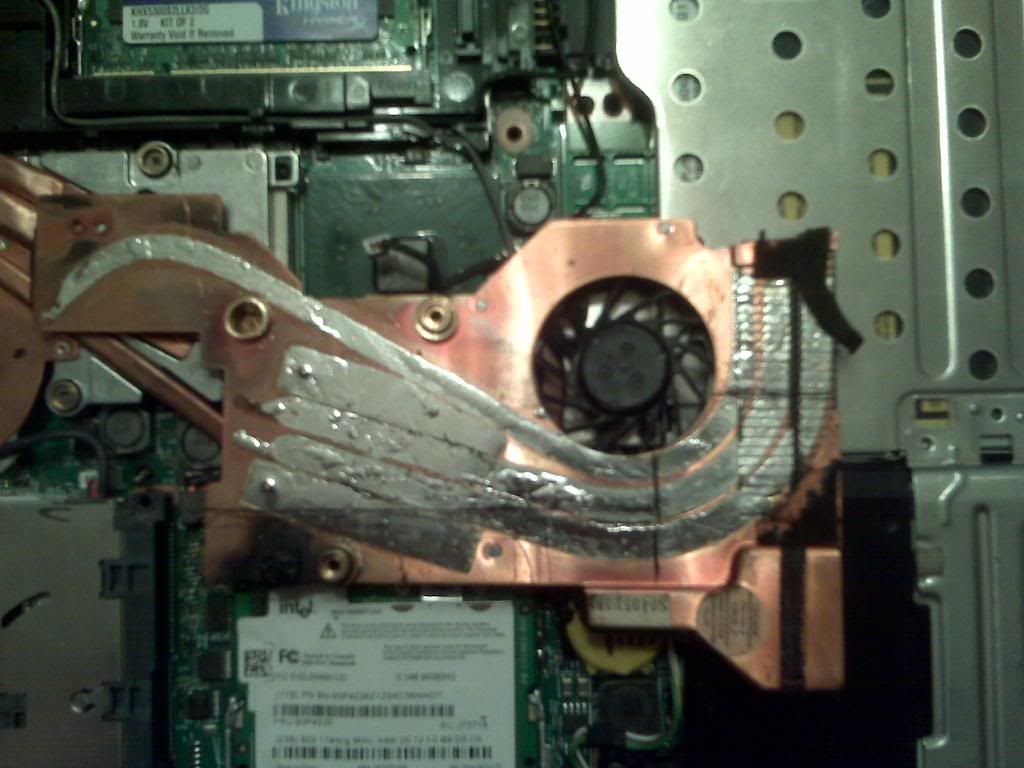
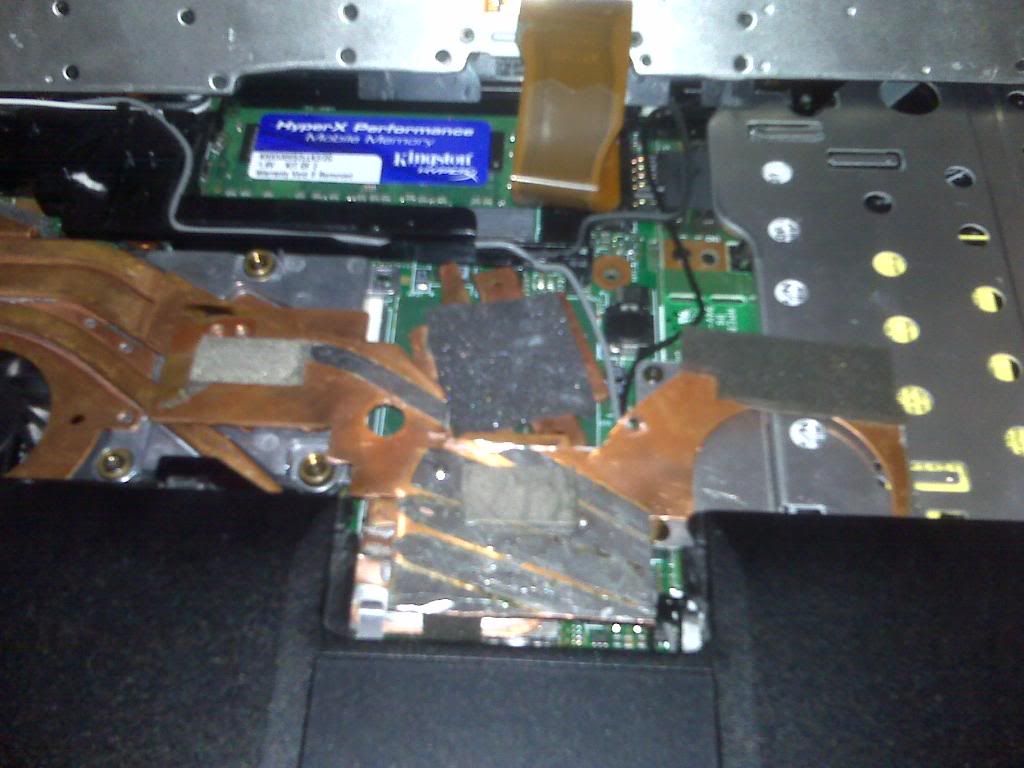
Now came the soldering. The GPU heat sink has to be perfectly flat or it will not work. I found a dead T43 motherboard and base that fit the bill. As the fan was secured, I was able to adjust the pipe and plate into the proper position to solder. I also used some of the thicker copper heat sinks from the junk T43 fans to beef up the GPU heat sink. The soldering was a success and the heat pipe functioned perfectly.
http://i641.photobucket.com/albums/uu13 ... 01/hs1.jpg
(Sorry, a camera phone is all I had at the time)
Initial testing of the new fan proved frustrating. I thought I could use the CD-ROM cage as a secondary heat sink. But this proved to slightly lift the GPU heat sink and raise temps. The pipe now sits just above the cage. Another problem I had was the fan worked good for a few days and then the GPU temp would start climbing. Even though I had the GPU heat sink sitting perfectly when installed, thermal expansion would raise the heat sink just enough to be a problem. The solution was to bend the heat sink back slightly to the main heat sink to create a spring effect. So far, so good.
The best way I know to break in new paste is to surf the web for a few then start gaming, like World of Warcraft. I run TPfancontrol for my fan and monitoring of temps and NHC for my voltages. I was not happy to see my GPU temp running at up to 93c. Back to the drawing board.
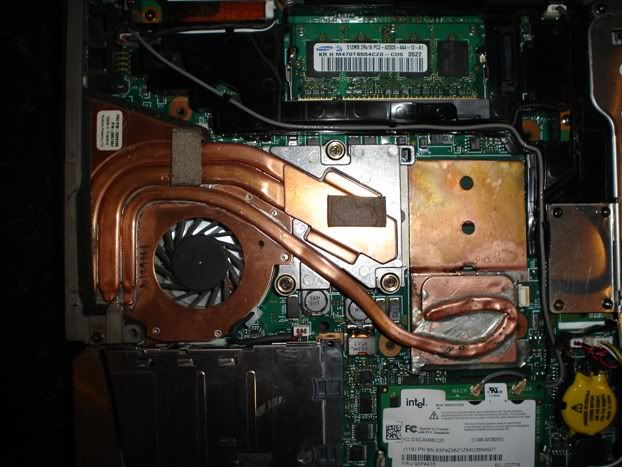
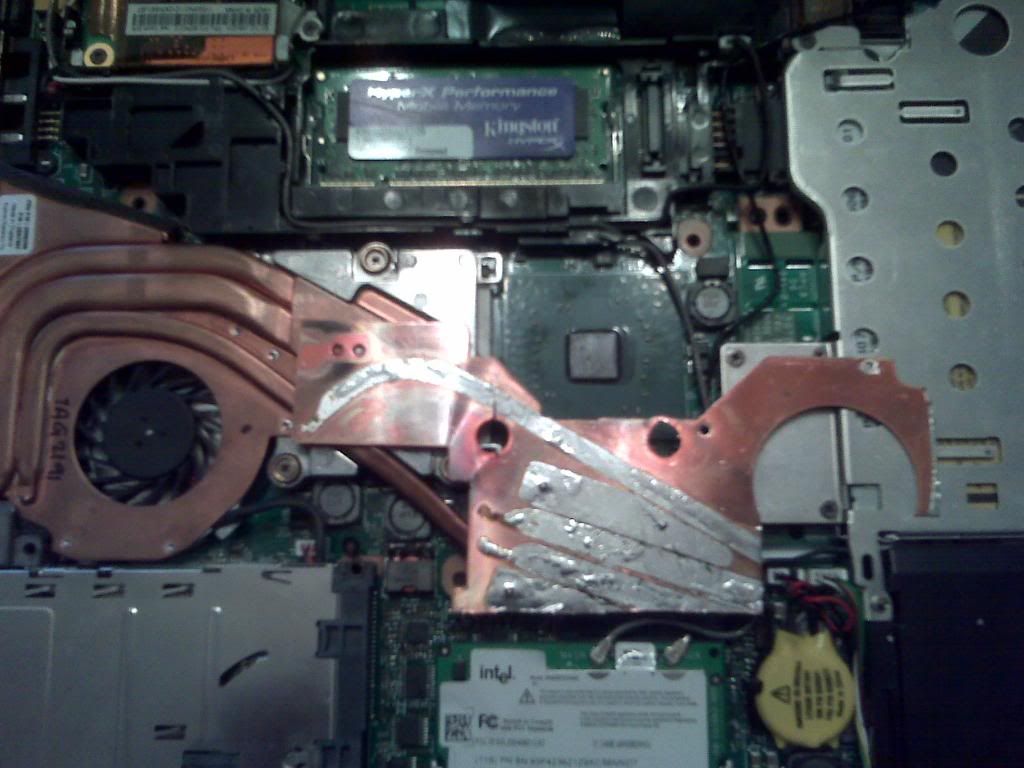
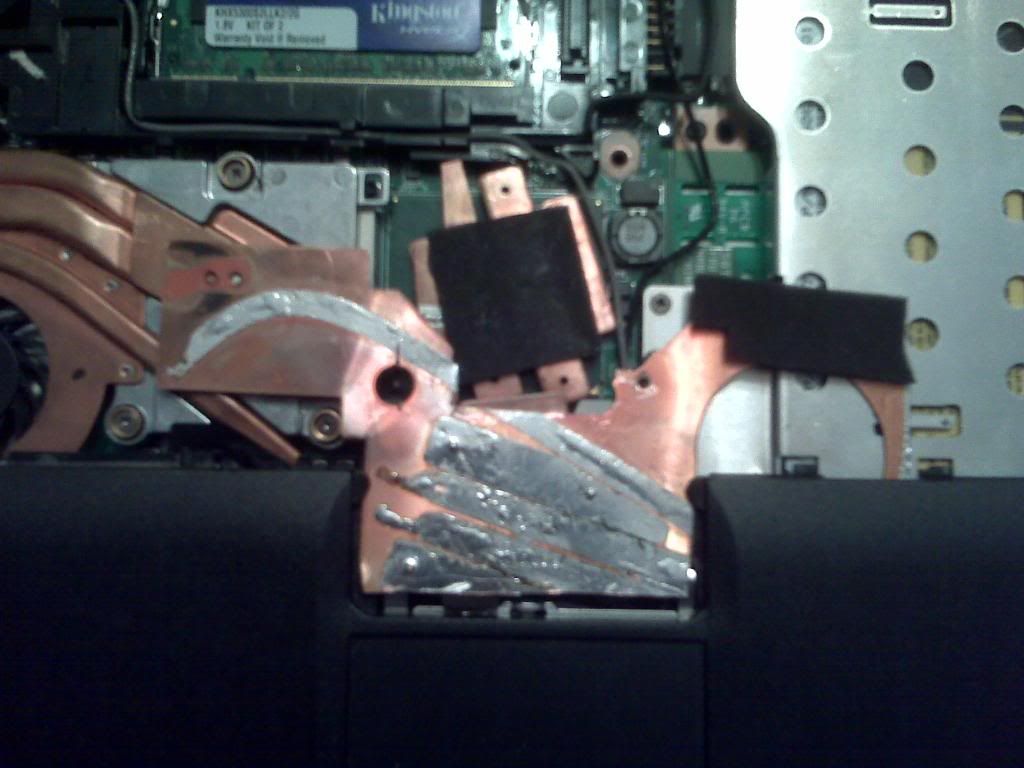
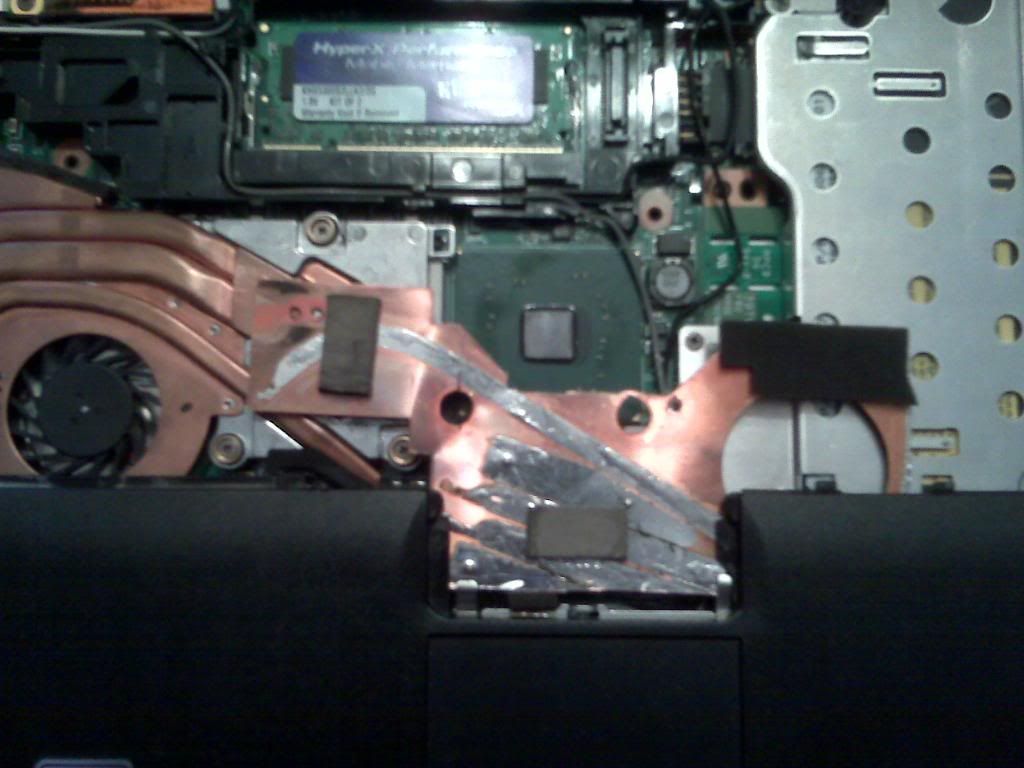
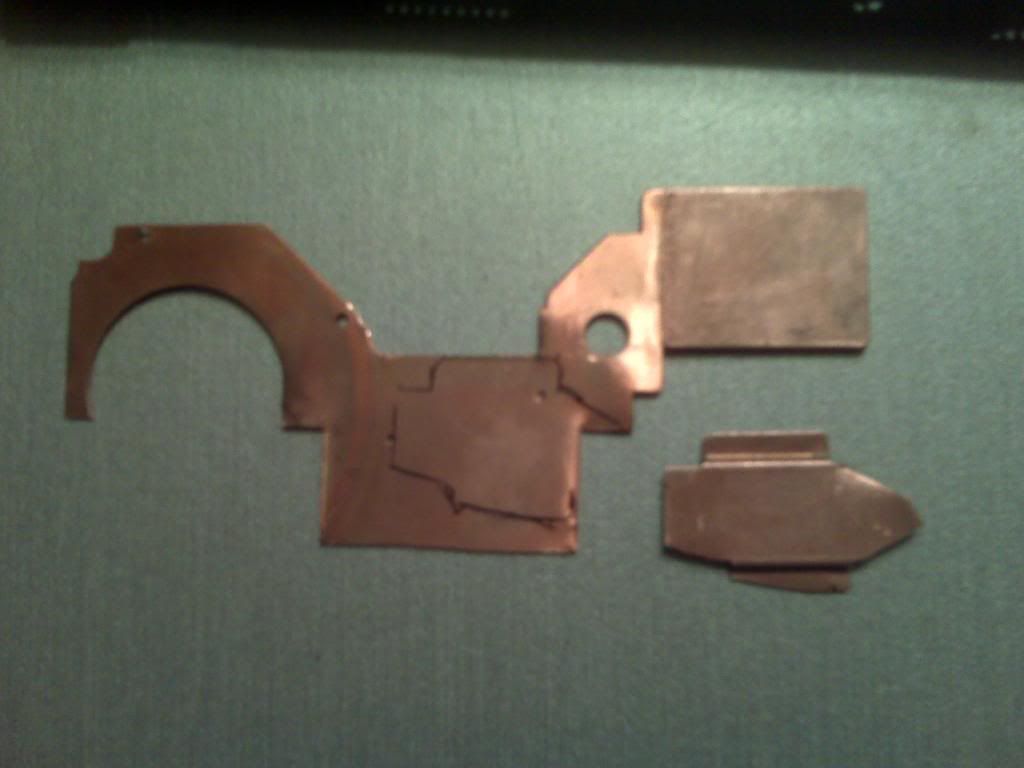
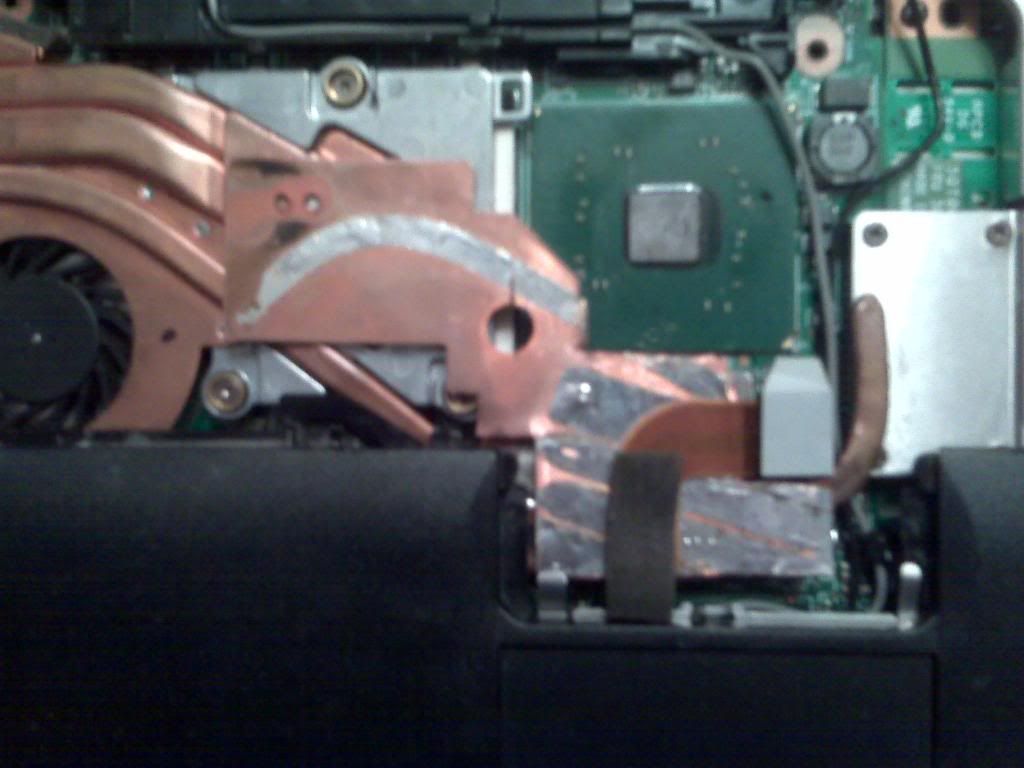
Then I had the idea that there just wasn’t enough copper going to the fan side of the heat sink. I almost installed a second heat pipe next to the existing pipe. But that image of the fan falling apart on me didn’t sit well. This is when I dissected a T43 fan and used the main copper plate to run from the GPU to the fan side of the heat sink. This takes major patience. I also used a copper bracket from my old R52 fan to stand off the new plate.
http://i641.photobucket.com/albums/uu13 ... 01/hs2.jpg
http://i641.photobucket.com/albums/uu13 ... 01/hs3.jpg
http://i641.photobucket.com/albums/uu13 ... 01/hs4.jpg
http://i641.photobucket.com/albums/uu13 ... 01/hs5.jpg
http://i641.photobucket.com/albums/uu13 ... 01/hs6.jpg
http://i641.photobucket.com/albums/uu13 ... 01/hs7.jpg
http://i641.photobucket.com/albums/uu13 ... 01/hs8.jpg
First I soldered the bracket to my new plate and carefully soldered the bracket directly to the GPU heat sink. I didn’t solder the other end of the plate because I wanted to be able to adjust the GPU heat sink perfectly. Then I placed a pad from an old T43 fan on the unsoldered end of the plate, the keyboard would press down on it just enough to let the heat spread without any damage to anything. Voila! While playing WOW, GPU temps dropped to 88c.
I had extra heat sink material, so I made a cooler for the northbridge as well. The PCB of the trackpoint will keep the NB heat sink in place. Just remember to put a pad between the trackpoint and the PCB or the thinkpad will act funny. OK, I was tired
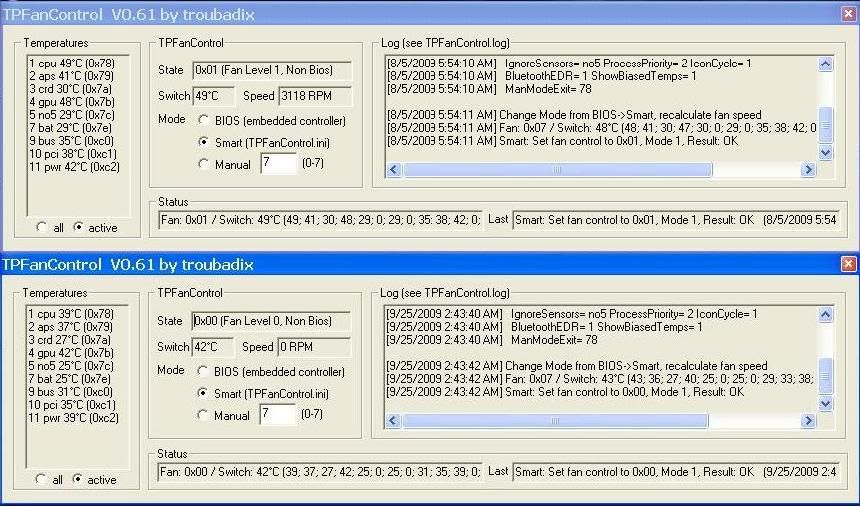
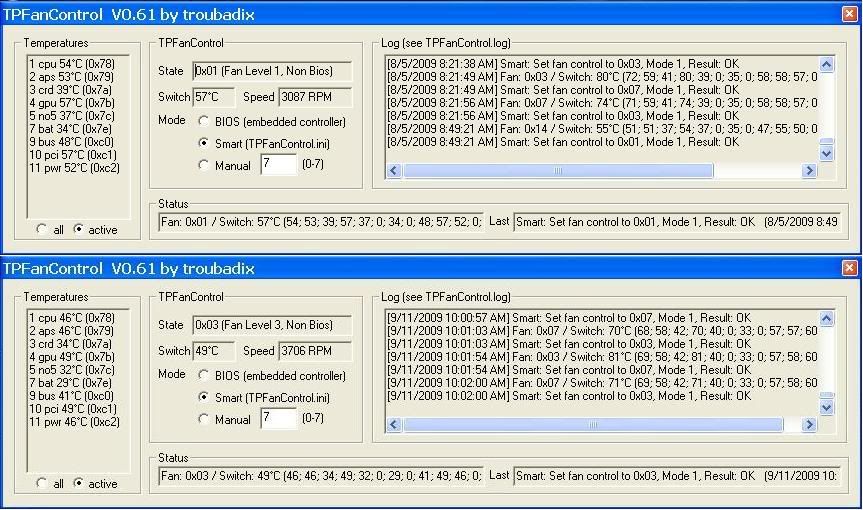
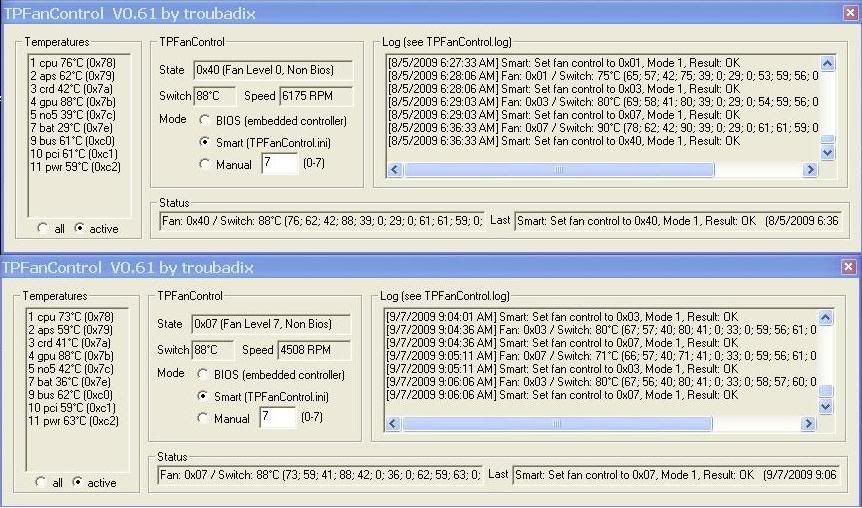
Here are some screenshots of TPFan. The T43 fan is on top and the R52 fan is on the bottom. The ones of WOW were taken by the alt-tab method and hitting print screen as fast as I could while gaming heavy. I made at least 50 attempts with each fan to get the highest reading possible so I know if the fans were doing their job or not. These tests were also taken over weeks of time so I would know when the paste was working at its peak. The ambient room temperature was about 72f (22c).
Cold Boot
http://i641.photobucket.com/albums/uu13 ... ldboot.jpg
Web Surfing
http://i641.photobucket.com/albums/uu13 ... urfing.jpg
Playing WOW
http://i641.photobucket.com/albums/uu13 ... ingWOW.jpg
While most of the tests show all temps are lower, the GPU is still the same under heavy load. Gpu’s will always run hot and this is almost acceptable. So, I bought an nc2000 notebook cooler and dropped the GPU temp down to 80c. Aside from that, there is absolutely no fan pulsation and fan noise is reduced by an estimated 60%. I don’t have a decibel reader so I cannot confirm this. But the R52 fan is way quieter than the old T43 fan.
Oh, and as far as the reversing fresh (hot) air intake of the fan? That proved to be useless. Most of the air is sucked straight out of the case through the top to the fan. I am guessing that if the top of the fan gets restricted somehow then the fan still has a way to cool down.
Also, here are my stable voltages if anyone wants to know. I undervolted the CPU until it crashed, found the next higher setting that worked and then gave it a couple bumps to make sure it was stable.
Voltages
Multiplier......Start....Kinda stable......Rock solid
15.............1.356.........1.068.............1.1
14.............1.308.........1.02..............1.052
12.............1.228.........0.908.............0.94
11.............1.196.........0.892.............0.924
10.............1.148.........0.876.............0.908
9..............1.116.........0.796.............0.828
8..............1.068.........0.78..............0.812
6..............0.988.........0.7...............0.7



 Homepage
 Forum
Forum Drivers
 HMM-Manuals
 MTM
MTM Feed
Feed




 It happened to make things a bit wore with my previous T43 (so for the future I'm also armed with some copper plates).