


 Homepage
 Forum
Forum Drivers
 HMM-Manuals
 MTM
MTM Feed
Feed
Did anyone notice this?
"Lenovo is also keen to build Centrino Pro into its notebooks, and is bringing out two ThinkPad widescreen notebooks — the X61 and R61 — which will be based on the mobile platform at the end of May. Its business development manager, Daniel Kiernan, said the X61 would boast around eight and a half hours of battery life, with a 15 to 20 percent increase in performance."
http://news.zdnet.co.uk/hardware/0,1000 ... 031,00.htm
It's from last Friday, so I don't think it's simply confusion between the T61 and the X61.
Take a look at our
ThinkPads.com HOME PAGE
For those who might want to contribute to the blog, start here: Editors Alley Topic
Then contact Bill with a Private Message
ThinkPads.com HOME PAGE
For those who might want to contribute to the blog, start here: Editors Alley Topic
Then contact Bill with a Private Message
X61 widescreen at the end of May?
X61 widescreen at the end of May?
X220 (4287-2W5, Windows 8 Pro) / X31 (2672-CXU, XP Pro) / X61s (7668-CTO, Windows 8 Pro)


No offense, and I know this is personal preference. Why so many people don't like widescreen?
I first encounter widescreen on my compaq X1000 purchased 4 years ago, and this year I purchased a Dell 2407 widescreen LCD for my desktop. I love those two screens a lot and have been waiting for a widescreen X series for a while.
A clear advantage for widescreen is for movie viewing and gaming (I know this is not most users who buy thinkpads are looking at, though). But in general usuage like word processing, spreadsheet, stata, matlab, etc. I still find (at least for me) widescreen works better for me since I can put more stuff next to each other. Not to mention I also enjoy a longer taskbar without IEs stacking up in one block.
Afterall, this is just personal preference, but I am curious about why people don't like widescreen.
I first encounter widescreen on my compaq X1000 purchased 4 years ago, and this year I purchased a Dell 2407 widescreen LCD for my desktop. I love those two screens a lot and have been waiting for a widescreen X series for a while.
A clear advantage for widescreen is for movie viewing and gaming (I know this is not most users who buy thinkpads are looking at, though). But in general usuage like word processing, spreadsheet, stata, matlab, etc. I still find (at least for me) widescreen works better for me since I can put more stuff next to each other. Not to mention I also enjoy a longer taskbar without IEs stacking up in one block.
Afterall, this is just personal preference, but I am curious about why people don't like widescreen.

It's an advantage for widescreen movies only, and although most cinema movies come in widescreen, most TV shows still come in fullscreen. For games, again, it's only an advantage if the game supports widescreen resolutions (and even then it's not a very clear advantage), and a disadvantage otherwise.khtse wrote:A clear advantage for widescreen is for movie viewing and gaming (I know this is not most users who buy thinkpads are looking at, though).
I bought my x60s mainly for its weight. i can get a more powerful machine for less. so with a 12" widescreen, it'll just add more weight. plus, it's 12". which mean that you'll have to increase res to work on spreadsheets side-by-side, making the texts even smaller.
the larger widescreens, on the other hand, just reminds me of the George Foreman grill.
the larger widescreens, on the other hand, just reminds me of the George Foreman grill.
I just don't have any benefit from the extra weight or extra width. The tradeoffs don't seem ideal to me. You need a 13-inch widescreen to approximate the same height as the regular 12-inch or you get a 12-inch widescreen that isn't as high as the regular 12-inch.khtse wrote:No offense, and I know this is personal preference. Why so many people don't like widescreen?
I'm not opposed to wide screen as a concept: I have a 19-inch widescreen external monitor and a 32-inch widescreen TV - I watch widescreen movies on those.
95% of what I do is working with text or using the internet. I use tabbed browsing so my taskbar isn't filled by my web browser, and if I can't comfortably have two documents open side by side I don't see any real advantage for widescreen. Those few times I watch a movie on a plane I'm ok not having the perfect aspect ratio that would fill the entire screen. Instead, I'd rather have the lightest, toughest, smallest Thinkpad I can buy. I think the step towards widescreen is unfortunate, not because widescreen is bad but because it will soon be the only option available.
I don't do movies or gaming (unless Sudoku counts!) on my ThinkPad, and I solved the taskbar issue with Firefox.khtse wrote:A clear advantage for widescreen is for movie viewing and gaming (I know this is not most users who buy thinkpads are looking at, though). But in general usuage like word processing, spreadsheet, stata, matlab, etc. I still find (at least for me) widescreen works better for me since I can put more stuff next to each other. Not to mention I also enjoy a longer taskbar without IEs stacking up in one block.
But there are two areas where a widescreen would help. I would love it in Photoshop, where I would be able to have the toolbars on the right and still have a full-height 3:2 photo on the screen. And it would be nice for email, where both Outlook and Thunderbird now support the preview pane on the right side of the screen, making the wide-screen layout natural.
Finally, apart from the screen itself, a 12" widescreen X-series could fit a slightly larger (if not full size) keyboard.
All that said, I am expecting a 12" wide-screen X-series to have essentially the same size, just not the same shape, as today's 4:3 models. And I will be surprised if there is a 13" wide-screen model.
X220 (4287-2W5, Windows 8 Pro) / X31 (2672-CXU, XP Pro) / X61s (7668-CTO, Windows 8 Pro)

-
pianowizard
- Senior ThinkPadder

- Posts: 8556
- Joined: Tue Jun 28, 2005 5:07 am
- Location: Ann Arbor, MI
- Contact:
The surface area of a 12" widescreen is slightly smaller than that of a 12" 4:3 screen. So, why would that result in a heavier laptop?berlin wrote:I bought my x60s mainly for its weight. i can get a more powerful machine for less. so with a 12" widescreen, it'll just add more weight.
Dell Latitude 7370 (QHD+, 2.84lb); HP Pavilion x2 12-b096ms (FHD+, 3.14lb); Microsoft Surface 3 (FHD+, 2.00lb);
HP Z440 (Xeon E5-1630 v3); Dell OptiPlex 5040 SFF (Core i5-6600), OptiPlex XE2 (Core i7-4770S)
Acer ET322QK, T272HUL; Crossover 404K; QNIX QHD2410R; Seiki Pro SM40UNP
HP Z440 (Xeon E5-1630 v3); Dell OptiPlex 5040 SFF (Core i5-6600), OptiPlex XE2 (Core i7-4770S)
Acer ET322QK, T272HUL; Crossover 404K; QNIX QHD2410R; Seiki Pro SM40UNP
PW, you are exactly correct in your thinking. But the proof is in the pudding -- we need to wait and see what the actual dimensions and weights are once the X61 is announced.pianowizard wrote:The surface area of a 12" widescreen is slightly smaller than that of a 12" 4:3 screen. So, why would that result in a heavier laptop?
X220 (4287-2W5, Windows 8 Pro) / X31 (2672-CXU, XP Pro) / X61s (7668-CTO, Windows 8 Pro)
i think the rest of the laptop will get wider. unless the it'll look like this:
http://i126.photobucket.com/albums/p89/ ... 70b578.jpg
but you're right ... probably not even half a pound.
http://i126.photobucket.com/albums/p89/ ... 70b578.jpg
but you're right ... probably not even half a pound.


Really?tomh009 wrote:The announcement letters (links in the other thread) indicate that the X61 has a PC Card slot rather than ExpressCard, so you might want to place your T61 order now ...

Can you point me towards this info, I'd appreciate it!
I wanted to get an X61 and use it with the upcoming Asus XG Station (allows desktop graphics for laptops) -- but if it's PC Card only, then I'll need a T61 for the express card slot
Personally think X-series 12" LCD would be too small to do all those:tomh009 wrote:... But there are two areas where a widescreen would help. I would love it in Photoshop, where I would be able to have the toolbars on the right and still have a full-height 3:2 photo on the screen. And it would be nice for email, where both Outlook and Thunderbird now support the preview pane...khtse wrote:A clear advantage for widescreen is for movie viewing and gaming (I know this is not most users who buy thinkpads are looking at, though). But in general usuage like word processing, spreadsheet, stata, matlab, etc. I still find (at least for me) widescreen works better for me since I can put more stuff next to each other. Not to mention I also enjoy a longer taskbar without IEs stacking up in one block.
...
side-by-side viewing and not very powerful to have photoshop run on it, these should all be done on the T series...
WS can really have a sidebar and extra panels and IM applications running on the side: but that's all about it in a mere 12" monitor... Personally, I can live without that, my colleagues who acquired WS subnotebooks are actually annoyed by the most-of-the-time not utilized extra space on the side, they prefer vertical real estate more
Agree with WS's advantage in spreadsheet though
Anyway, if there's only 1 option for the X series 12" LCD I'll support Lenovo to go with just 4:3, but of course having more choice is always better
I beg to disagree -- I have been running Photoshop for several years on my 1.6 GHz X31, and the X60/X61 is substantially faster. With sufficient memory and a 7200 rpm disk, the X is very much capable of running Photoshop. And since my photo processing needs are very much mobile, the X is a better choice for me than the T.milstein wrote:Personally think X-series 12" LCD would be too small to do all those:
side-by-side viewing and not very powerful to have photoshop run on it, these should all be done on the T series...
X220 (4287-2W5, Windows 8 Pro) / X31 (2672-CXU, XP Pro) / X61s (7668-CTO, Windows 8 Pro)
i agree that mobility is important for people like you
my point is after seeing T61 loading huge files in CS3 like a dream, you may not be contended eventually with X60/X60s
maybe get yourself a X61 tablet SXGA+, it's going to be fun to use photoshop on a SXGA+ tablet, not to mention the advantage of SXGA+ over XGA on graphic editing; baseline is battery life still comparable to X61
my point is after seeing T61 loading huge files in CS3 like a dream, you may not be contended eventually with X60/X60s
maybe get yourself a X61 tablet SXGA+, it's going to be fun to use photoshop on a SXGA+ tablet, not to mention the advantage of SXGA+ over XGA on graphic editing; baseline is battery life still comparable to X61


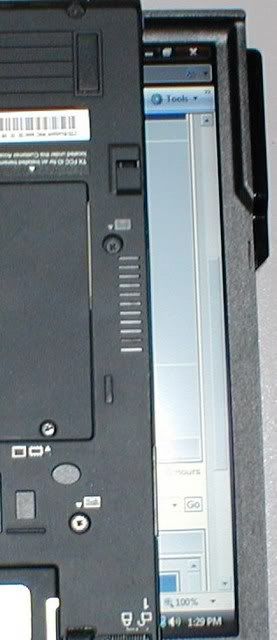
Unfortunately I think so, as i've mentioned in other posts, that will be the plan at the moment simply because 4:3 12" panels are becoming rare and expensive and the market is being driven by a desire for everything to be widescreen.
To be honest, after using the V100, i'm less bothered about widescreen on X series than I would be about it on T series, it does seem to be a better fit for the smaller systems and I imaging that portrait mode on the tablet would be much better as a widescreen, as long as the number of vertical pixels remains above 768 (which it would even with WXGA), it would probably be an improvement on the existing 12" XGA systems.
*this next part is opinion with no basis on facts*
I think it will become difficult to obtain any 4:3 screens after mid-2008 so all ThinkPad models after this date will likely be widescreen, the 14" T Series will probably be the last to go. Anticipating this i've recently been using the widescreen T series and I don't dislike it as much as I thought - other than for watching movies though (and possibly photoshop depending on the resolution of 4:3 being used), I cannot really see any advantage to it and still despise all the blank space surrounding every website.
To be honest, after using the V100, i'm less bothered about widescreen on X series than I would be about it on T series, it does seem to be a better fit for the smaller systems and I imaging that portrait mode on the tablet would be much better as a widescreen, as long as the number of vertical pixels remains above 768 (which it would even with WXGA), it would probably be an improvement on the existing 12" XGA systems.
*this next part is opinion with no basis on facts*
I think it will become difficult to obtain any 4:3 screens after mid-2008 so all ThinkPad models after this date will likely be widescreen, the 14" T Series will probably be the last to go. Anticipating this i've recently been using the widescreen T series and I don't dislike it as much as I thought - other than for watching movies though (and possibly photoshop depending on the resolution of 4:3 being used), I cannot really see any advantage to it and still despise all the blank space surrounding every website.
-
pianowizard
- Senior ThinkPadder
- Posts: 8556
- Joined: Tue Jun 28, 2005 5:07 am
- Location: Ann Arbor, MI
- Contact:
That's because you're NOT supposed to maximize the web browser. Get it to occupy only, say, 70% of the screen's width, and use the remaining 30% for other applications, for showing part of another browser, or just to see the icons on the desktop.snife wrote:I cannot really see any advantage to it and still despise all the blank space surrounding every website.
Dell Latitude 7370 (QHD+, 2.84lb); HP Pavilion x2 12-b096ms (FHD+, 3.14lb); Microsoft Surface 3 (FHD+, 2.00lb);
HP Z440 (Xeon E5-1630 v3); Dell OptiPlex 5040 SFF (Core i5-6600), OptiPlex XE2 (Core i7-4770S)
Acer ET322QK, T272HUL; Crossover 404K; QNIX QHD2410R; Seiki Pro SM40UNP
HP Z440 (Xeon E5-1630 v3); Dell OptiPlex 5040 SFF (Core i5-6600), OptiPlex XE2 (Core i7-4770S)
Acer ET322QK, T272HUL; Crossover 404K; QNIX QHD2410R; Seiki Pro SM40UNP
I personally don't see this as a good usage of widescreen, human processing should focus on 1 task at a time to be most effective: It is simply not a good idea to have 30% of the screen dedicating to distractions (or blank space). And machine designs should support effective work, multi-tasking / task switching costs are bad for efficiencypianowizard wrote:That's because you're NOT supposed to maximize the web browser. Get it to occupy only, say, 70% of the screen's width, and use the remaining 30% for other applications, for showing part of another browser, or just to see the icons on the desktop.snife wrote:I cannot really see any advantage to it and still despise all the blank space surrounding every website.
Do you see the screens of air-traffic controller and submarine radar operators fill up 30% of their screens with funny gadgets distracting their primary task? In the business world, reading, email/document processing, organizing & scheduling are those primary tasks
Also, the story is still the same way for people who works on codes
However, widescreens are good for those applications that are designed to work on a WS: applications with lots of panels, e.g. Photoshop... I'd say business users will accept WS more eventually, as more and more business applications start to build primarily to work best on WS
-
pianowizard
- Senior ThinkPadder
- Posts: 8556
- Joined: Tue Jun 28, 2005 5:07 am
- Location: Ann Arbor, MI
- Contact:
There are at least two advantages for doing this:milstein wrote:I personally don't see this as a good usage of widescreen, human processing should focus on 1 task at a time to be most effective: It is simply not a good idea to have 30% of the screen dedicating to distractions
1) I almost always have multiple programs/browers running simultaneously: email, Word, Thinkpads.com forum, Excel spreadsheet, a web browser for Googling, etc. Even if I am focused on only one of these at a time, it's still nice to have the other windows in sight so that I can switch to them quickly. If I rely on the Taskbar or ALT+TAB, it's slower.
2) I often work on multiple documents simultaneously. For example, right now, I have one Word document showing an outline of the research grant that I'm working on, and another Word document where I am typing the actual, expanded version of the grant. It's so convenient to type the grant while looking at the outline. I am not a businessman, but I'd imagine that people in the business world (or, for that matter, anyone who works with documents) can benefit from keeping multiple windows in the same way, unless I am overestimating the complexity of the tasks that business people usually do.
Dell Latitude 7370 (QHD+, 2.84lb); HP Pavilion x2 12-b096ms (FHD+, 3.14lb); Microsoft Surface 3 (FHD+, 2.00lb);
HP Z440 (Xeon E5-1630 v3); Dell OptiPlex 5040 SFF (Core i5-6600), OptiPlex XE2 (Core i7-4770S)
Acer ET322QK, T272HUL; Crossover 404K; QNIX QHD2410R; Seiki Pro SM40UNP
HP Z440 (Xeon E5-1630 v3); Dell OptiPlex 5040 SFF (Core i5-6600), OptiPlex XE2 (Core i7-4770S)
Acer ET322QK, T272HUL; Crossover 404K; QNIX QHD2410R; Seiki Pro SM40UNP
-
- Similar Topics
- Replies
- Views
- Last post
-
- 0 Replies
- 2843 Views
-
Last post by dcfbf
Mon Feb 16, 2026 9:06 pm
-
-
FS: IBM ThinkPad T60 15" FlexView non-widescreen
by PiZzA EnGiNeEr » Thu Jan 29, 2026 9:58 pm » in Marketplace - Forum Members only - 0 Replies
- 3819 Views
-
Last post by PiZzA EnGiNeEr
Thu Jan 29, 2026 9:58 pm
-
-
-
SOLD: thinkpad X61, T8300, 8GB. SSD, Atheros AR938 - EU ONLY
by zz7 » Wed Oct 29, 2025 10:57 am » in Marketplace - Forum Members only - 0 Replies
- 7368 Views
-
Last post by zz7
Wed Oct 29, 2025 10:57 am
-
-
-
[WTB] Thinkpad x61 battery (battery life doesn't matter as long as it works)
by Redaa » Sun Jan 25, 2026 6:08 am » in Marketplace - Forum Members only - 2 Replies
- 6406 Views
-
Last post by Redaa
Sun Jan 25, 2026 6:27 am
-
Who is online
Users browsing this forum: No registered users and 73 guests