Take a look at our
ThinkPads.com HOME PAGE
For those who might want to contribute to the blog, start here: Editors Alley Topic
Then contact Bill with a Private Message

2560x1440 T520/T530/W530

T400/T410/T420 and T500/T510/T520 Series
Message
Author
TPFanatic
Senior ThinkPadder
Senior ThinkPadder
Posts: 2824
Joined: Thu Jul 30, 2015 11:29 pm

2560x1440 T520/T530/W530

#1 Post by TPFanatic » Mon Oct 31, 2022 3:43 pm

I have modded 2560x1440 into T530 and W530.

Followup 3-12-23:
Here's a YouTube video of the Innolux N156KME-GNA functional to a W530 using the T420 adapter board plugged into a reverse direction IPEX to FPC cable plugged into an FPC to IPEX adapter board plugged into the factory W530 LCD cable.
https://www.youtube.com/watch?v=WuvYVtBsgQY


Followup 3-6-23:
I found a new position under the keyboard for the adapter board, this is between the DIMM and CPU. I put a foil tape under the adapter to protect it from the CPU heat. There is no physical interference between the adapter and the keyboard, and there is enough length in the EDP cable to go up the left hinge.

I initially attempted to use an extension board in the lid off the factory LCD cable but a loose connection on the first test scared me from continuing. I'll try this again tho.


Followup 2-11-23:

The microphone failure is an unrelated motherboard fault. I found two pins for the subcard connector on the motherboard had bent into each other, that may have shorted something to death.

Also following up to say the machine has been in daily use the past 3 weeks. I actually went and swapped the mod-lid onto a W530 bottom half, to both correct the microphone fault (it works with the new motherboard) and upgrade the RAM capacity for its user.

Turns out placing the adapter under the keyboard only works on the T-series with the 2 ram slots, or a W-series with the upper slot unoccupied, otherwise it pushes up on the keyboard.

My next objective will be to attempt repositioning the adapter board to inside the lid. The eDP LCDs are much thinner than the OEM LCDs so there's ample room behind to fit the adapter. In fact this is the recommended positioning for the eDP FHD IPS kits that are sold for *520/30 machines, that re-use the factory LVDS cable. In order to invert the sequence to work the T420/30/s kits, I'll use an LVDS to FPC extension board like this: https://ae01.alicdn.com/kf/Sf84214f6fdc ... .jpg_.webp and a reverse-direction FPC. Should work fine.

Another piece of info:
Innolux N156KME-GNA also goes by Asus part number: 18010-15607400.
(also of note, BOE Hydis NE156QHM-NY1 V8.1 goes by Asus part number: 18010-15656300, I have not tested this to work yet)
TPFanatic on 1-26-2023 wrote: Only two problems so far:
- Minor display tearing occurs and the LCD does not run at a proper 60 hz, due to the LCD being a 165 hz and the adapter forcing 60 hz.
- The microphone doesn't work. I'm not sure at what point it died or how. It may be a fault in the microphone card or in the cable for it.

Pros of the build:
- 1440p.
- IPS-equivalent color and display is superior to any original LCD.

Cons of the build:
- Aforementioned problems.
- Physical destruction.
- Price (new LCD: $100~, QHD kit: $52 or more, cables: $10 or more).

Components needed:
- Innolux N156KME-GNA, or possibly another eDP 1.3 LCD is compatible, if one exists.
- T420s/T430s QHD adapter kit. DO NOT USE INCLUDED FPC/FFC.
- 40 pin 0.5mm pitch FPC/FFC cable in "reverse direction".

Tools used:
- Dremel and pliers to mod the lid and bezel.
- Big grinding wheel to file down hinges.
- Stick-on foam to brace and position the LCD.
- Scotch or other tape.
Stuff to remove from lid assembly: https://i.imgur.com/WBp5bKV.jpeg

Original post:

I've read/heard that the eDP adapter kits sold for T420/T430, used to upgrade to IPS FHD and QHD, somehow function on other laptops including Elitebooks and X300 series (with some modding).

edit to add, the 14" 1440p are tested to work with a W530 back in 2018, but no 15.6" 1440p existed at that time: viewtopic.php?t=127193
EvanJoo wrote:
Tue Dec 31, 2019 10:40 pm
Hi,friend
We can driver it in W530 Mod with the T420 / T430 WQHD kit with 14" 2K screen , and it work. But the W530 laptop is with 15.6" screen, and none of this style 2K Screen. We are test with a 3K Screen in W530 , but no successful yet. For the W530, We can driver it in the DP extend port with 3K Screen, but failed to driver it with integrated graphics.
Evan
There now exist 2560x1440 (aka QHD aka WQHD) LCDs in the 15.6" form factor, albeit with 165-and-higher-hz refresh rates (see: https://www.panelook.com/sizmodlist.php ... ixels=8380). These also do not have the same physical construction as the old 15.6" LVDS used in the early *510/20/30 Thinkies, presenting a similar conundrum that theterminator93 overcame to install an LVDS IPS in his W520.

In any case, I've got a 15.6" QHD on order. First I will test if my QHD-adapted T420 will function with this LCD; if successful, I will move the adapter and LCD to a T530 and test for function there; if also successful, I will begin surgery of the lid; and if all that succeeds, I will have a QHD T530. :twisted:
Last edited by TPFanatic on Tue Mar 14, 2023 7:52 pm, edited 11 times in total.

Nirvana09
Posts: 41
Joined: Sun Jul 04, 2021 9:54 am
Location: Moses Lake, WA, USA

Re: Tentative 2560x1440 upgrade for T520

#2 Post by Nirvana09 » Mon Oct 31, 2022 3:54 pm

I love my 1440p t420. If you confirm this I will definitely be doing it to my t520 as well. I'll be waiting with my fingers crossed.

TPFanatic
Senior ThinkPadder
Senior ThinkPadder
Posts: 2824
Joined: Thu Jul 30, 2015 11:29 pm

T520 2560x1440 (WIP)

#3 Post by TPFanatic » Thu Nov 03, 2022 4:35 pm

Image
(Click on image for 3840x2160 version)

3 Nov 22 progress update for you:

The LCD lights up and works in the T420 thru the QHD adapter, and I am confident it will similarly function in a T520.

The LCD I'm testing is an N156KME-GNA.

The framerate is diminished, but consistently so; it looks like it's running at 40 or 50hz. This is a 165hz LCD being forced to run at a lower framerate (Windows reports 60hz but it also IDs any LCD thru the adapter as an LP140QH1-SPB1). I am not aware of any ways to get 165hz working without re-engineering the adapter board which is beyond my capability, but it's definitely not as smooth as a native 60hz.

There exist 240hz panels such as LQ156T1JW03; I wonder if a panel like that, having a base framerate as a multiple of 60hz, as opposed to 165hz being not, would yield a better actual framerate with the adapter board as is.

Despite the slightly diminished framerate, I am pleased with the progress so far, and I will begin the process of modifying a 15.6" lid to fit this panel, as well as order another adapter board from China.

If a lower framerate is a dealbreaker for you then proceeding with the N156KME-GNA on the present QHD adapter board is not for you!!

edit:
A 60hz LCD also exists, BOE NE156QHM-N61, but it seems impossible to buy at this time.

And I have done an uploaded a video of the N156KME-GNA in operation: https://www.youtube.com/watch?v=1euEmSiNxqw

TPFanatic
Senior ThinkPadder
Senior ThinkPadder
Posts: 2824
Joined: Thu Jul 30, 2015 11:29 pm

Re: WIP 2560x1440 T520

#4 Post by TPFanatic » Thu Nov 03, 2022 10:42 pm

I've gotten started on the physical mods to the lid and they're quite destructive. For instance, rather than trim the corners of the LCD control board, I ground down the hinges instead, which is uglier but less electrically risky.

The LCD control board has to sit above the microphone+indicator subcard which requires grinding down everything under the subcard including removing the clear panel for the rear facing indicators, so the subcard sits flat against the back of the lid. The top half of the LCD will have to be braced with foam or duct tape. The sides and top edges of the LCD will have to be positioned likely with hot glue, then the bezel will hold the LCD in the lid. The inside face of the bezel needs a lot of material eliminated as well, including the inner corners around the hinges. The corners of the LCD control board wind up sticking out of the lid a few mm on each side.

This amount of destruction discourages me from wanting to ever produce another QHD T520. This will be a one-off unit.

Nirvana09
Posts: 41
Joined: Sun Jul 04, 2021 9:54 am
Location: Moses Lake, WA, USA

Re: WIP 2560x1440 T520

#5 Post by Nirvana09 » Fri Nov 04, 2022 8:10 am

Ooof. I had to remove a little bit of material to get the t420 done up right so I get the need for that. I'm not sure if I want to grind down the hinge area though - are you at a current state to take pictures? Could the location of the board change with new cables? I really don't like using major adhesive for stuff like this, I like the factory mechanical locking tabs vs chemical bonding for ease of repair and use. I have two t520's at my disposal and might try to look into the 240hz model of the monitor to try myself.

TPFanatic
Senior ThinkPadder
Senior ThinkPadder
Posts: 2824
Joined: Thu Jul 30, 2015 11:29 pm

Re: WIP 2560x1440 T520

#6 Post by TPFanatic » Fri Nov 04, 2022 11:13 am

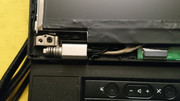
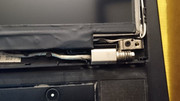
I chose to do the hinges instead of attempting to carve the corners of the LCD PCB, as I'm personally very against touching it, my LCDs tend to self-destruct if I do as much as breathe on the hanging PCBs. Here's how the PCB overlays unmodified hinges.

Image
Image

It may be possible to peel back the tape and find enough unused wafer to carve away so the remaining PCB fully sits in the lid.

I won't be putting adhesive on the LCD. I'll just use the tape on the lid to build up material for the LCD to rest against. Alternatives are hot glue or cardboard. The new LCD is in all dimensions sans-active area smaller than the original LVDS panels.

The front bezel still snaps on even with many lower clips removed. The edgemost clips are not removed.

Nirvana09
Posts: 41
Joined: Sun Jul 04, 2021 9:54 am
Location: Moses Lake, WA, USA

Re: WIP 2560x1440 T520

#7 Post by Nirvana09 » Fri Nov 04, 2022 8:23 pm

I agree with the sentiment to cut the hinges. Screens are super finicky and I would imagine I would end up with a dead screen before finding joy squeezing that in. I think you've got a good thing going, I am seriously considering getting another board and moving forward with a personal build. Cant wait to see how you like it after living with it.

TPFanatic
Senior ThinkPadder
Senior ThinkPadder
Posts: 2824
Joined: Thu Jul 30, 2015 11:29 pm

Re: WIP 2560x1440 T520

#8 Post by TPFanatic » Mon Nov 07, 2022 8:04 pm

Wanted to update:
I wound up not stealing the adapter from my T420, as I like using it daily and rather not decommission it even temporarily.
I do have a new QHD adapter on order from China, it left China this morning, $54 shipped on eBay.

I carved out more of my hinges than was necessary, very imprecisely with a grinding wheel, so it's an ugly result. Likely all I needed to remove was a few mm of the upper-inner corners to clear the LCD PCB.

For the front bezel, all lower clips except for the edgemost are cut out, and I cut out some of the hinge border to not impede with the LCD control board.

For the lid back, almost all lower clips and standoffs, including the center screw, and the clear plastic for the LED indicators, are cut out.

I cut out a piece of thin cardboard in the area of the original physical LCD. With this sandwiched behind the new LCD, the new LCD does sit nicely on top of it and the LED indicators, with the front bezel snapped in over it.

I will likely achieve the new LCD's centering by gluing some thin cardboard pieces at the edges of the big cardboard.

I may also cutout a square of the big cardboard to stick the adapter board inside of. The lid assembly really is sized wrong for this sort of modern LCD, what with the hinges getting in the way of the board and the lid assembly being so much thicker....

I made a picture showing the things you have to remove: https://i.imgur.com/WBp5bKV.jpeg 1920x2560 .jpeg

And here's some shots of the LCD in the lid with the cardboard behind it. As is, it can slide up-down-left-right, since I haven't done any edge support yet.

Image
Image
Image

I also wanted to share this aliexpress page showing the fabled eDP FHD IPS adapter for T520,W520,et al., and their interesting instructions somewhat adapted from theterminator's experience putting an LVDS FHD IPS in his W520. https://www.aliexpress.us/item/22518327 ... _shipto=US

While they show their LCD electrically working, they never show it physically fitted in the lid because of how difficult this objective is.


Nov 10 22 edit:
I will wind up grinding away more of the hinges' inner edge for better aesthetic. These hinges are secured to the base by 3 screws each (top-down, down-top, and rear-front) at the lower post of the hinge, and to the lid by two screws at the outer corner of the lid, so I'm not worried about any loss to their function. Then I will superglue some extra plastic bits to the bezel and lid back to cover the exposed LCD PCB.

TPFanatic
Senior ThinkPadder
Senior ThinkPadder
Posts: 2824
Joined: Thu Jul 30, 2015 11:29 pm

Re: WIP 2560x1440 T520

#9 Post by TPFanatic » Sun Nov 13, 2022 9:06 pm

Good news and bad news:

I've upgraded from cardboard to insulation tape for supporting the LCD in the lid, including the edges, and with some trial and error I was able to successfully center the active area tested with the LCD running off the T420.

Now for the bad:

I plugged the T530's 40 pin LVDS into the adapter board and upon test-booting the adapter burned out. I'm not sure why this occurred, if there is an electrical in compatability between the T530 and T420 40 pin LVDS cables or if I misplaced the adapter board in a way that it shorted.

The T530 still uses its original LVDS panel with no problems so the fault is localized to the adapter board that I can tell. I am currently unable to test the 15.6" QHD further however, as I am out my only adapter board with my replacement still in transit

More research is in order to determine why the adapter failed and what can I do to correct it.

Edit: it is now clearly obvious that the LVDS 40 pin outputs of the T420 and T530 cables are simply different pinout, and as user OhYou_ rewired their X301 cable output to match the T420 cable output, I must rewire a T530 cable output to match the T420 output, in order to utilize the T420-intended QHD adapter. Fun times are ahead.

TPFanatic
Senior ThinkPadder
Senior ThinkPadder
Posts: 2824
Joined: Thu Jul 30, 2015 11:29 pm

Re: WIP 2560x1440 T520

#10 Post by TPFanatic » Thu Dec 01, 2022 2:31 am

Just updating,

I've soldered up a hybrid cable that connects the T420/T430 QHD input cable to a T530 flat-cable, but when plugged into the T530 the machine refuses to power up, so I clearly made some mistake. I've tested the machine powers on with my cable disconnected. But it didn't explode anything this time so it's some progress.

edit/update:
So the machine is still 100% functional with the original screen, no blown fuses or anything. :P

Using a multimeter I've found a shorted state on my cable, in that every pin has continuity with every other pin. Most likely I soldered a negative data wire to a positive data wire by accident. Still looking through it in my spare time to find which one exactly I did wrong, so I can do it over.

As a side-note, T530's -LCD_PRESENCE wire seems to just get grounded.

TPFanatic
Senior ThinkPadder
Senior ThinkPadder
Posts: 2824
Joined: Thu Jul 30, 2015 11:29 pm

Pinouts (Re: 15.6" QHD)

#11 Post by TPFanatic » Thu Dec 08, 2022 1:48 am

I'd like to share some of my findings.

1. My initial custom cable failed due to the rookie mistake of soldering unshielded wires, used in T520 cables, to the shielding of shielded wires, used in the T420 mod cable, LOL.

Image

2. The T420/T430 FHD/QHD IPS LVDS->eDP Adapter kit uses a 40-pin IPEX or compatible video connector.

2a. The connector is physically equivalent to that used on B140RW02-V2 (T420,etc. 14" OEM LCD) and B156HW01-V4 (T520,etc. 15" OEM LCD) and many more 40 pin LCDs.

2b. The adapter's Mod Cable uses 29/40 available pins, in the following pinout on the motherboard side of T420/T430, and seemingly also electrically compatible with T410:

Image

And on the adapter side, the following pinout:

Image

3. The OEM LCDs used in T420 and T520, for eg. B140RW02-V2 and B156HW01-V4, actually have the same pinouts at the LCDs and accordingly at the LCD sides of their LCD cables, in the following pinouts:

Image

3a. The sequence of the T420/T430 Mod Cable is mostly inverted/mirrored from the OEM cables.

3b. The sequence of the T420/T430 Mod Cable, if perceived inverted/mirrored, is 28/29 pins in sequence with the lcd-ends of the OEM cables, with the 1/29 out of sequence pin being a GND replaced between the vcc3b and spwg_edid_clk pins, a spot that is Not Connected in the OEM cables.

3c. The reality of the incorrect sequence results in connecting Backlight amperage with Data pins and a Ground pin, so plugging any OEM cable into the Adapter input will on power instantly destroy the adapter, as I'd gung hod at an earlier time.

4. T530's OEM LCD cable is virtually matching sequence on both motherboard and LCD sides, exception being Pin 34 (-LCD_PRESENCE) which is simply soldered onto the surface of the LCD-end connector of the cable, where it grounds.

Image

How I will use this information is yet TBD. I don't personally have the equipment to be confident in soldering wires to the video connectors, presenting but not limited to the following alternatives:

- Acquire a fully wired 40-pin video connector to solder T530 OEM-cable wires to in the Mod Cable adapter-end sequence.
- Acquire or gain access to appropriate equipment to resolder the wires at the pins of the connector end, to the Mod Cable sequence.
- Commission a custom cable.

Additionally of note, there is a seller on eBay and Alieexpress who sells a W520/30 1080 Adapter board that reuses the OEM cable. As the output resolution of the adapter seems to be programmed into the adapter, then equipped with the appropriate cable (30-pin eDP for 1080, 40-pin eDP for 1440), I'd think it possible for the adapter producers to produce a *520/530 1440p adapter. Although, with the extensive and awful physical destruction requisite even to fit a *520/530 with 1440p, it is understandable that they have not proceeded as such, as the destruction deters even more end-users, it would not be lucrative to market.

In any case I will get a proof of concept up and running, somehow, eventually...

Nirvana09
Posts: 41
Joined: Sun Jul 04, 2021 9:54 am
Location: Moses Lake, WA, USA

Re: WIP 2560x1440 T520

#12 Post by Nirvana09 » Sat Dec 10, 2022 10:28 am

....Yeah, okay, well this took a turn in a bad direction. If you have to buy a bulk amount of cables I guess I can throw my hat in helping with that commission. I want my single cable at least.

TPFanatic
Senior ThinkPadder
Senior ThinkPadder
Posts: 2824
Joined: Thu Jul 30, 2015 11:29 pm

Re: WIP 2560x1440 T520

#13 Post by TPFanatic » Fri Dec 23, 2022 2:27 pm

Update:

I have achieved successful powering up the backlight of eDP LCDs in the T530, and adjusting brightness, without exploding anything. This works with the N156KME-GNA and the B140QAN01.1 from my T420. And the B140QAN01.1 is verified to still work after putting it back in the T420.

Unfortunately I have not yet gotten any data sent to either LCDs at this time through the T530.

I also declare that my N156KME-GNA is defunct as it will no longer display any data through my T420. It probably died at the time that I exploded my original adapter.


Back to powering up the backlight: What I've done is acquire from aliexpress a 40 pin LCD female to female connector board, and a 40 pin LCD male to male extension cable with one end soldered upside down. Effectively, inverting the sequence and matching 28/29 pins to the adapter board. These I've plugged in between the T530's LCD cable and the adapter board's input.

The 29th pin is the unique GND on the adapter board that is supposed to plug into a ground on the laptop, but currently plugs into nothing on the T530's LCD cable (Pin 5, NC/No Connection) and thus fails to ground on the T530's motherboard (Pin 5, NC/No Connection), but also interestingly doesn't have continuity with the rest of the grounds on the adapter board. So there may be additional purpose to this GND in order for the adapter to send data. I can probably attempt to ground this pin easily enough and test again with the B140QAN01.1 (verified working in T420).

Other factors to consider may be the length of my current extension cable (30 cm) may be too long for the LVDS. I have an alternative plug-and-play extension method en route using shorter (3 cm) cables that I may test with the B140QAN01.1 when they arrive.


In the other realm, I seem to have a source of BOE NE156QHM-N61 which are 60 hz LCDs. When I have more willingness to spend, I will buy some.


edit: My soldering sucks haha. I may have managed to ground Pin 5 but the B140QAN still doesn't work beyond lighting the backlight. I may have to test that the adapter itself is still functioning in a different supported laptop (T420 or T430), and see if adding 30mm of extension cable affects it...

One more thing I may try is snipping a T530 cable's 8 or 9 extra GND wires that the original Mod Cable doesn't use, including -LCD_PRESENCE, which still mystifies me to its function.


An alternate approach to consider is what is the actual difference between the 1080 and 1440 kits? The 1080 kits use 30 pin eDP cables and the 1440 kits use 40 pin eDP cables. Each kit IDs itself to the laptop as a specific LCD, regardless of the actual one used. Both kits have 1080 and 2K printed on the board with one or the other sharpied over to distinguish the kit's intended LCD. Each kit has its own EDID, clearly. EDID can be rewritten, in theory. Besides EDID and eDP cable, are there are differences I wonder? What prevents an actual T520 1080 kit from being reprogrammed into a 1440 kit?

Update 12-31-22

Nothing material to share, but I've have a thought of substance...

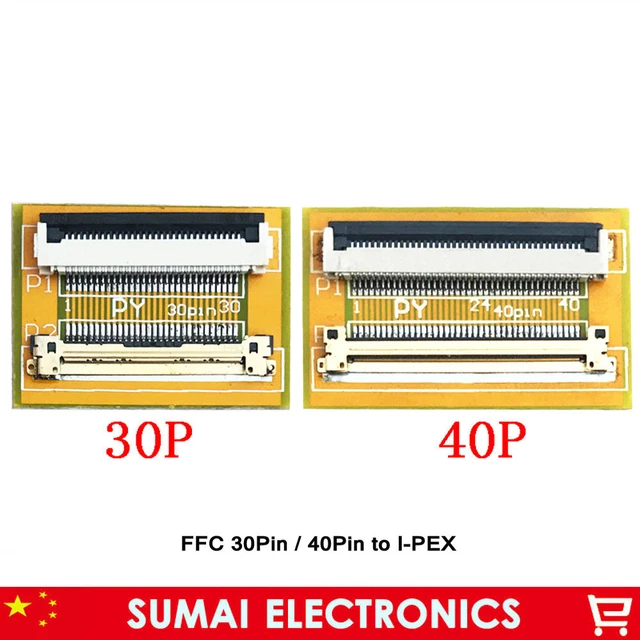
The T420/30 kit is an adaptation of the original T420s/30s kit, which uses a simple FFC (flexible flat cable) to connect from the T420s/30s flat cable connector to a flat cable connector on the adapter board. The T420s/30s' connector pinout is an inverted version of the T520/30 connector pinout. But as they both use flat cables on the motherboard side....

In any case my continuation on this project will utilize the T420s/30s versions of the boards and an opposite-direction FFC. All I need to see at this point is the T530 power up a 1440p LCD and the project will be not for naught.

TPFanatic
Senior ThinkPadder
Senior ThinkPadder
Posts: 2824
Joined: Thu Jul 30, 2015 11:29 pm

Re: WIP 2560x1440 T520

#14 Post by TPFanatic » Fri Jan 20, 2023 12:19 pm

I am pleased to report a success on my latest round of components:

- T530
- T420s/T430s QHD adapter kit, that uses the 40 pin flexible flat cable
- 40 pin flexible flat cable in reverse direction
- B140QAN01.1 2560x1440

This combination of parts resequences the adapter kit pinout to match 100% the T530's motherboard LCD connector, and my 14" B140QAN01.1 lit up with backlight and data off the T530.

..
I am presently awaiting arrival of a BOE NE156QHM-N61, the only 15.6" QHD I know of with a factory 60hz refresh rate. I am also awaiting arrival of a couple more Innolux N156KME-GNA which want 165hz refresh rate, but I know they work with the adapter kits, so in any case once the screens are in and I do a bit more physical adjustment, I'll finally have a QHD T530.


..
Update 1-21-23:

I have received the BOE NE156QHM-N61, and it's a no-go.

The display lights up, Backlight and Dimming works.

The display freezes up at the splashscreen. I suspect this is due to the screen being a HBR (high bitrate) display running on eDP1.4b technology whereas LCDs the likes of the B140QAN01.1 and N156KME-GNA are eDP 1.3. I suspected this would be an issue but had to see it to be sure. Shame, because the form factor of the BOE has a narrower hanging PCB that would not interfere with the hinges!

So the next best thing may be attempt reflashing the EDIDs of my incoming N156KME-GNAs to force 60hz down from their native 165hz, if they don't work well enough as is.

TPFanatic
Senior ThinkPadder
Senior ThinkPadder
Posts: 2824
Joined: Thu Jul 30, 2015 11:29 pm

Re: Completed 2560x1440 T520

#15 Post by TPFanatic » Thu Jan 26, 2023 7:13 pm

My Innolux N156KME-GNA showed up today. It works with the T420s/T430s adapter, which is connected to the T530's LCD connector through a 40 pin FPC/FFC "reverse direction". The physical mods to the lid and hinges detailed earlier in the thread are necessary for the LCD to fit. I got the LCD 99% centered.

I have reassembled the laptop and it is being used.

I believe it is the only 1440p 15.6" ThinkPad with a 7 row in the world.

Only two problems so far:
- Minor display tearing occurs and the LCD does not run at a proper 60 hz, due to the LCD being a 165 hz and the adapter forcing 60 hz.
- The microphone doesn't work. I'm not sure at what point it died or how. It may be a fault in the microphone card or in the cable for it.

Pros of the build:
- 1440p.
- IPS-equivalent color and display is superior to any original LCD.

Cons of the build:
- Aforementioned problems.
- Physical destruction.
- Price (new LCD: $100~, QHD kit: $52 or more, cables: $10 or more).

Components needed:
- Innolux N156KME-GNA, or possibly another eDP 1.3 LCD is compatible, if one exists.
- T420s/T430s QHD adapter kit. DO NOT USE INCLUDED FPC/FFC.
- 40 pin 0.5mm pitch FPC/FFC cable in "reverse direction".

Tools used:
- Dremel and pliers to mod the lid and bezel.
- Big grinding wheel to file down hinges.
- Stick-on foam to brace and position the LCD.
- Scotch or other tape.

Image
Image
Image

edit: I've determined the microphone failure to be a motherboard fault, as it did not function with either a new subcard or cable.

tomatohat
Posts: 25
Joined: Wed Jan 11, 2017 12:42 am
Location: Chicago, IL

Re: 2560x1440 T520/T530/W530

#16 Post by tomatohat » Sun Mar 24, 2024 8:58 am

The T420/30 kit is an adaptation of the original T420s/30s kit, which uses a simple FFC (flexible flat cable) to connect from the T420s/30s flat cable connector to a flat cable connector on the adapter board. The T420s/30s' connector pinout is an inverted version of the T520/30 connector pinout. But as they both use flat cables on the motherboard side....
Does this mean either adapter would work provided you have the right cable? You would need a t420/t530 kit with a regular (non inverted) flexible flat cable?

TPFanatic
Senior ThinkPadder
Senior ThinkPadder
Posts: 2824
Joined: Thu Jul 30, 2015 11:29 pm

Re: 2560x1440 T520/T530/W530

#17 Post by TPFanatic » Sun Mar 24, 2024 9:32 am

Either version of the adapter (non-s T420,T430; versus T420s,T430s) can be used. Only difference is the T420,T430 kit uses an IPEX connector, the T420s,T430s kit uses an FPC connector.

You need to invert the pin sequence of the factory 15” LVDS cable to safely plug into the adapter board. I accomplished this by buying a “reverse direction” cable with the appropriate terminus (IPEX or FPC) and an extender PCB with one side being IPEX for the factory 15” LVDS cable, and the other side will depend on what combination of “reverse direction” cable and adapter you go for.

Nowadays I advise against doing this mod, I’d recommend folks with classic sensibilities tolerate a T430 or buy a P50/P51 or P1 instead, they are much better laptops.

tomatohat
Posts: 25
Joined: Wed Jan 11, 2017 12:42 am
Location: Chicago, IL

Re: 2560x1440 T520/T530/W530

#18 Post by tomatohat » Sun Mar 24, 2024 9:59 am

Do you know how those universal FHD adapters work? I saw an adapter advertised as lvds to edp for FHD upgrade (original monitor must be 1600x900 or higher). But it had t420/t420x/t430/t430s/t530/t520/L520/w530 etc... also listed compatible for E6430/E6530/E6420/etc.. latitudes

Are these dynamic sensing pinout or something?

TPFanatic
Senior ThinkPadder
Senior ThinkPadder
Posts: 2824
Joined: Thu Jul 30, 2015 11:29 pm

Re: 2560x1440 T520/T530/W530

#19 Post by TPFanatic » Sun Mar 24, 2024 10:10 am

All those laptops’ LCD cables have the same pinout, so a single adapter board will fit any of them. The 900p LVDS panels use a 40 pin cable supporting dual channel LVDS which is sufficient bandwidth to support 1080p. There is a large contingent of edp 1.3 standard 1080p LCDs that are similar enough to all be supported by one adapter board. The adapter board tells the laptop it is a specific particular model of 1080p LCD. Eg. even if you plug in an LG PHILIPS LCD the laptop will think it’s a AU OPTRONICS, or whatever they programmed it to ID as.

tomatohat
Posts: 25
Joined: Wed Jan 11, 2017 12:42 am
Location: Chicago, IL

Re: 2560x1440 T520/T530/W530

#20 Post by tomatohat » Sun Mar 24, 2024 10:22 am

But wouldn't that fail in the case of the t430/t420 vs t430s/t420s since they have that reverse thing?

TPFanatic
Senior ThinkPadder
Senior ThinkPadder
Posts: 2824
Joined: Thu Jul 30, 2015 11:29 pm

Re: 2560x1440 T520/T530/W530

#21 Post by TPFanatic » Sun Mar 24, 2024 10:33 am

I think the universal kits are either built without the inverted connector (connectors are 180 degs opposed instead of 90 degs like in T420/30(s) kits), or a special inversion board is included, ive seen it both ways.

tomatohat
Posts: 25
Joined: Wed Jan 11, 2017 12:42 am
Location: Chicago, IL

Re: 2560x1440 T520/T530/W530

#22 Post by tomatohat » Sun Mar 24, 2024 6:44 pm

Minor display tearing occurs and the LCD does not run at a proper 60 hz, due to the LCD being a 165 hz and the adapter forcing 60 hz.
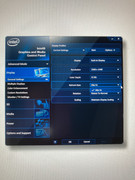
Just curious, but did you ever resolve this? What refresh rate was Windows set to under (Display - > Advanced Display Settings )
The display freezes up at the splashscreen. I suspect this is due to the screen being a HBR (high bitrate) display running on eDP1.4b technology whereas LCDs the likes of the B140QAN01.1 and N156KME-GNA are eDP 1.3. I suspected this would be an issue but had to see it to be sure. Shame, because the form factor of the BOE has a narrower hanging PCB that would not interfere with the hinges!
Does this mean it booted up and could display bios menu ok, but once it got to the windows loading screen it locked up? Or are you referring to the boot up splash screen?
- 40 pin 0.5mm pitch FPC/FFC cable in "reverse direction".
What length did you use? I assume it was short. 5 cm?

TPFanatic
Senior ThinkPadder
Senior ThinkPadder
Posts: 2824
Joined: Thu Jul 30, 2015 11:29 pm

Re: 2560x1440 T520/T530/W530

#23 Post by TPFanatic » Sun Mar 24, 2024 7:14 pm

The display tearing was from poor grounding. Taping the fpc to the back of the lid resolved that. Length: I ordered 100mm. The refresh rate issue is unresolved without hacking the proprietary adapter board which is beyond my capabilities as a parts changer. Playing videogames is intolerable. 24 and 30 fps Videos appear janky, but work. Desktop operation is tolerable.

I built two finished prototypes. My father has been daily driving the first prototype since new years 2023. He doesn’t care about the refresh rate issue because he doesn’t notice it, whereas it’s glaringly obvious to me, so I didn’t like using the second prototype. After accidentally cracking the display I didn’t bother repairing it and restored it to its original FHD configuration.

tomatohat
Posts: 25
Joined: Wed Jan 11, 2017 12:42 am
Location: Chicago, IL

Re: 2560x1440 T520/T530/W530

#24 Post by tomatohat » Mon Mar 25, 2024 9:31 am

What IC chip does your adapter use? Curious now about difficulty in reprogramming for edp1.4 support.

I wonder if it's the same as the originals that RMSMajestic sold (I need to open up my T430s to compare).

TPFanatic
Senior ThinkPadder
Senior ThinkPadder
Posts: 2824
Joined: Thu Jul 30, 2015 11:29 pm

Re: 2560x1440 T520/T530/W530

#25 Post by TPFanatic » Mon Mar 25, 2024 10:31 am

I would gamble they use the same components of RMSMajestic’s and Javi-jie’s product. Any identifying info on the currently for sale chips is filed off.

The LVDS-edp converter is apparently a NewCoSemi NCS8801 according to this forum https://www.eevblog.com/forum/repair/he ... novo-t430/ . There’s another unknown chip involved. Someone who actually knows how these things work would have to tell you.

In theory dual channel LVDS has enough bandwidth for up to 2560x1600. I’d love to put a better screen in my T410. But as it stands I don’t have the means to achieve that and I can’t solder to save a life.

tomatohat
Posts: 25
Joined: Wed Jan 11, 2017 12:42 am
Location: Chicago, IL

Re: 2560x1440 T520/T530/W530

#26 Post by tomatohat » Mon Mar 25, 2024 10:52 am

There is a new lvds ---> edp adapter floating around on taobao that supports 1.4 edp panels, but it is only FHD
I presume this means there are three different chips then. One of the original Javijie FHD, Javiejie WQHD (the chip you mentioned in the previous post), then universal FHD (supporting edp1.4). I would assume this means the chip on the universal FHD is a newer version of the original javijie fhd which only supported up to 1.3 if I remember correctly. The current kits on aliexpress for FHD seem to indicate panels up to 1.3.

https://www.ibmnb.com/forum.php?mod=vie ... id=2030350
The newest kit for the t430s uses a diff chip and board, requiring soldering but supports up to 2.5k. I'm curious what chip they use for this, because this would clearly solve the problem for the T530 and W530. hearttolin mentioned wanting to work on w530 adapter as his last farewell to this gen of thinkpads, but that was posted last year and there has been no update since. I just realized these were tapping into the external monitor pinouts to drive display.

The EDID should be stored in the eeprom. I wonder if i can try to pull that data from my own kit. I wonder if the EDID is just stored as a simple hex string. If so it should be an easy edit. No diff than mod we do for whitelisting bios using a pi or bios chip read/write.

tomatohat
Posts: 25
Joined: Wed Jan 11, 2017 12:42 am
Location: Chicago, IL

Re: 2560x1440 T520/T530/W530

#27 Post by tomatohat » Mon Mar 25, 2024 3:12 pm

TPFanatic wrote:
Sun Mar 24, 2024 7:14 pm
The display tearing was from poor grounding. Taping the fpc to the back of the lid resolved that. Length: I ordered 100mm. The refresh rate issue is unresolved without hacking the proprietary adapter board which is beyond my capabilities as a parts changer. Playing videogames is intolerable. 24 and 30 fps Videos appear janky, but work. Desktop operation is tolerable.

Can you post a screenshot or tell me what windows is reporting for refresh rate? (Display - > Advanced Display Settings ) It'll save me a bit of time till my parts come in and I try and ticker with EDID.
Image

TPFanatic
Senior ThinkPadder
Senior ThinkPadder
Posts: 2824
Joined: Thu Jul 30, 2015 11:29 pm

Re: 2560x1440 T520/T530/W530

#28 Post by TPFanatic » Mon Mar 25, 2024 6:09 pm

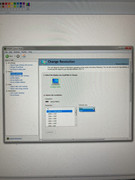
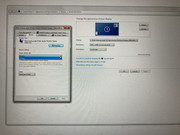
Hope this helps. Be advised the adapter reports to Windows the EDID of a 14” LG philips LCD, regardless of what LCD is actually connected on the other side such as the 14” AU optronics in my T420 or most relevantly the 15.6” Innolux N156KME-GNA in Dad’s W530.

https://postimg.cc/gallery/Q7qGH0s

Image

Image

Image


I’ve also un-privated the video of my second prototype QHD W530 , you can see how i adapted the cables. https://youtu.be/WuvYVtBsgQY?feature=shared

tomatohat
Posts: 25
Joined: Wed Jan 11, 2017 12:42 am
Location: Chicago, IL

Re: 2560x1440 T520/T530/W530

#29 Post by tomatohat » Fri May 10, 2024 11:00 pm

Ok I "upgraded" my t530 using one of the universal lvds to edp adapter boards. Works well. However, I am still planning to attempt to replicate your attempt with an EDID mod. Unfortunately, my first attempt didn't work because the WQHD board i received from ebay was DOA. So I need to source another one.

In the meantime, I thought of another solution. Have you tried this? https://www.monitortests.com/forum/Thre ... tility-CRU
Even though the mod adapter is prog with EDID of LP140QH2-SPB1, in theory forcing 165hz should fix this tearing.

TPFanatic
Senior ThinkPadder
Senior ThinkPadder
Posts: 2824
Joined: Thu Jul 30, 2015 11:29 pm

Re: 2560x1440 T520/T530/W530

#30 Post by TPFanatic » Sat May 11, 2024 5:32 pm

I recall attempting to use the Nvidia control panel to force custom settings but the options were locked out, this being a W530. I also never took the machine out of Optimus mode. Possibly in the BIOS/EFI Dedicated mode it could behave differently, and CRU may function?

There was one time I tried CRU for something else entirely, I found it ineffective for whatever that inquiry was, but ymmv.

I unfortunately don't have access to the working machine anymore. I also don't have a working screen to put in my own W530. I'm aware there's some dirt cheap used pulls of the N156KME-GNA (between $35 and $65) on eBay right now, and I never paid more than $45 for a unit, so I'm glad the supply is still there. Admittedly, and I am remorseful for this, shifting circumstances in my life have taken away the resources and fortitude I relied on to put work into this project, so for the foreseeable future, I'm out of the game. :(

Post Reply
  • Similar Topics
    Replies
    Views
    Last post

Return to “ThinkPad T400/T410/T420 and T500/T510/T520 Series”

Who is online

Users browsing this forum: No registered users and 71 guests