


 Homepage
 Forum
Forum Drivers
 HMM-Manuals
 MTM
MTM Feed
Feed
Take a look at our
ThinkPads.com HOME PAGE
For those who might want to contribute to the blog, start here: Editors Alley Topic
Then contact Bill with a Private Message
ThinkPads.com HOME PAGE
For those who might want to contribute to the blog, start here: Editors Alley Topic
Then contact Bill with a Private Message
Bad left mouse key
Bad left mouse key
I have a T42p and the left mouse key is starting to fail. First it required more than one click to engage and now it doesn't click anymore. Instead it is harder to depress. Is this a part that can be fixed?

Re: Bad left mouse key
Which left mouse key are we talking about? There are (2) of them on a typical T42. See the attached image.
http://www.notebookreview.com/assets/3073.jpg
http://www.notebookreview.com/assets/3073.jpg
Re: Bad left mouse key
Sorry I wasn't more clear. The bottom left mouse key under the mouse touchpad.
-
RealBlackStuff
- Admin Emeritus

- Posts: 24728
- Joined: Mon Sep 18, 2006 5:17 am
- Location: Loch Garman, Éire
Re: Bad left mouse key
You can either replace the bottom part of the palmrest, which includes the touchpad, or if you are lucky, find only the touchpad.
Try our marketplace forum or eBay.
In your search, check for 14.1" or 15" (LCD-size) parts, whichever model you have.
Try our marketplace forum or eBay.
In your search, check for 14.1" or 15" (LCD-size) parts, whichever model you have.
Lovely day for a Guinness! (The Real Black Stuff)
But I actually prefer Murphy's from Cork!
But I actually prefer Murphy's from Cork!
Re: Bad left mouse key
It might be worthwhile to buy another UltraNav assembly on eBay to see if it repairs the problem.
http://cgi.ebay.com/IBM-Thinkpad-T40-T4 ... 0034148059
http://cgi.ebay.com/IBM-Thinkpad-T40-T4 ... 0034148059
Re: Bad left mouse key
Thank you. I guess now I need to figure out how I can change it once I buy it.

Re: Bad left mouse key
Sometimes crumbs or dirt can get under keyboard or mouse keys, preventing proper operation. Try blowing around the key with canned air. A toothpick can also sometimes be used. Just be careful not to pop the key off. They can be reattached, but it's a bit tricky.
DKB


Re: Bad left mouse key
That's so true. When I spilled water into my X300 a few weeks ago and had it apart drying it out, I took the opportunity to clean out all the little nooks and crannies in the keyboard. When I first looked at the mouse buttons, I thought there was a felt pad under the left one that was missing from under the right one. Then I poked at it with a toothpick and pulled out a dust bunny's worth of just lint. It works much better now.GomJabbar wrote:Sometimes crumbs or dirt can get under keyboard or mouse keys, preventing proper operation.
Jane
2015 X1 Carbon, ThinkPad Slate, T410s, X301, X300, X200 Tablet, T60p, HP TouchPad, iPad Air 2, iPhone 5S, IdeaTab A2107A, Yoga 3 Pro
Bill Morrow's thinkpads.com Facebook group
I'm on Twitter
I do NOT respond to PM or e-mail requests for personal tech support.
2015 X1 Carbon, ThinkPad Slate, T410s, X301, X300, X200 Tablet, T60p, HP TouchPad, iPad Air 2, iPhone 5S, IdeaTab A2107A, Yoga 3 Pro
Bill Morrow's thinkpads.com Facebook group
I'm on Twitter
I do NOT respond to PM or e-mail requests for personal tech support.
Re: Bad left mouse key
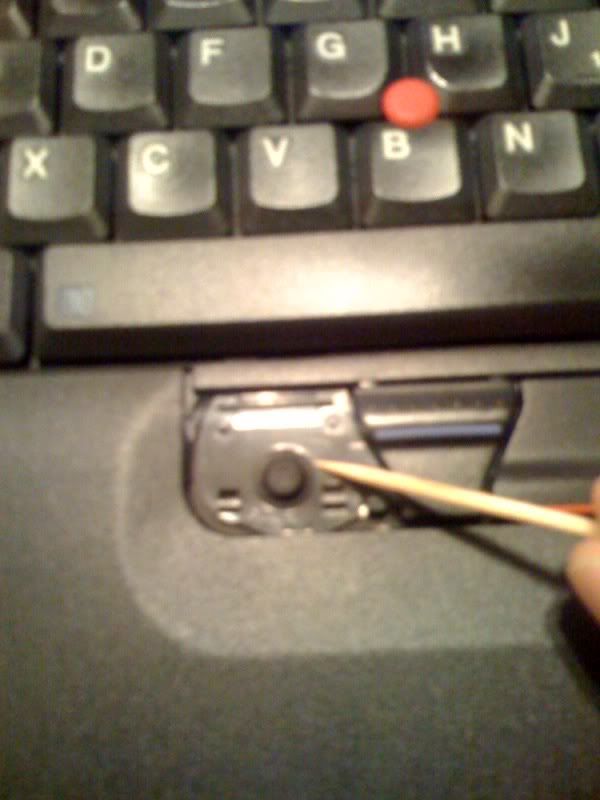
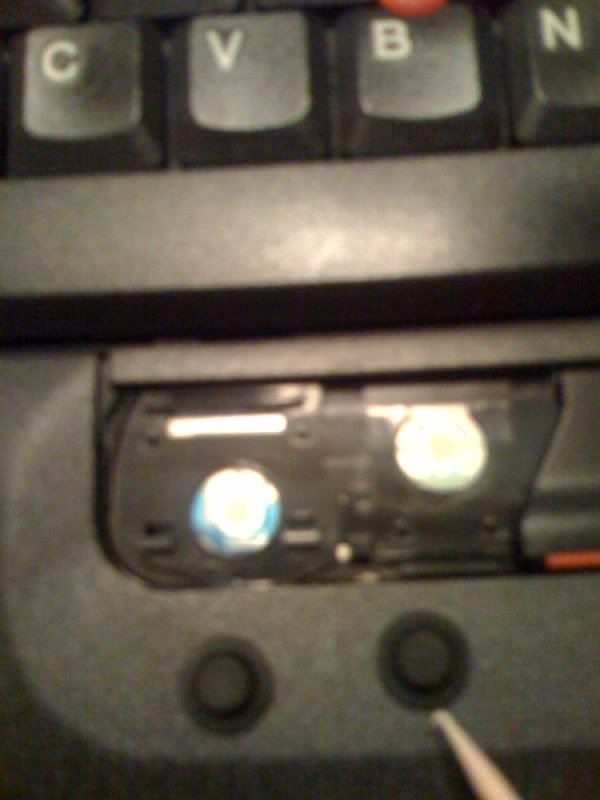
You can lift the Key and you will see under, there is a small rubber
most likely this rubber as moved out of place or is worn out
What I did on mine is exchange it with the one under the middle boutton ( scroll mouse button) since I don't use it that much anyway
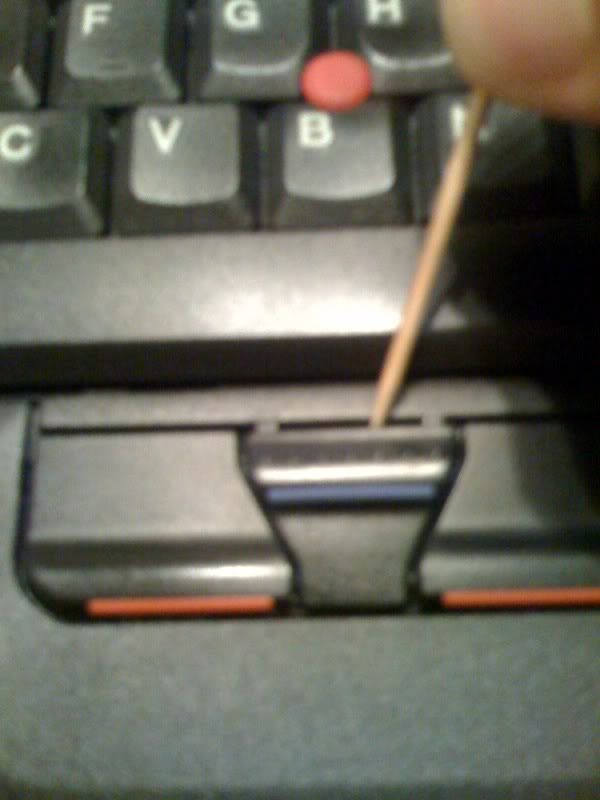
I use a toothpick to gently pry out the button
img]http://i196.photobucket.com/albums/aa17 ... oto-15.jpg[/img]
img]http://i196.photobucket.com/albums/aa17 ... oto-14.jpg[/img]
img]http://i196.photobucket.com/albums/aa17 ... oto-16.jpg[/img]
img]http://i196.photobucket.com/albums/aa17 ... oto-13.jpg[/img]
img]http://i196.photobucket.com/albums/aa17 ... oto-12.jpg[/img]
most likely this rubber as moved out of place or is worn out
What I did on mine is exchange it with the one under the middle boutton ( scroll mouse button) since I don't use it that much anyway
I use a toothpick to gently pry out the button
img]http://i196.photobucket.com/albums/aa17 ... oto-15.jpg[/img]
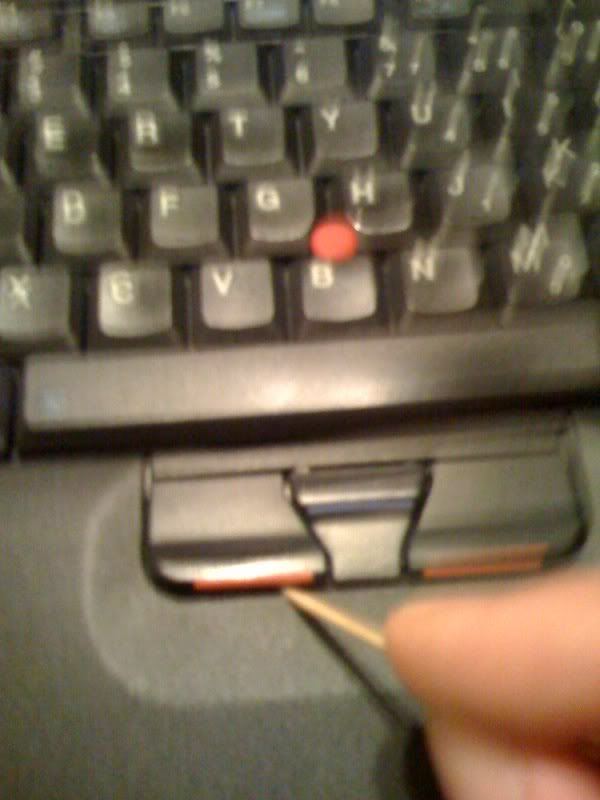
img]http://i196.photobucket.com/albums/aa17 ... oto-14.jpg[/img]
img]http://i196.photobucket.com/albums/aa17 ... oto-16.jpg[/img]
img]http://i196.photobucket.com/albums/aa17 ... oto-13.jpg[/img]
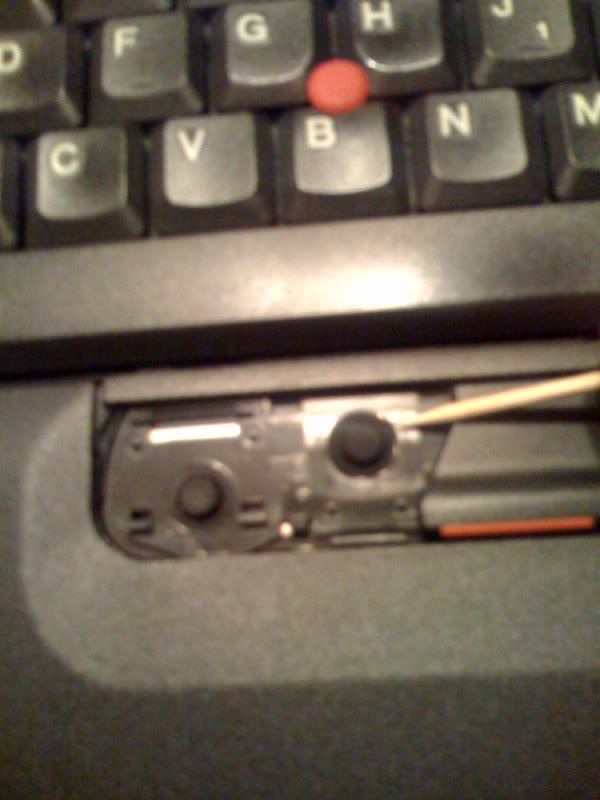
img]http://i196.photobucket.com/albums/aa17 ... oto-12.jpg[/img]
Last edited by JaneL on Sun Nov 08, 2009 10:21 pm, edited 1 time in total.
Reason: No pic warning and >50k.
Reason: No pic warning and >50k.
-
- Similar Topics
- Replies
- Views
- Last post
-
-
FREE: Thinkpad X201 Tablet with bad AC input
by Brainer » Tue Dec 16, 2025 11:33 am » in Marketplace - Forum Members only - 1 Replies
- 5270 Views
-
Last post by olex126
Thu Dec 18, 2025 7:27 pm
-
-
-
Is this battry BAD - T580 internal battery
by Scoobis » Thu Jan 22, 2026 10:33 am » in ThinkPad T430-T495 / T530-T590 Series - 2 Replies
- 3445 Views
-
Last post by Scoobis
Thu Jan 22, 2026 12:57 pm
-
-
-
Classic mice/mouse recommendations?
by johnny1093 » Sat Nov 01, 2025 9:01 pm » in Thinkpad - General HARDWARE/SOFTWARE questions - 2 Replies
- 8724 Views
-
Last post by ZaZ
Sun Nov 02, 2025 1:11 am
-
Who is online
Users browsing this forum: No registered users and 20 guests