The following is not theory, but fact

....
I just installed a Seagate 320GB SATA drive in the Ultrabay 2000 SATA adapter and plugged it into this A31p. The first attempt, using the left-hand side Ultrabay, resulted in a hung system

. Swapping the optical drive from the right bay to the left and putting the SATA adapter on the right side (Ultrabay Plus) worked. This is with placing the system into standby mode before installing/removing the drive as I believe that the A31p Ultrabays are not hot-swappable. The A31p is currently running Windows XP SP3 from the main (PATA) drive. Here's the pictures:
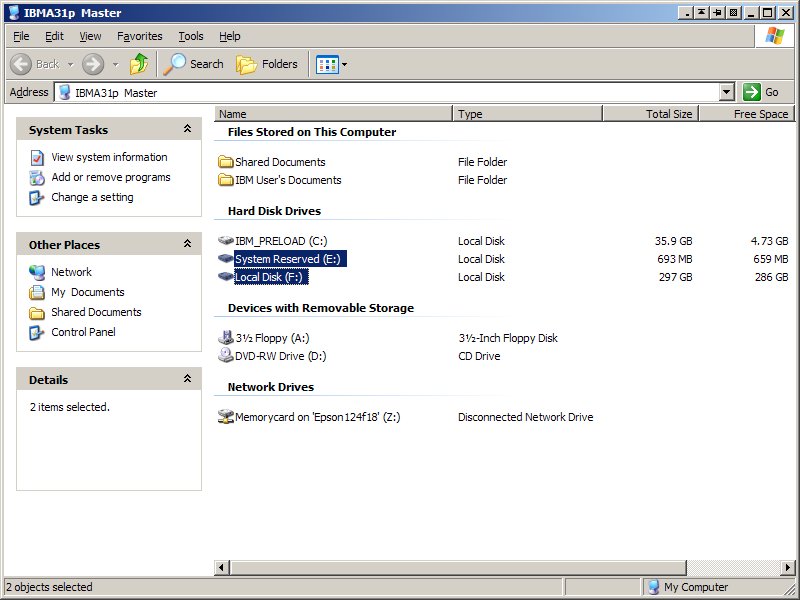
http://www.kawakami-ca.com/images/Ultra ... SATA_1.jpg (SATA drive is drives E: and F:)
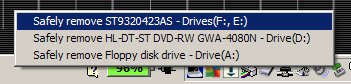
http://www.kawakami-ca.com/images/Ultra ... SATA_2.jpg (Safely remove hardware popup)
As you can see, the D: drive is my DVD-RW. A good eye will note that I also have a floppy drive (A:) connected. How is that done with both Ultrabays occupied??? The A31p is on a Port Replicator II and I have one of the 600-series external floppy drives connected to it. It's basically a four-spindle system
.
I'm currently not able to put a bootable SATA drive in the Ultrabay adapter as I don't have any prepared SATA drives for this A31p. The 320GB SATA drive I used for this experiment is an image from one of my X60 systems and I don't really want to mess with that setup. If I get a few minutes, I'll clone the XP system onto a blank SATA drive and give it a shot.
As far as the no-go situation with the SATA adapter in the Ultrabay 2000 slot, I'm guessing that it may have to do with master/slave configuration on those channels. Which now makes me think that it might affect booting the system from the
optical drive... I'll be right back after I test that...
Okay, the good news is that I'm still able to select the DVD-RW drive from the F12 boot menu and successfully boot my PC Doctor for DOS disk. But this is without any SATA drive connected. I'm now going to clone off the 40GB PATA drive onto a 500GB SATA drive and see if I can boot the A31p from the SATA. Back in about an hour or so....
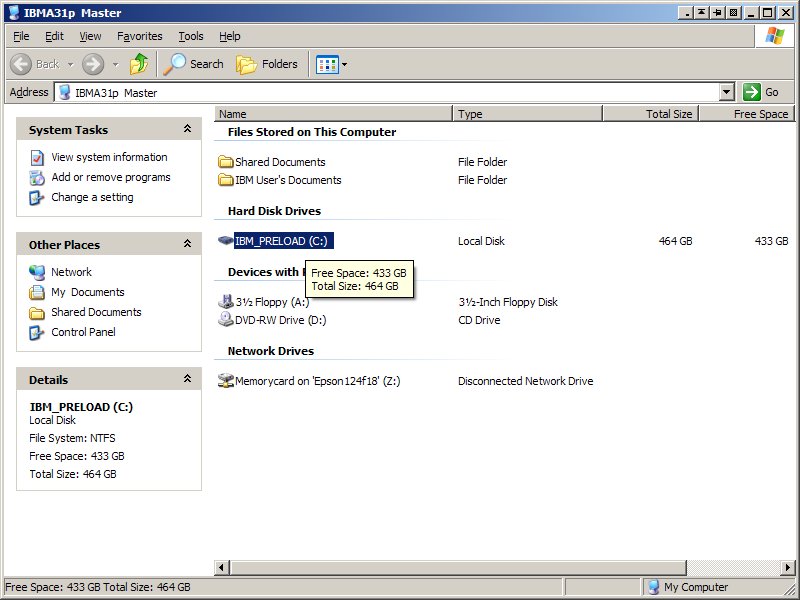
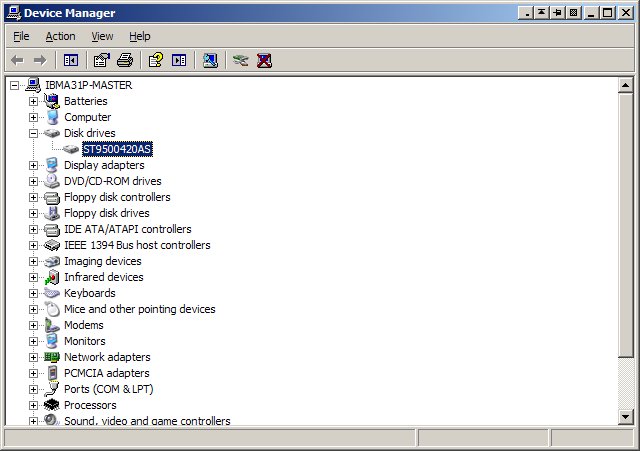
....and so now I'm running from a 500GB Seagate ST9500420AS drive, mounted in the SATA adapter in the right-side Ultrabay, after removing the PATA drive:
http://www.kawakami-ca.com/images/Ultra ... SATA_3.jpg (SATA drive is C:, DVD-RW is D:)
http://www.kawakami-ca.com/images/Ultra ... SATA_4.jpg (Hardware Manager showing 500GB Seagate drive)
It booted fine, although it seemed to take a little bit more time. Could be that it needs a few more seconds to find the bootable drive in the Ultrabay. Or it might be that the data transfer speed is getting bogged down going through the SATA-to-PATA conversion. I'll try to get a CrystalDiskmark spec run on the drive in a little bit.
All-in-all, it appears to be a useful option if you need a huge amount of storage on this older Thinkpad. I might even keep mine like this for now
.
And one last entry for the night.... I ran CrystalDiskMark on both the PATA and SATA drives and was surprised:
40GB Seagate 5400RPM PATA (main drive)

500GB Seagate 7200RPM SATA (in the Ultrabay)




 Homepage
 Forum
Forum Drivers
 HMM-Manuals
 MTM
MTM Feed
Feed