Take a look at our
ThinkPads.com HOME PAGE
For those who might want to contribute to the blog, start here: Editors Alley Topic
Then contact Bill with a Private Message

IBM ThinkPad R40 (2722-BDG) 06/2004 - Project

R30/R40, A30/A31, G40/G50 and Z60/Z61 Series. NOT for AMD-Ryzen.
Message
Author
norrinraddhr
Freshman Member
Posts: 123
Joined: Sun Dec 01, 2019 4:03 am
Location: Zagreb, Croatia

Re: IBM ThinkPad R40 (2722-BDG) 06/2004 - Project

#31 Post by norrinraddhr » Wed Apr 26, 2023 3:50 am

Hi Thinkpads Community,
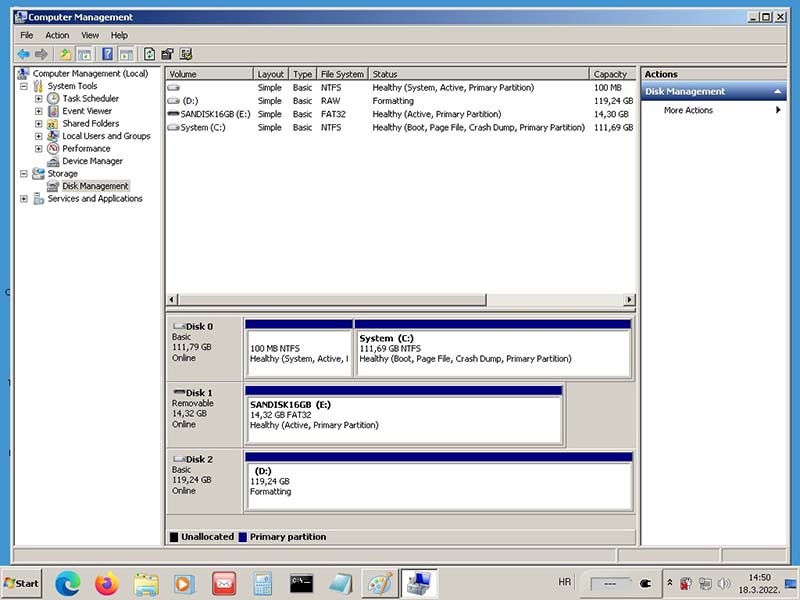
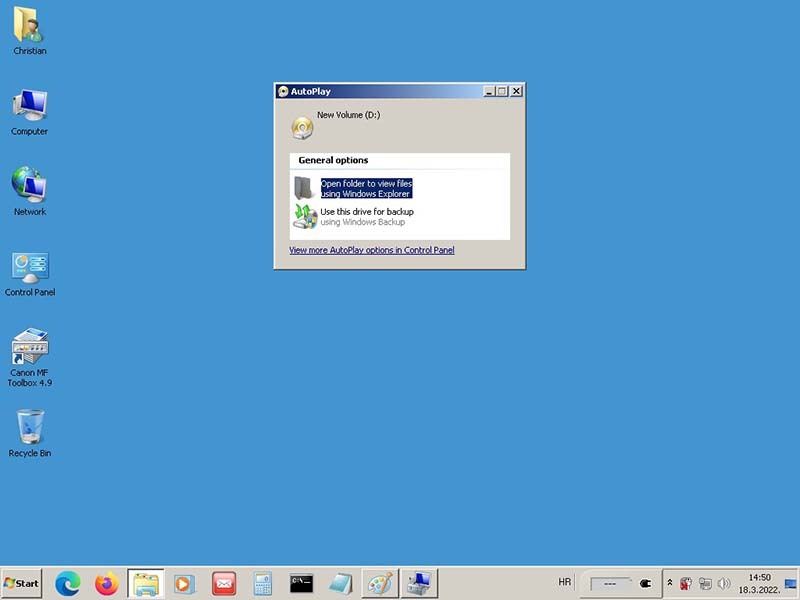
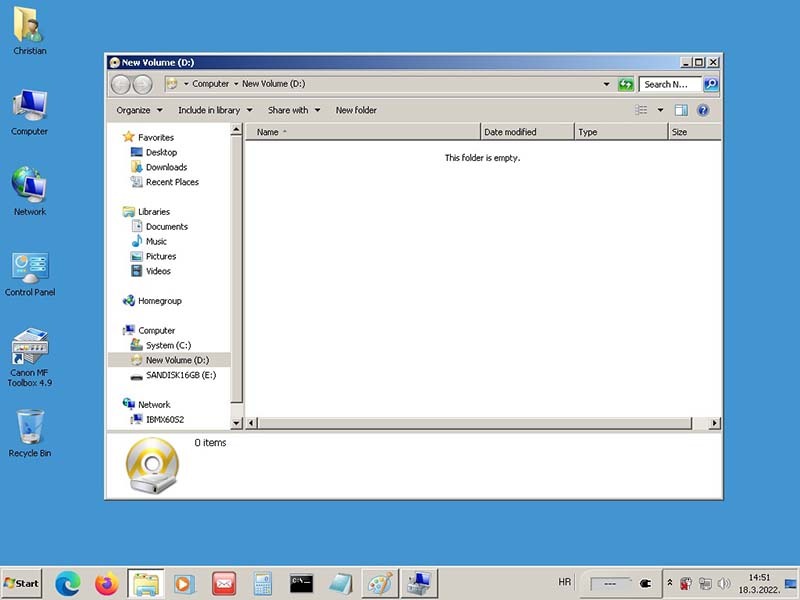
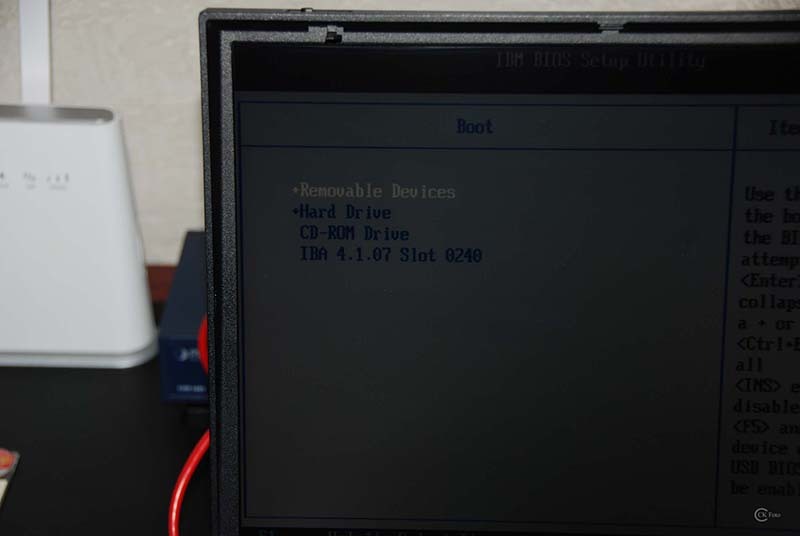
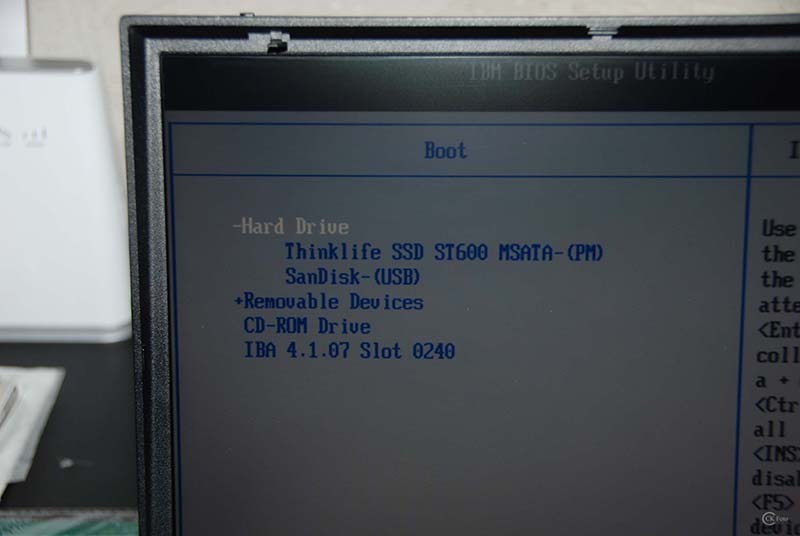
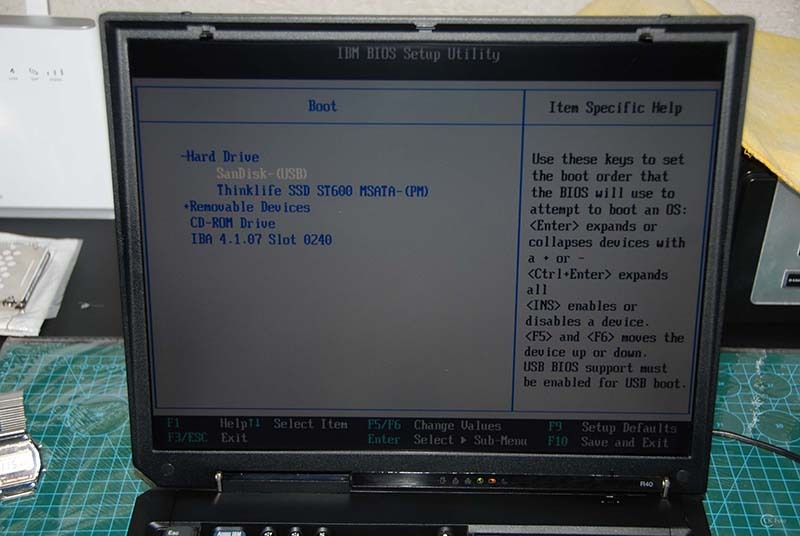
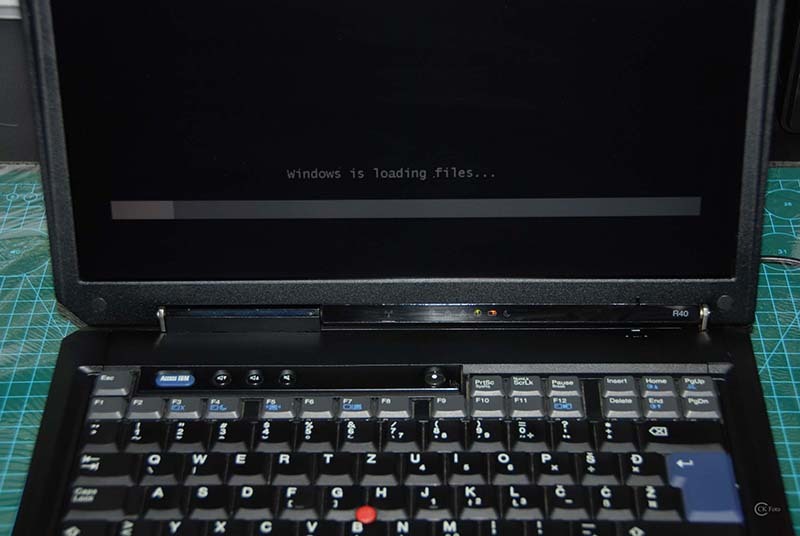
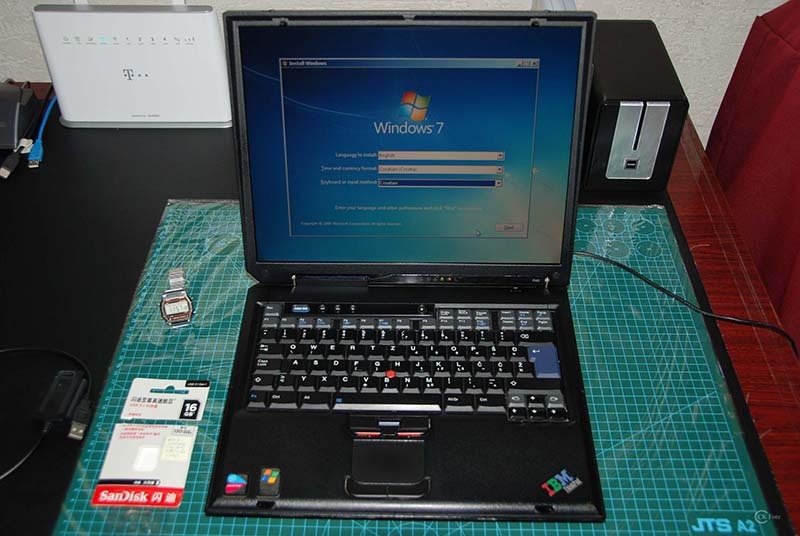
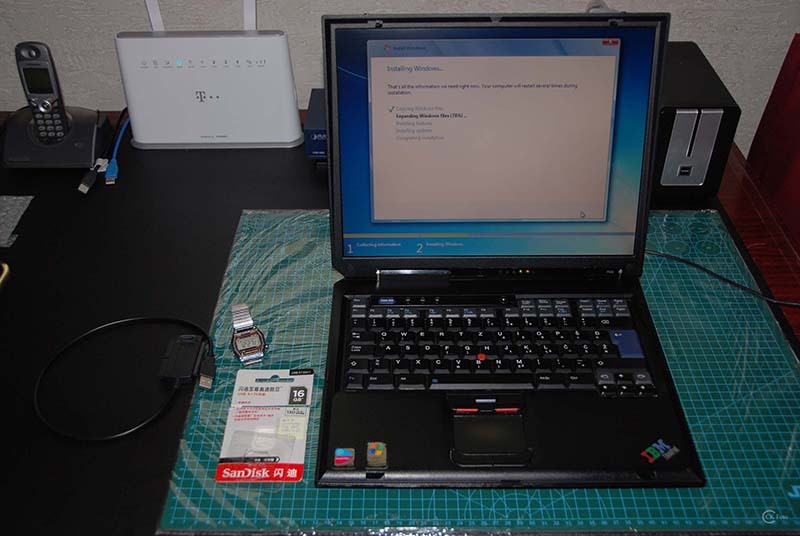
after some time the Project IBM R40 goes on... I had some time and I tried again, instead Removable Devices I chose +Hard Drive and Bingo, this was the right booting Device to Install Windows 7. There was nothing wrong with USP Ports, or maybe cannot boot from USB, nothing wrong with Southbridge Chip or whatever, I just chose a wrong Device to boot and Install Windows 7. First I have tried the mSATA in the IDE Adapter Case with IDE USB 2.0 Adapter Cable to format the mSATA Lenovo 128GB in NTFS and I have choose the right bootable Device everything else was a Piece of cake. :) The old IBM IDE HDD 20GB is dead, so it was a good choice to replace him.

• IBM R40 BIOS 1.33 - (Select Booting Devices)
+ Hard Drive
SanDISK-(USB)
ThinkLife SSD ST600 MSATA-(PM)


Here some picture from my great success... :)

Formatting mSATA Lenovo 128GB with IDE USB 2.0 Adapter Cable
Image

Image

Image
IBM R40 BIOS - (Boot Devices)
Image

Image

Image

Image

Image

Image

Image

Image
Last edited by norrinraddhr on Sat Nov 08, 2025 10:45 am, edited 1 time in total.
IBMR40
IBMX60s
LenovoT60p
LenovoX61T
LenovoX61 WWAN
LenovoX61s WWAN
LenovoX300 WWAN
LenovoTV L171 17"
LenovoX270 i7-7500u
LenovoT480 i7-8650u
LenovoM920q i7-8700T

norrinraddhr
Freshman Member
Posts: 123
Joined: Sun Dec 01, 2019 4:03 am
Location: Zagreb, Croatia

Re: IBM ThinkPad R40 (2722-BDG) 06/2004 - Project

#32 Post by norrinraddhr » Sun Apr 30, 2023 12:25 pm

Hi,
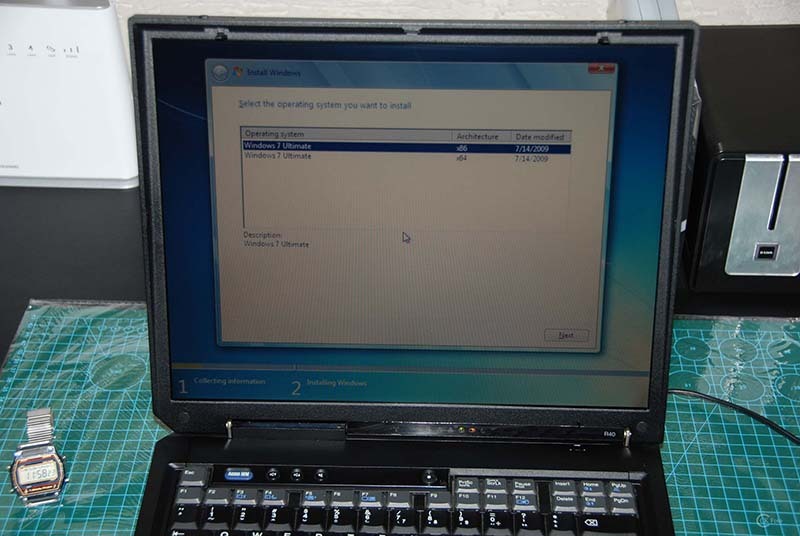
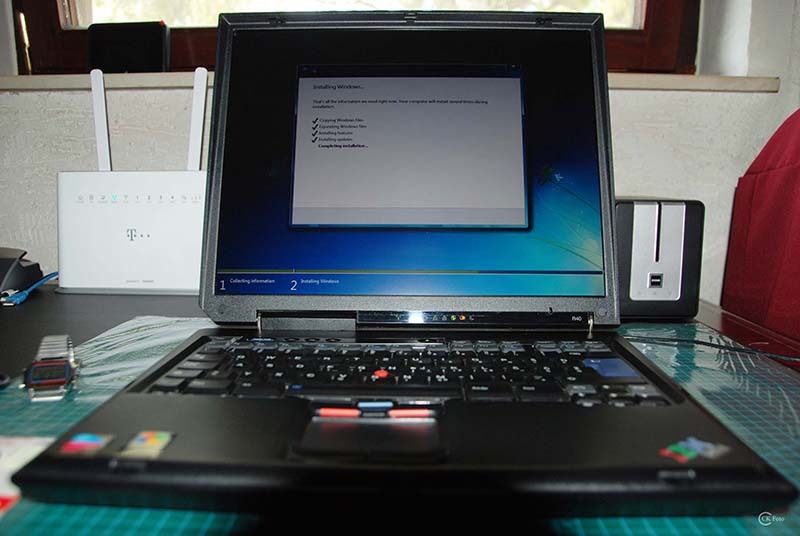
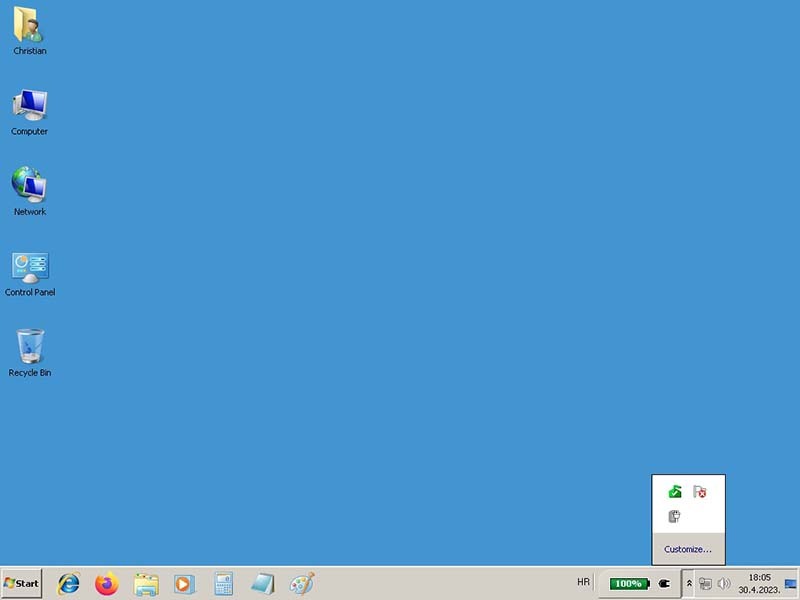
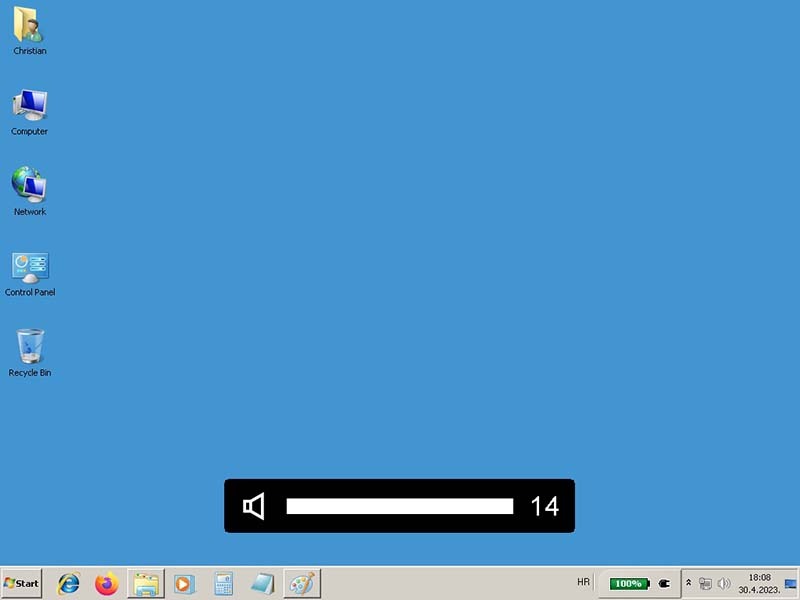
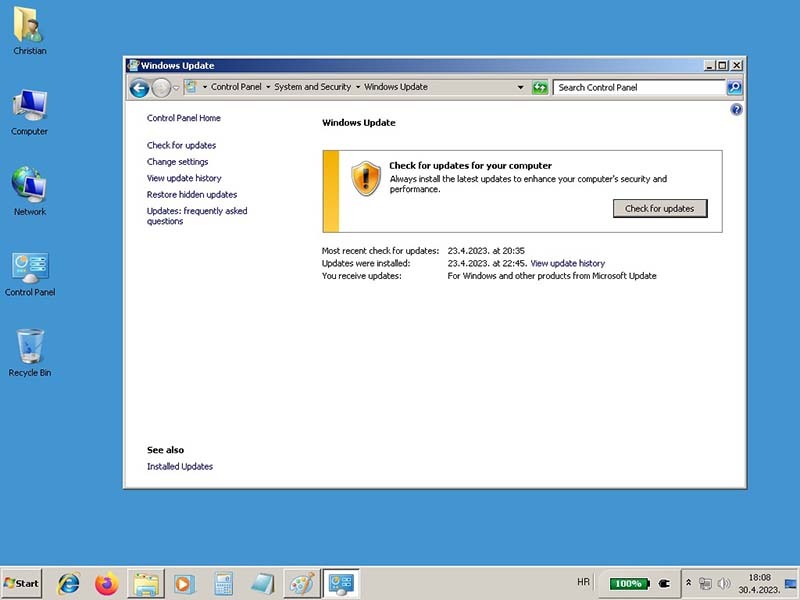
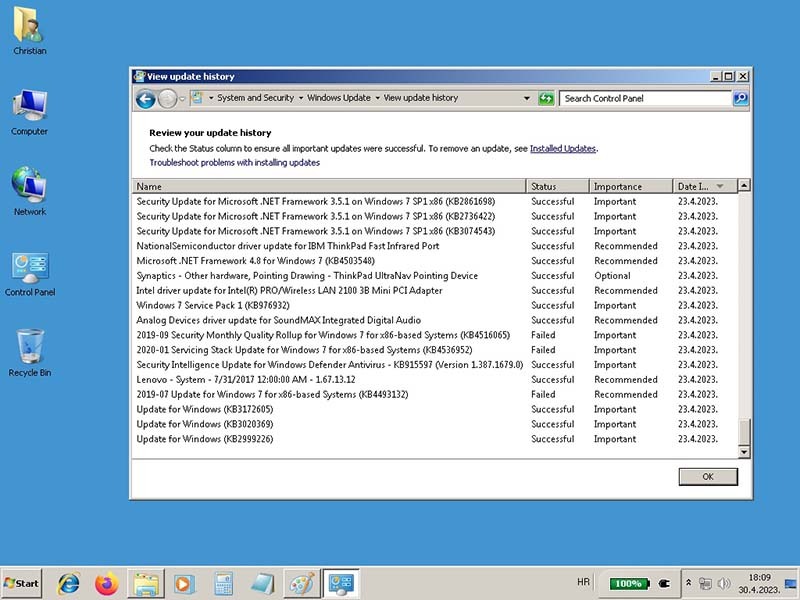
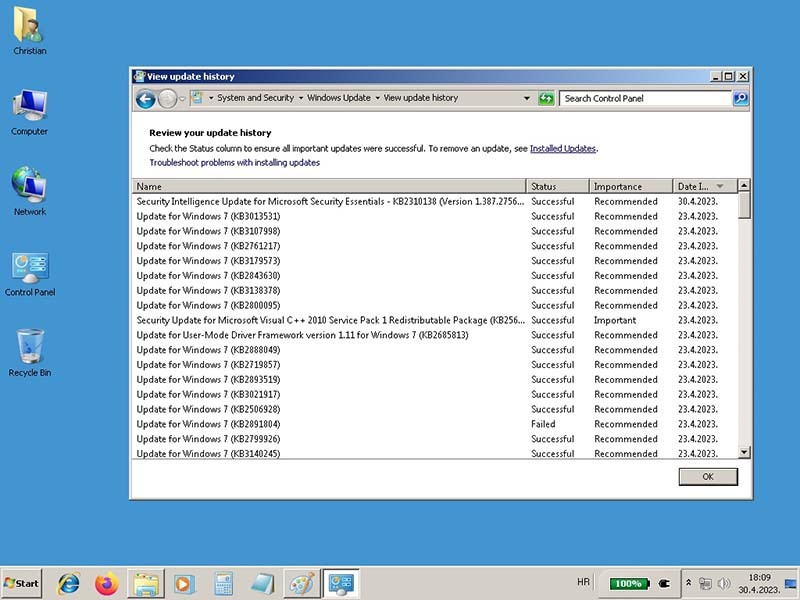
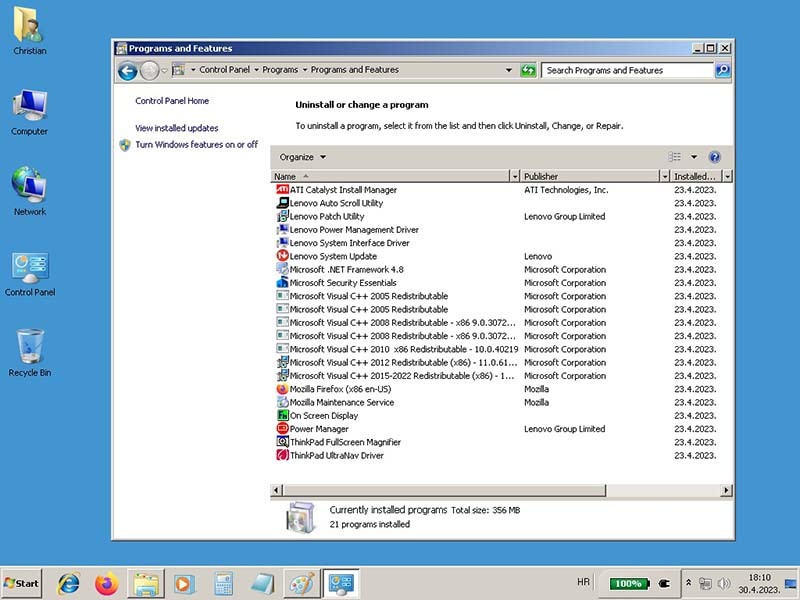
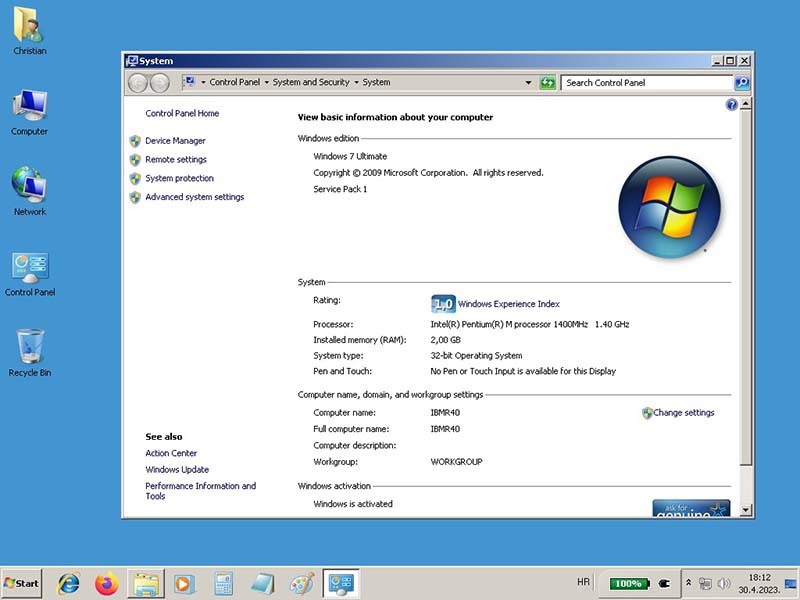
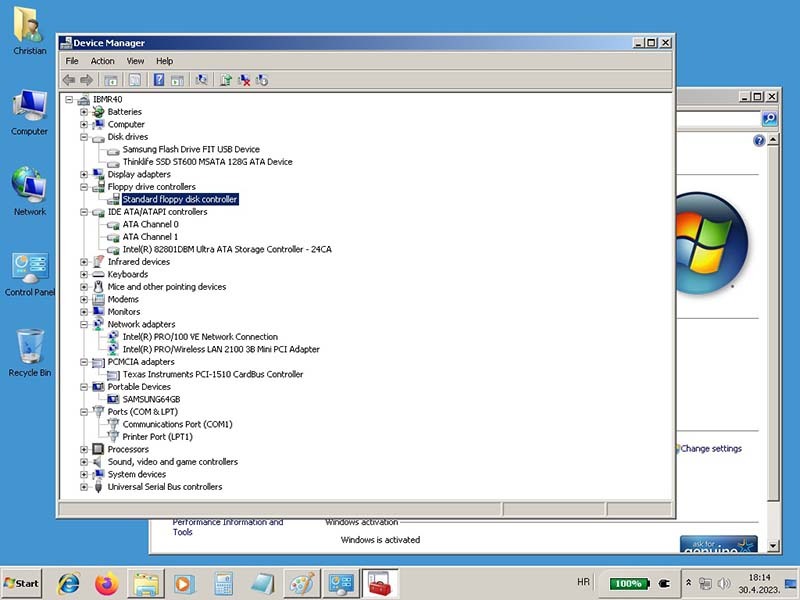
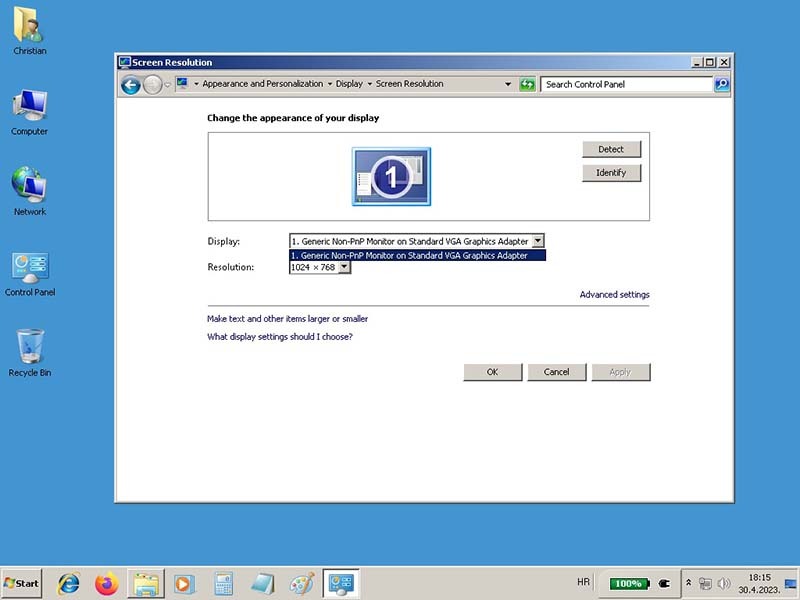
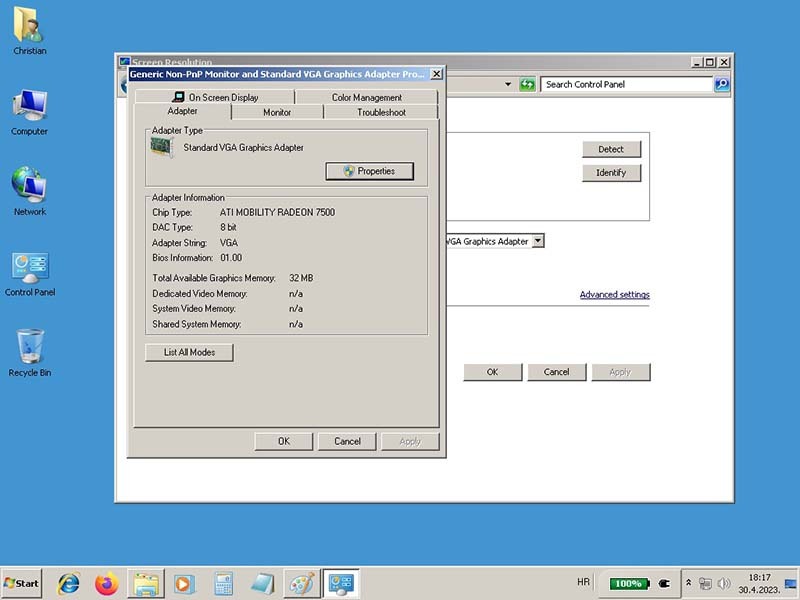
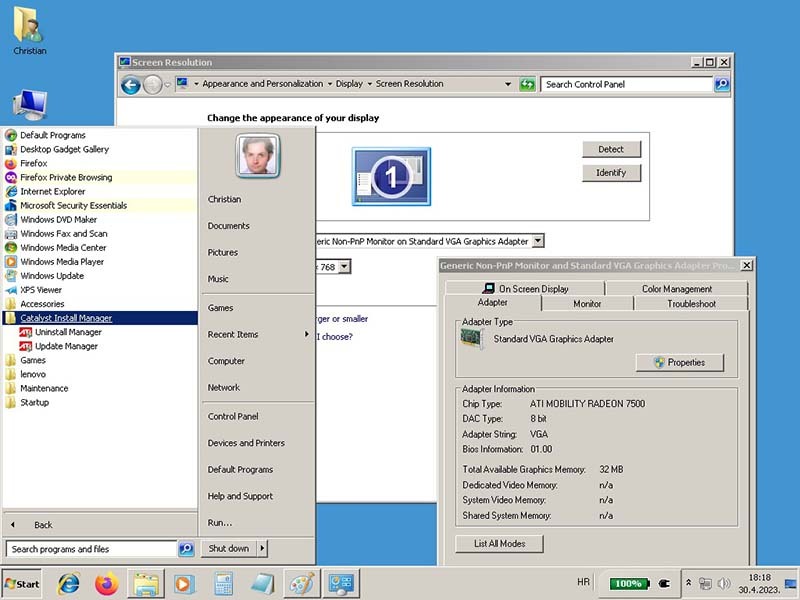
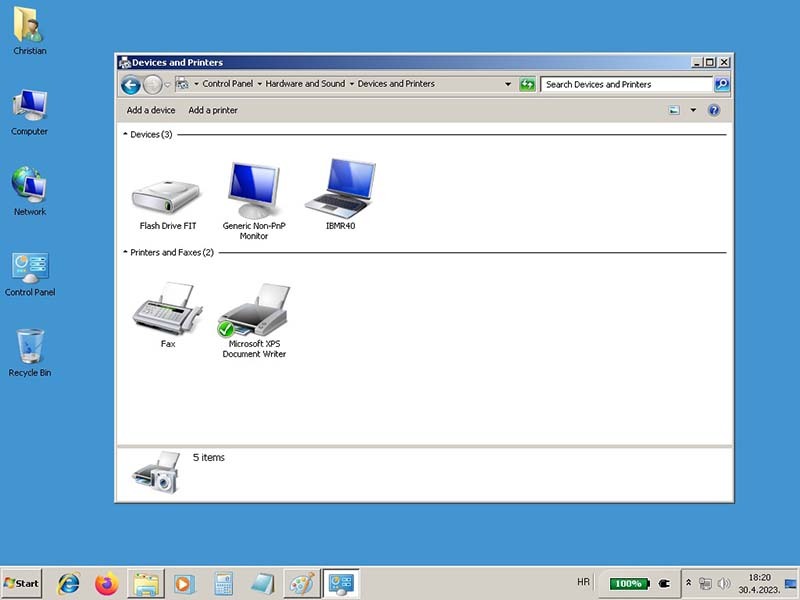
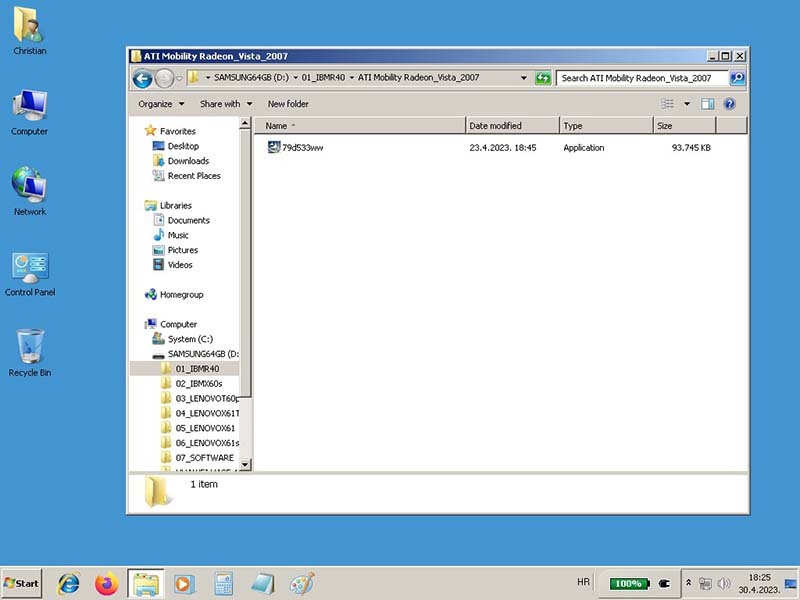
here some Screenshots from the Installation of Windows 7 Ultimate x86 SP1. For now everything works decently. I installed almost all updates from Windows, some of them is hard to install so I left the few one, the Windows Defender working just fine. I installed some drivers like Power Driver and Applications, Hotkey Features and I get some more loudness but with this Lenovo System Update I don't find any Updates to install anymore, so the most of them I installed manually and this drivers I took from IBM X60s. I speed up the Windows 7 Ultimate as much as I could, turn for best Performance, put Solid Color for Desktop, uninstall all Desktop Gadgets, Closing the Indexing and etc. I do this on all my laptops to speed up as much I could, so I did here the same thing. Generally I'm very happy that the old IBM R40 works fine and is alive now, ready for use. I pick him only because he have Parallel Port, so I don't have to use Docking Station from my IBM X60s, X61, X61s, S-Video is nice feature here for Retro Gaming, and the Floppy Disk is interesting also but I don't know how the Floppy works here.

For now I have some question to finish the Installation of Windows 7 first and if anyone can help, thanks in advance.

1) I noticed that the IBM R40 have ATI Mobility Radeon 7500 Graphic Card, I installed driver from Vista, see the screenshot but I don't see any ATI Application or that I can chose the ATI Mobility Video. The driver is Installed as you see but something is wrong here, can you help me with some advice to get the ATI Mobility Radeon 7500 to work?
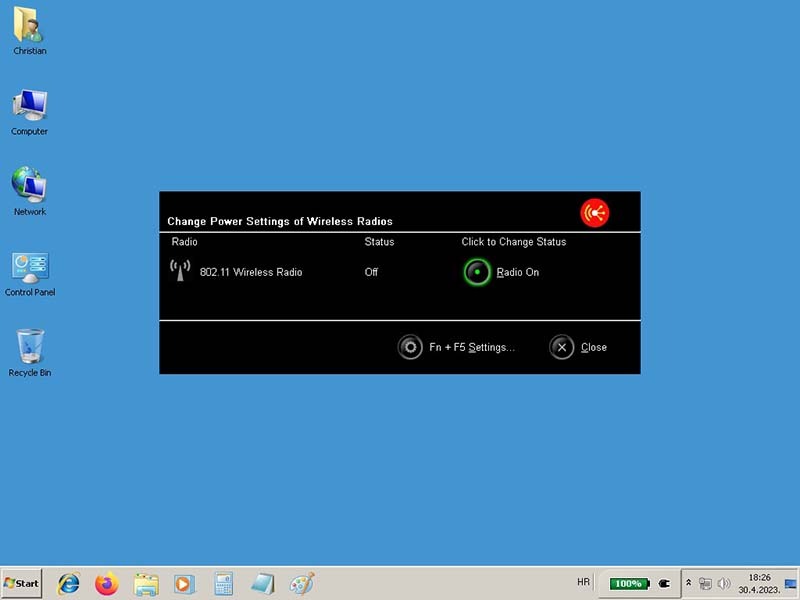
2) Wirelesses Radio is not working, I haven't installed driver for this but there is no driver for Windows 7, (Vista) only for XP, should I get some from IBM X60s and which one should i use?
3) How works the Floppy Drive here on IBM R40, some picture where nice to see?
4) What else could I Install on IBM R40 from drivers that I should have, any suggestion?


Some screenshots from Windows 7 Ultimate x86 SP1
Image

Image

Image

Image

Image

Image

Image

Image

Image

Image

Image

Image

Image

Image
Last edited by norrinraddhr on Sat Nov 08, 2025 11:15 am, edited 2 times in total.
IBMR40
IBMX60s
LenovoT60p
LenovoX61T
LenovoX61 WWAN
LenovoX61s WWAN
LenovoX300 WWAN
LenovoTV L171 17"
LenovoX270 i7-7500u
LenovoT480 i7-8650u
LenovoM920q i7-8700T

norrinraddhr
Freshman Member
Posts: 123
Joined: Sun Dec 01, 2019 4:03 am
Location: Zagreb, Croatia

Re: IBM ThinkPad R40 (2722-BDG) 06/2004 - Project

#33 Post by norrinraddhr » Sun Apr 30, 2023 12:50 pm

Is this the right driver for ATI Mobility Radeon 7500 on IBM R40?

LENOVO EOL IBM R40_Drivers
https://thinkpads.com/support/Thinkpad- ... m/R40.html

* Video driver (ATI Radeon, FireGL Series) for Windows 2000/XP - ThinkPad A31, A31p, R40, R40e, R50, R50p, R51 (1829, 1830, 1831, 1836), T30, T40, T40p, T41, T41p, T42, T42p, X31, X32 ... Learn more

Version
: 8.133.2.1.1.1-070206a / 19 Sep 2007
(1rd637ww
)
IBMR40
IBMX60s
LenovoT60p
LenovoX61T
LenovoX61 WWAN
LenovoX61s WWAN
LenovoX300 WWAN
LenovoTV L171 17"
LenovoX270 i7-7500u
LenovoT480 i7-8650u
LenovoM920q i7-8700T

ibrazhko
Freshman Member
Posts: 62
Joined: Fri Jun 26, 2020 1:19 am
Location: Kyiv, Ukraine

Re: IBM ThinkPad R40 (2722-BDG) 06/2004 - Project

#34 Post by ibrazhko » Tue Jun 27, 2023 9:05 am

No, actually there is a modified driver for ATI Mobility Radeon 7500 for Windows. I will send you the link in PM

norrinraddhr
Freshman Member
Posts: 123
Joined: Sun Dec 01, 2019 4:03 am
Location: Zagreb, Croatia

Re: IBM ThinkPad R40 (2722-BDG) 06/2004 - Project

#35 Post by norrinraddhr » Wed Jun 28, 2023 2:45 am

That sound great, thank you very much for this. :)

Does someone know how the Floppy Drive works on IBM R40?
IBMR40
IBMX60s
LenovoT60p
LenovoX61T
LenovoX61 WWAN
LenovoX61s WWAN
LenovoX300 WWAN
LenovoTV L171 17"
LenovoX270 i7-7500u
LenovoT480 i7-8650u
LenovoM920q i7-8700T

norrinraddhr
Freshman Member
Posts: 123
Joined: Sun Dec 01, 2019 4:03 am
Location: Zagreb, Croatia

Re: IBM ThinkPad R40 (2722-BDG) 06/2004 - Project

#36 Post by norrinraddhr » Wed Jun 28, 2023 3:15 am

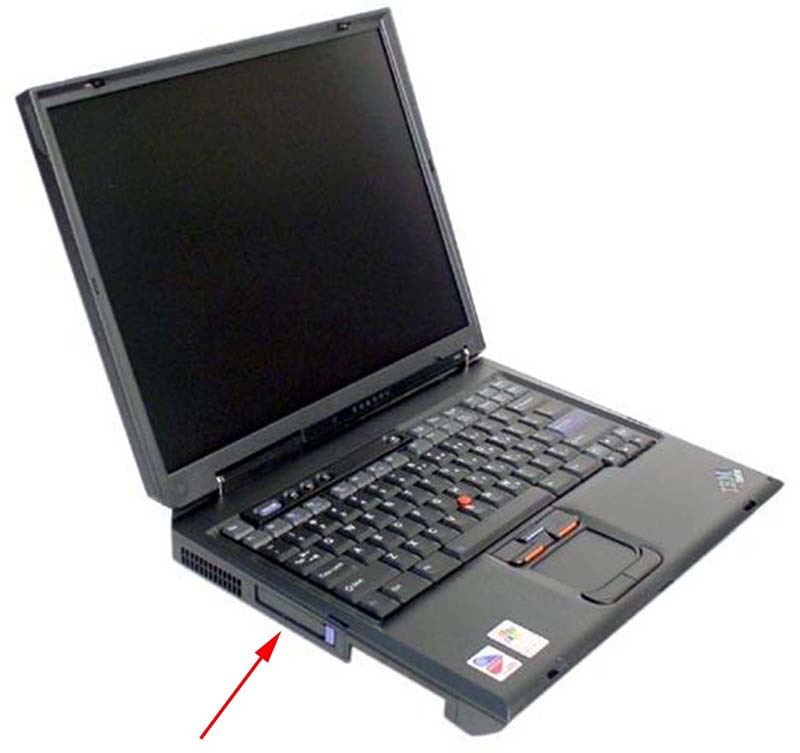
Now I see that this is a Cardbus for PCM CIA, it is interesting too but not so as Floppy Drive.

• IBM R40 Cardbus PCMCIA Card Slot Reader

Image

Image
Last edited by norrinraddhr on Sat Nov 08, 2025 11:45 am, edited 1 time in total.
IBMR40
IBMX60s
LenovoT60p
LenovoX61T
LenovoX61 WWAN
LenovoX61s WWAN
LenovoX300 WWAN
LenovoTV L171 17"
LenovoX270 i7-7500u
LenovoT480 i7-8650u
LenovoM920q i7-8700T

norrinraddhr
Freshman Member
Posts: 123
Joined: Sun Dec 01, 2019 4:03 am
Location: Zagreb, Croatia

Re: IBM ThinkPad R40 (2722-BDG) 06/2004 - Project

#37 Post by norrinraddhr » Mon Jul 10, 2023 12:38 pm

Hi,
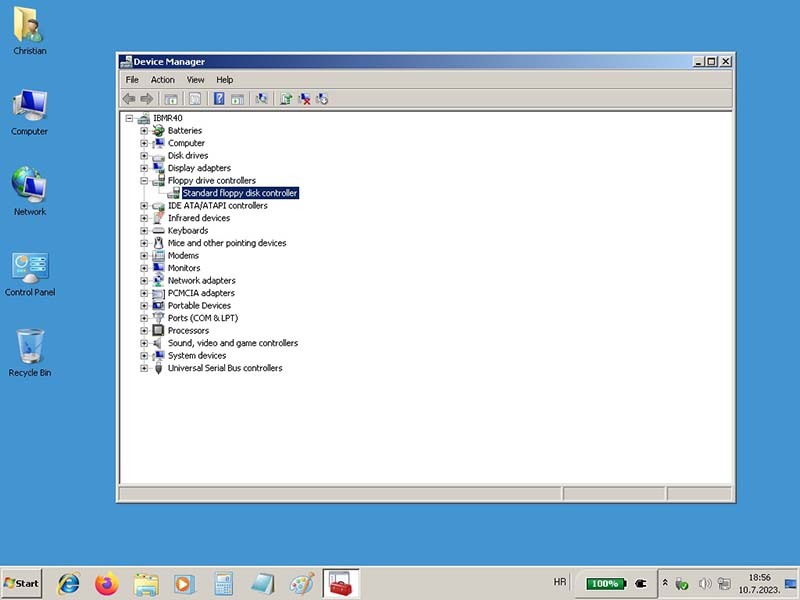
to ask again about Floppy Drive, I don't give up... :) In Windows 7 Device Manager the Floppy Drive is shown as hardware, can someone explain how to use Floppy Drive on IBM R40, is that possible?

Image
Last edited by norrinraddhr on Sat Nov 08, 2025 12:00 pm, edited 1 time in total.
IBMR40
IBMX60s
LenovoT60p
LenovoX61T
LenovoX61 WWAN
LenovoX61s WWAN
LenovoX300 WWAN
LenovoTV L171 17"
LenovoX270 i7-7500u
LenovoT480 i7-8650u
LenovoM920q i7-8700T

TPFanatic
Senior ThinkPadder
Senior ThinkPadder
Posts: 2824
Joined: Thu Jul 30, 2015 11:29 pm

Re: IBM ThinkPad R40 (2722-BDG) 06/2004 - Project

#38 Post by TPFanatic » Mon Jul 10, 2023 12:46 pm

Two ways I can think of are:
- install a floppy drive in the Ultrabay 2000, of the laptop or the full size dock
- connect an IBM proprietary 17mm connector floppy drive into the 17mm connector on a dock

I can't really tell from your photos if there is a CD/DVD or floppy drive in your Ultrabay but according to the MTM your machine originally has a DVD drive. https://tp.krelay.de/index.php?type=2722-BDG

norrinraddhr
Freshman Member
Posts: 123
Joined: Sun Dec 01, 2019 4:03 am
Location: Zagreb, Croatia

Re: IBM ThinkPad R40 (2722-BDG) 06/2004 - Project

#39 Post by norrinraddhr » Mon Jul 10, 2023 12:58 pm

Thanks TPFanatic for helping me.
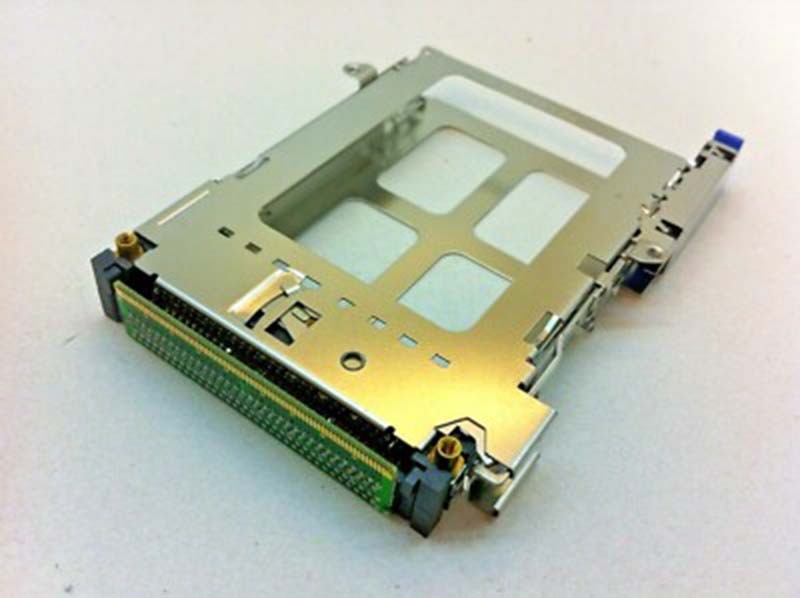
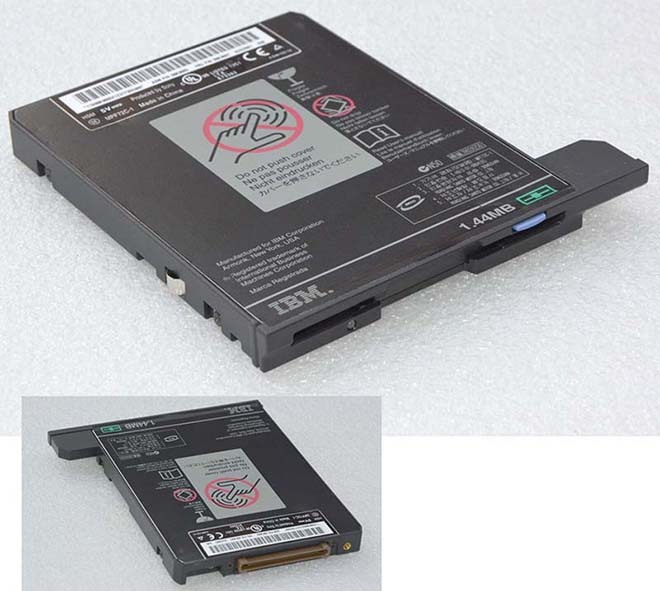
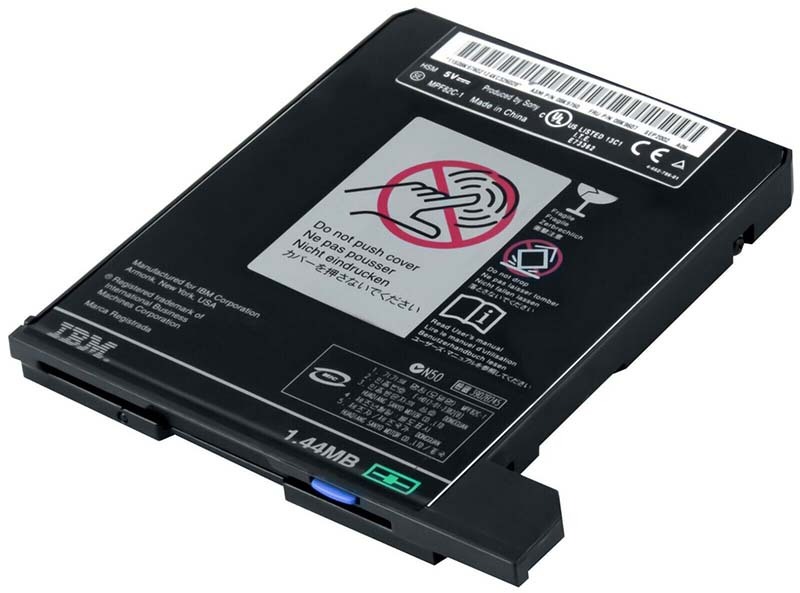
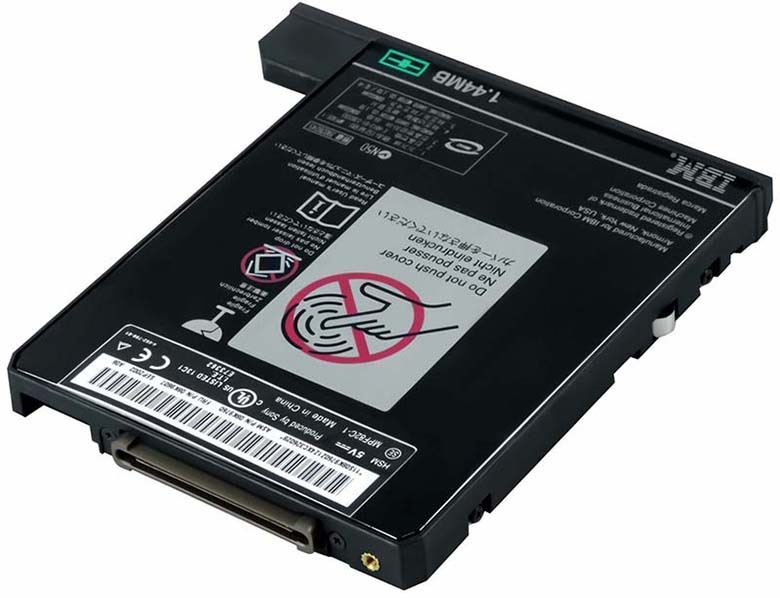
Is this what I need to put in the CD/DVD Drive port to get Floppy Drive to work?

Image

Image
Last edited by norrinraddhr on Sat Nov 08, 2025 12:20 pm, edited 2 times in total.
IBMR40
IBMX60s
LenovoT60p
LenovoX61T
LenovoX61 WWAN
LenovoX61s WWAN
LenovoX300 WWAN
LenovoTV L171 17"
LenovoX270 i7-7500u
LenovoT480 i7-8650u
LenovoM920q i7-8700T

Enig
Freshman Member
Posts: 83
Joined: Thu May 20, 2021 10:53 am
Location: Copenhagen, Denmark

Re: IBM ThinkPad R40 (2722-BDG) 06/2004 - Project

#40 Post by Enig » Tue Jul 11, 2023 6:12 am

The R-Series withdrawn book lists these as floppy options for the R40:
ThinkPad Removable Diskette Drive: 08K9603
IBM USB Portable Diskette Drive: 05K9276
Source: http://ps-2.kev009.com/psref/

I cannot read FRU from your image (connector does look correct). 08K9603 is listed on Thinkwiki as being Ultrabay 2000:
https://www.thinkwiki.org/wiki/Ultrabay ... oppy_Drive

Interestingly enough it also lists a USB Floppy option (05K9276), so I guess that might work as well.
(No idea if the R40 can boot from USB tho).
Thinkpads: Too many. Currently playing with an IBM 535

norrinraddhr
Freshman Member
Posts: 123
Joined: Sun Dec 01, 2019 4:03 am
Location: Zagreb, Croatia

Re: IBM ThinkPad R40 (2722-BDG) 06/2004 - Project

#41 Post by norrinraddhr » Tue Jul 11, 2023 9:00 am

Cool, now the situation is a little clearer and as I understand the Ultrabay 2000 Floppy Drive (08K9603) can be used in IBM R40 or the IBM USB Portable Diskette Drive (05K9276). Booth are interesting to have, but the IBM Ultrabay 2000 seams to be more suitable for me and if I find some for decent price it would be great to have this Vintage feature. If someone have this combination with Floppy Drive It would be great to leave some comments here, how this works etc. Thanks Enig and TPFanatic, that seams to be good news for me. :)

• IBM R40 Ultrabay 2000 Floppy Drive - FRU 08K9606 (08K9604)

Image
Last edited by norrinraddhr on Sat Nov 08, 2025 12:20 pm, edited 2 times in total.
IBMR40
IBMX60s
LenovoT60p
LenovoX61T
LenovoX61 WWAN
LenovoX61s WWAN
LenovoX300 WWAN
LenovoTV L171 17"
LenovoX270 i7-7500u
LenovoT480 i7-8650u
LenovoM920q i7-8700T

Gonzaleitor
Sophomore Member
Posts: 239
Joined: Thu Nov 10, 2022 4:01 pm
Location: Buenos Aires, Argentina

Re: IBM ThinkPad R40 (2722-BDG) 06/2004 - Project

#42 Post by Gonzaleitor » Thu Jul 13, 2023 12:04 pm

Enig wrote:
Tue Jul 11, 2023 6:12 am
(No idea if the R40 can boot from USB tho).
Yes, they can.
Enter the BIOS and go to "Startup", the USB flash drive is going to show (probably) with the hard drives. Reorder them locating the USB flash drive above the hdd. Save and exit.

norrinraddhr
Freshman Member
Posts: 123
Joined: Sun Dec 01, 2019 4:03 am
Location: Zagreb, Croatia

Re: IBM ThinkPad R40 (2722-BDG) 06/2004 - Project

#43 Post by norrinraddhr » Fri Jul 14, 2023 1:19 am

Looks like the same procedure as I boot the Windows 7 Ultimate from USB Flash Drive some posts above.

Thanks for confirmation Gonzaleitor.
IBMR40
IBMX60s
LenovoT60p
LenovoX61T
LenovoX61 WWAN
LenovoX61s WWAN
LenovoX300 WWAN
LenovoTV L171 17"
LenovoX270 i7-7500u
LenovoT480 i7-8650u
LenovoM920q i7-8700T

Gonzaleitor
Sophomore Member
Posts: 239
Joined: Thu Nov 10, 2022 4:01 pm
Location: Buenos Aires, Argentina

Re: IBM ThinkPad R40 (2722-BDG) 06/2004 - Project

#44 Post by Gonzaleitor » Fri Jul 14, 2023 11:10 am

No problem!
You use the R40 for gaming? What are You playing with that baby?

norrinraddhr
Freshman Member
Posts: 123
Joined: Sun Dec 01, 2019 4:03 am
Location: Zagreb, Croatia

Re: IBM ThinkPad R40 (2722-BDG) 06/2004 - Project

#45 Post by norrinraddhr » Sat Jul 15, 2023 10:00 am

Not sure for now but I get this R40 from my Friend and I like the S-Video port, Parallel port and the Floppy Drive would be nice Vintage gadget to have for Retro staff, so yes, maybe for some retro gaming or similar in combination with Commodore 64. :)

The next step is to get Floppy Drive, to clean the other parts on Laptop, vent, to put new thermal paste, that's the plan when I get some time in Winter.

The same I would do on other Laptops in my Collection, they all are cleaned but I didn't get the time to put new thermal paste and to cleaning the vents too.
IBMR40
IBMX60s
LenovoT60p
LenovoX61T
LenovoX61 WWAN
LenovoX61s WWAN
LenovoX300 WWAN
LenovoTV L171 17"
LenovoX270 i7-7500u
LenovoT480 i7-8650u
LenovoM920q i7-8700T

Enig
Freshman Member
Posts: 83
Joined: Thu May 20, 2021 10:53 am
Location: Copenhagen, Denmark

Re: IBM ThinkPad R40 (2722-BDG) 06/2004 - Project

#46 Post by Enig » Mon Jul 17, 2023 4:40 am

Gonzaleitor wrote:
Thu Jul 13, 2023 12:04 pm
Yes, they can.
Enter the BIOS and go to "Startup", the USB flash drive is going to show (probably) with the hard drives. Reorder them locating the USB flash drive above the hdd. Save and exit.
That actually makes a USB Floppy drive interesting. You can also use that to image floppies from more modern machines.
...these also tend to be very cheap used, at least where I'm from. Maybe get both the internal floppy and a USB floppy? :lol:
Thinkpads: Too many. Currently playing with an IBM 535

norrinraddhr
Freshman Member
Posts: 123
Joined: Sun Dec 01, 2019 4:03 am
Location: Zagreb, Croatia

Re: IBM ThinkPad R40 (2722-BDG) 06/2004 - Project

#47 Post by norrinraddhr » Tue Feb 27, 2024 5:00 am

Hi Thinkpads Community,
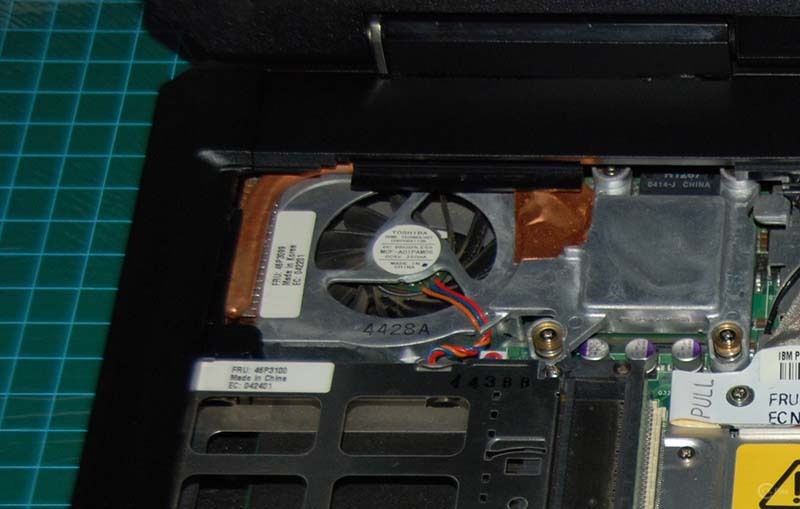
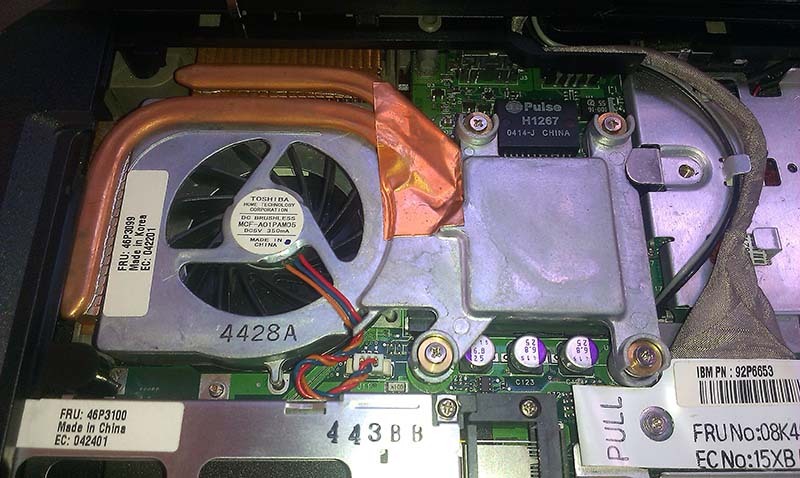
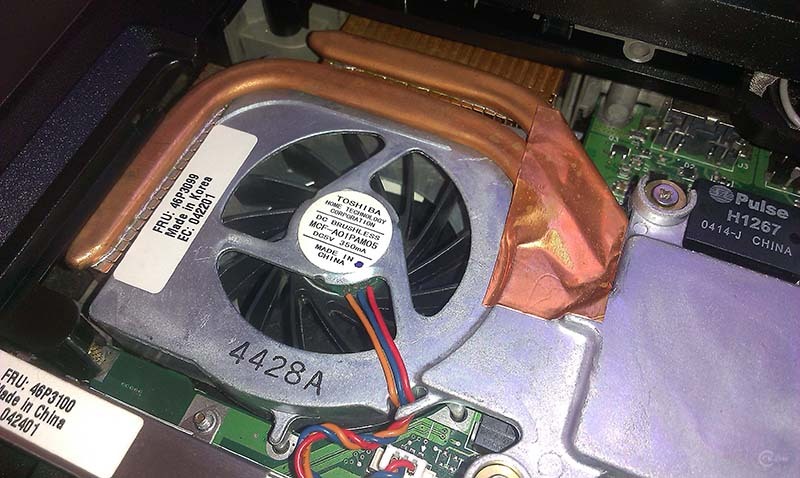
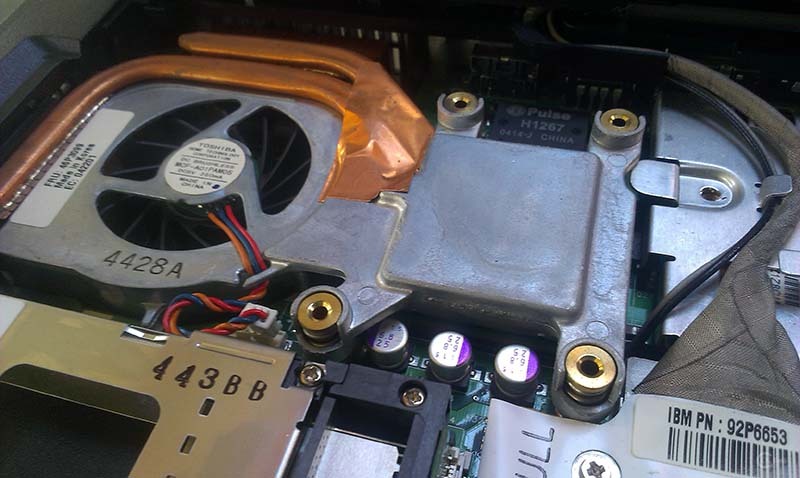
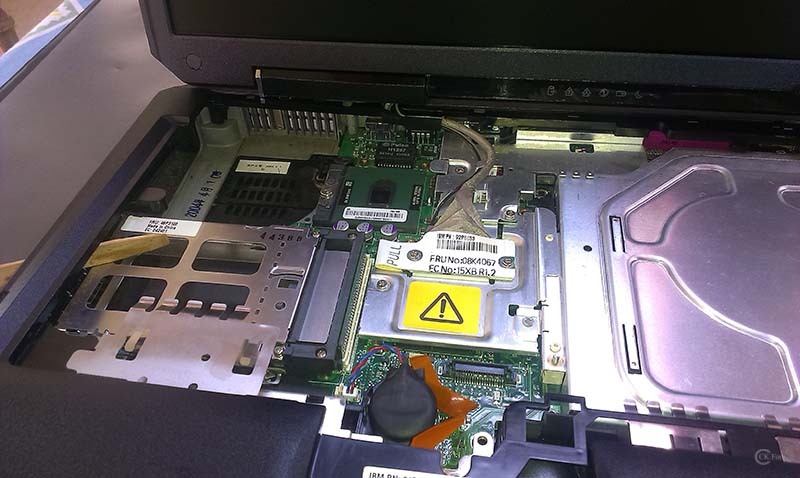
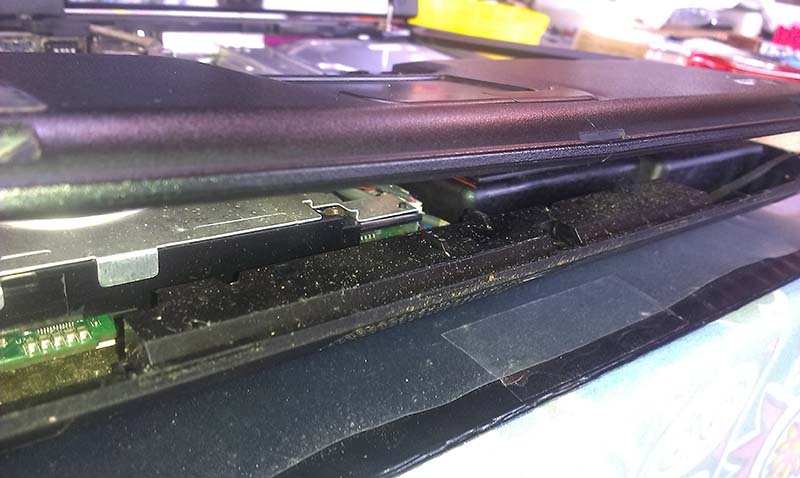
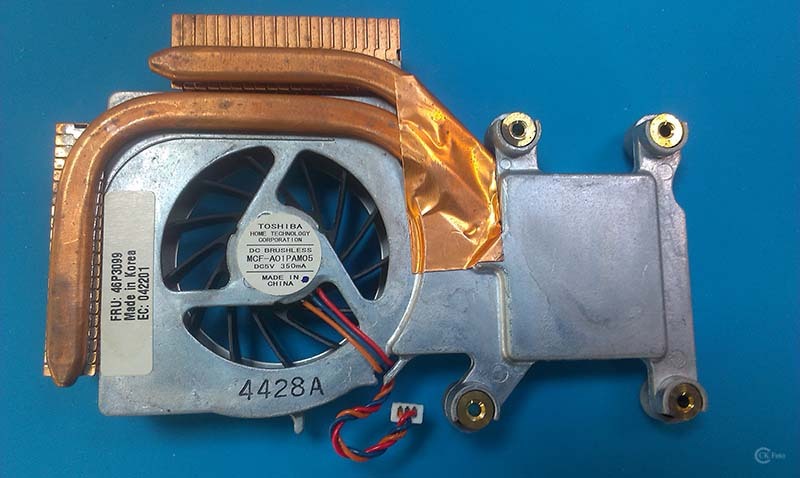
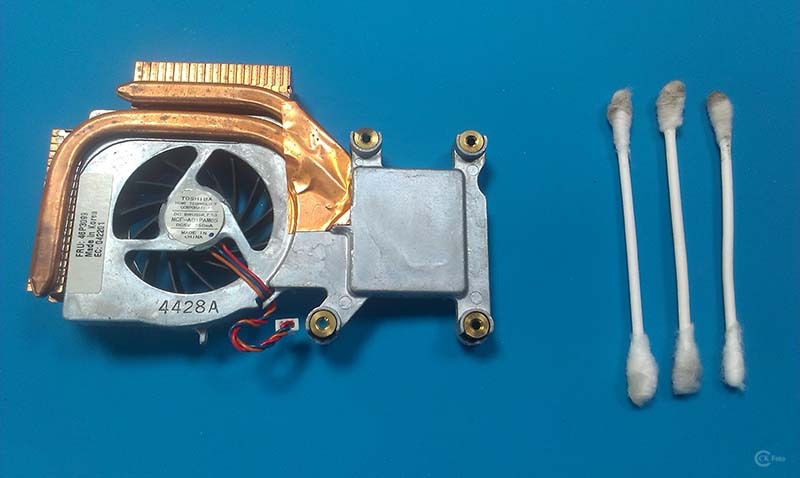
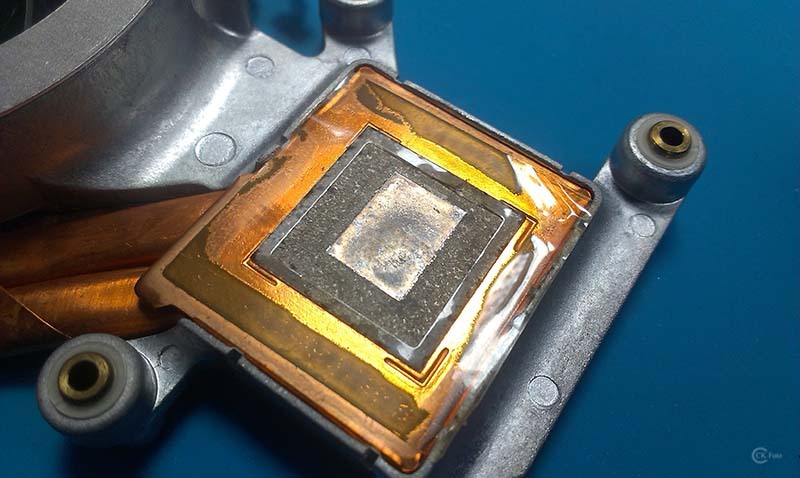
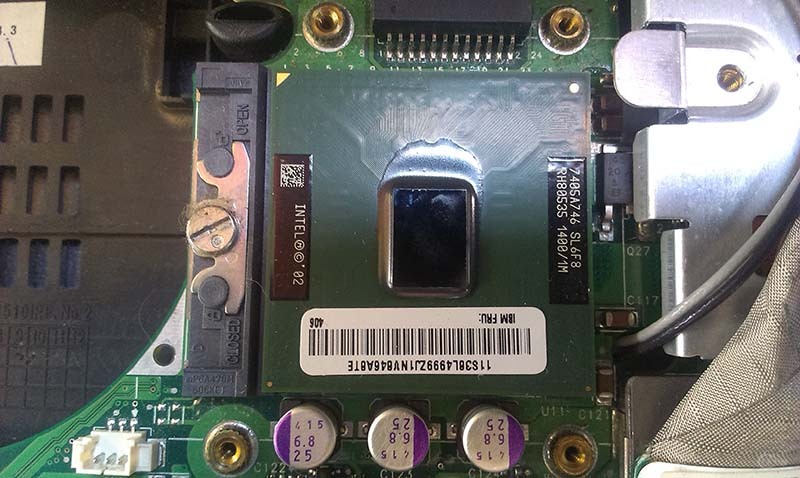
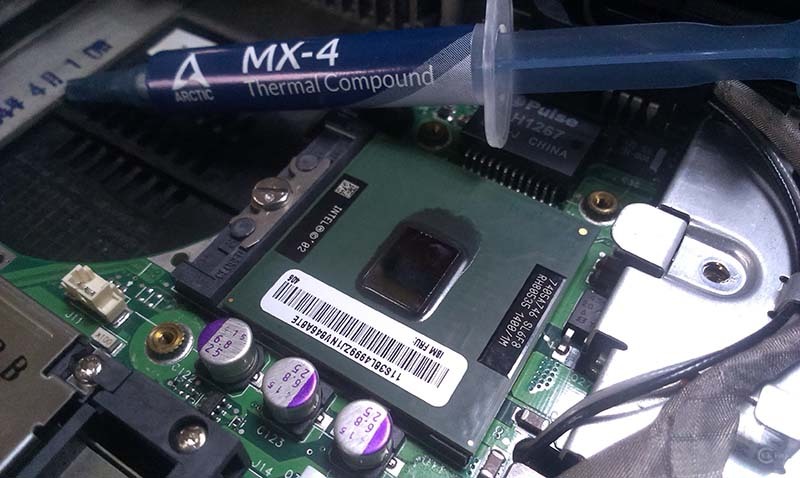
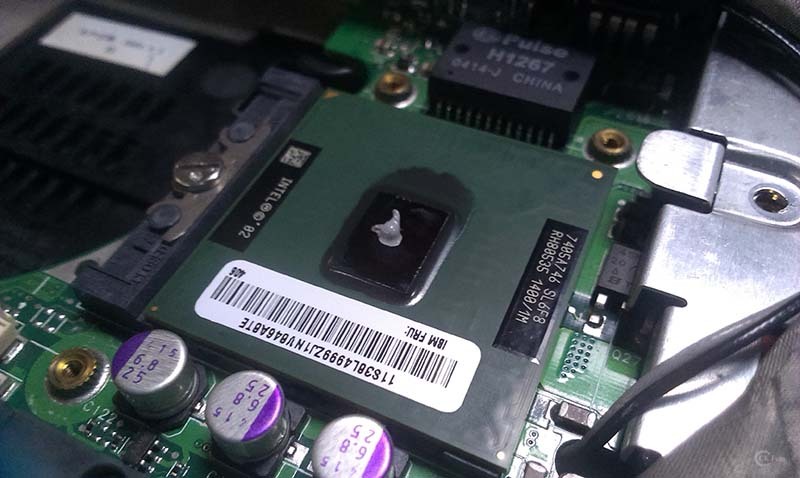
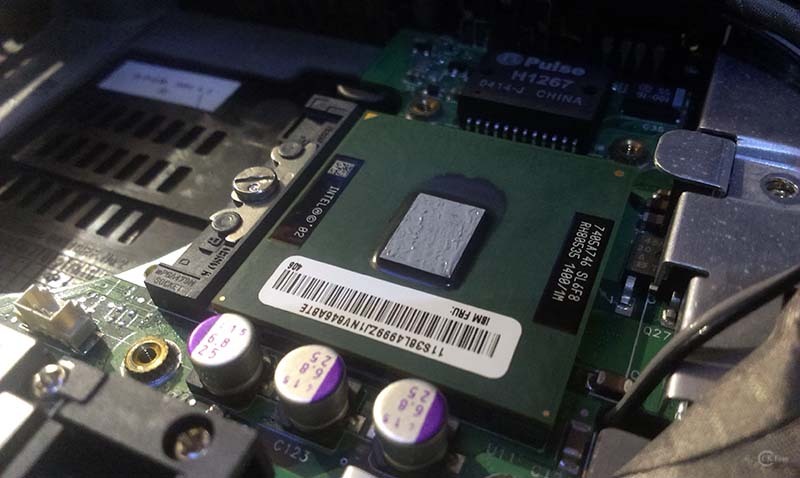
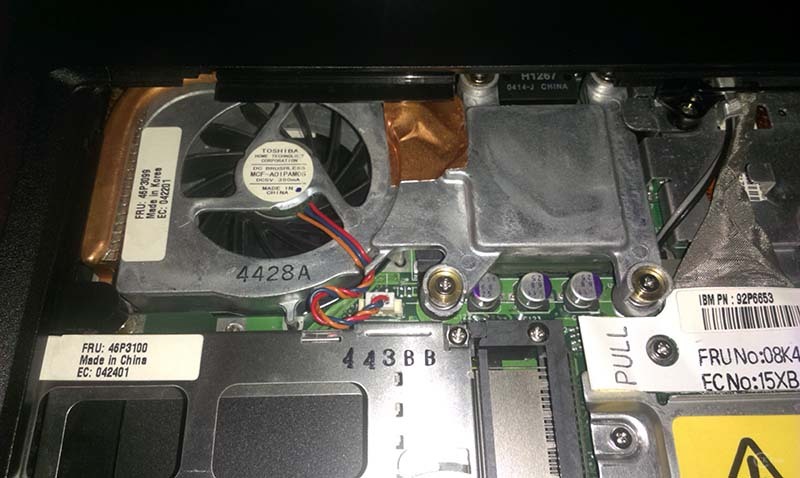
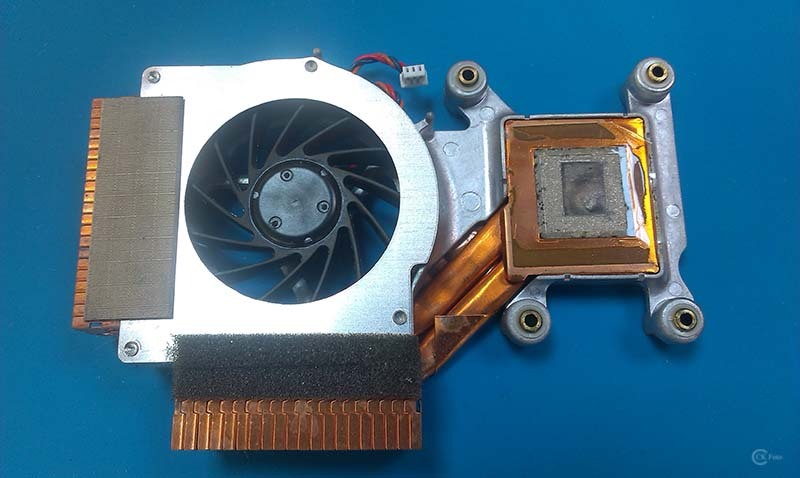
some news about IBM R40 and what I made yesterday. Have this on my list some while and tomorrow was the day. I have clean the Fan two times before but the Thermal Paste was the first in plan, so I do the job, hopefully right. Strange, they was no rest of Thermal Paste or Compound on Heatsink and CPU, none. By the way, I clean all dust and junk under the Bazel, took me some time too.

* IBM R40 - HMM
https://thinkpads.com/support/hmm/hmm_pdf/13n6183.pdf

Heatsink and Fan: (FRU 46P3099)

Steps:
01) Remove the Keyboard,
02) Remove LCD assembly,
03) Unscrew the Keyboard Bazel for Lifting,
04) Unscrew the 4 screws from Heatsink,
05) Remove the Fan and Heatsink,
06) Clean the Fan and the Heatsink surface with (IPA),
07) Clean the CPU with (IPA),
08) Apply Thermal Paste (Artic MX-4) rise size and spread evenly,
09) Put the Heatsink with Fan back, Torque the screws on 0.294 Nm (3 kgfcm)
10) Finish


Have some additional questions.

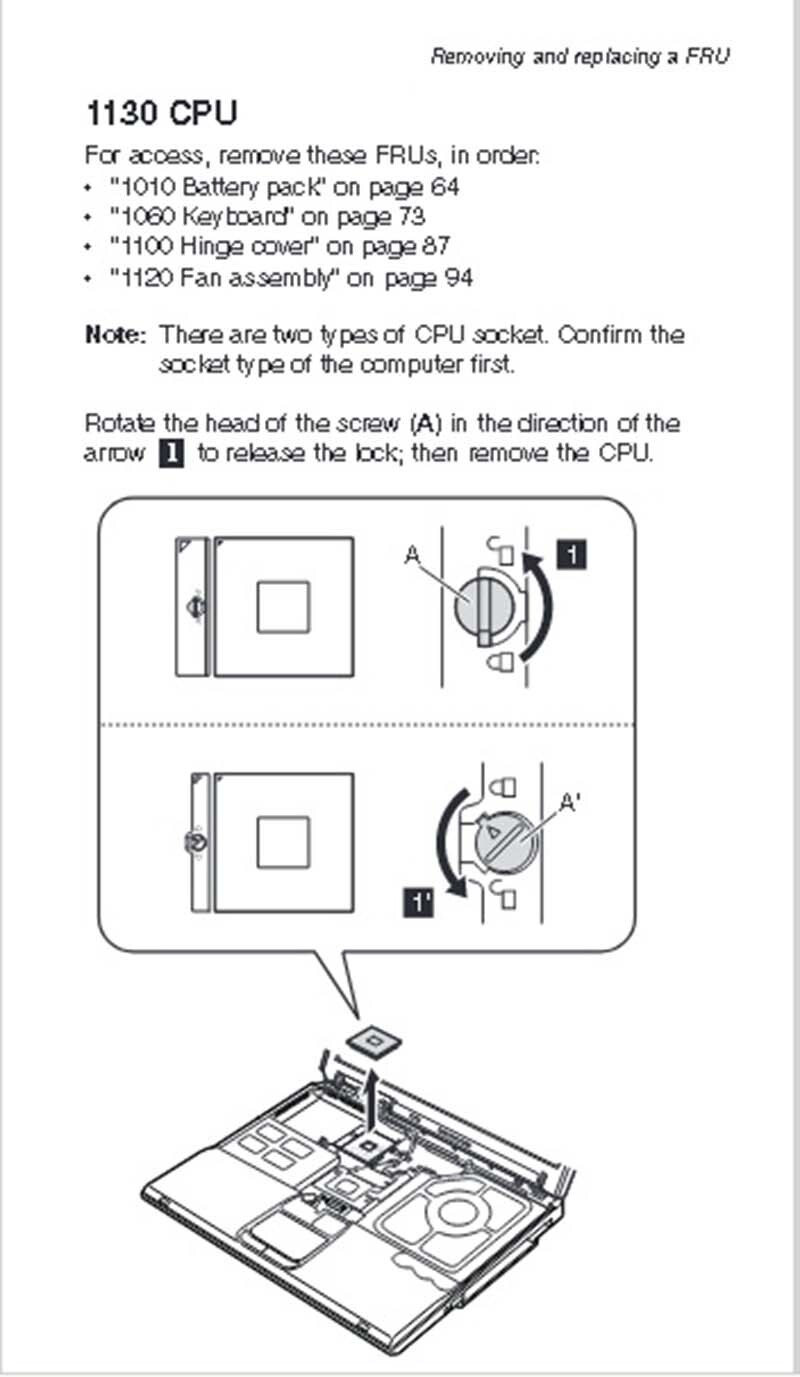
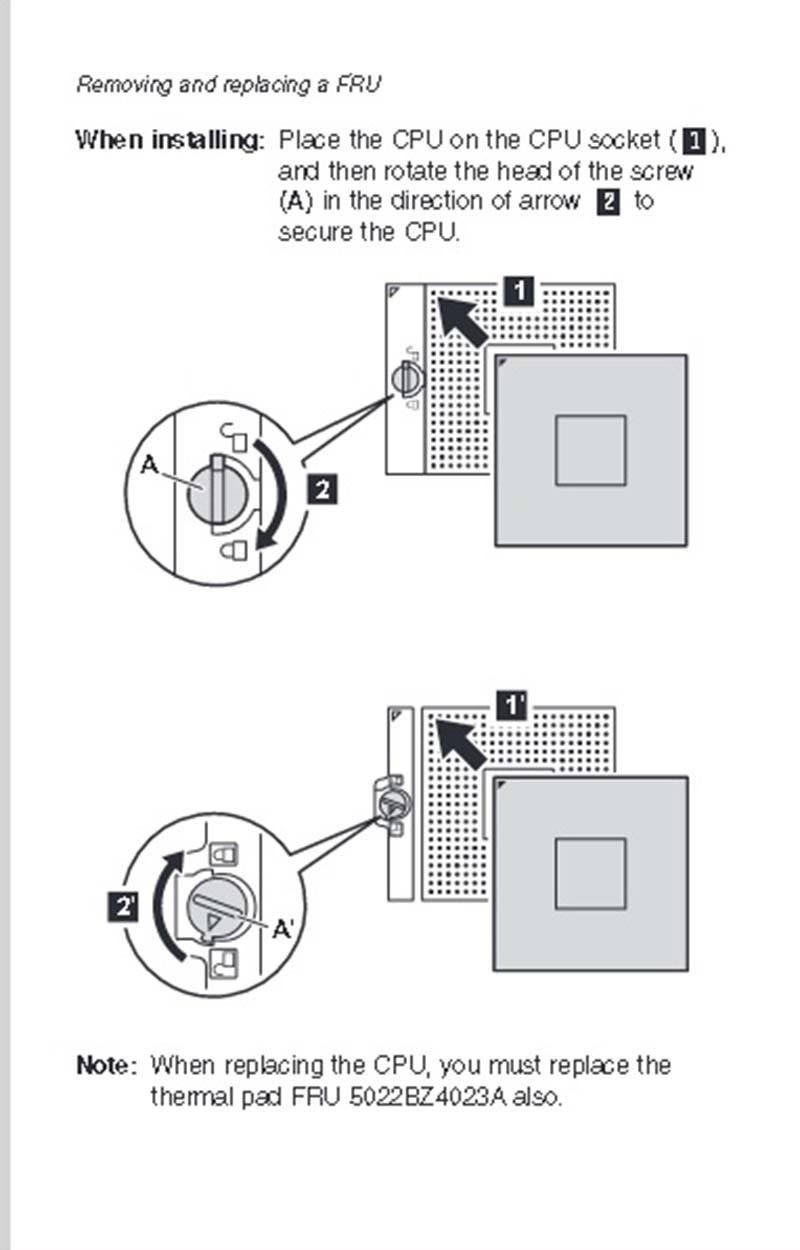
1) I have seen in HMM on page 94/95 that the CPU can be replaced Unlock/Lock and under the CPU is the Thermal Pad, which
should be replaced too if you replace the CPU. Is there any need on 20 Years old laptop to replace the thermal pad, without replacing the CPU?
2) Is there any way to lube the Fan by removing the sticker, have someone do this on Fan (FRU 46P3099) on IBM R40?

IBM R40 - Fan before
Image
IBM R40 - Fan after second cleaning without removing
Image

Image

Image

Image

Image

Image

Image

Image

Image

Image

Image

Image

Image

Image

Image

Image
IBMR40
IBMX60s
LenovoT60p
LenovoX61T
LenovoX61 WWAN
LenovoX61s WWAN
LenovoX300 WWAN
LenovoTV L171 17"
LenovoX270 i7-7500u
LenovoT480 i7-8650u
LenovoM920q i7-8700T

norrinraddhr
Freshman Member
Posts: 123
Joined: Sun Dec 01, 2019 4:03 am
Location: Zagreb, Croatia

Re: IBM ThinkPad R40 (2722-BDG) 06/2004 - Project

#48 Post by norrinraddhr » Sun Mar 03, 2024 9:15 am

Hi,
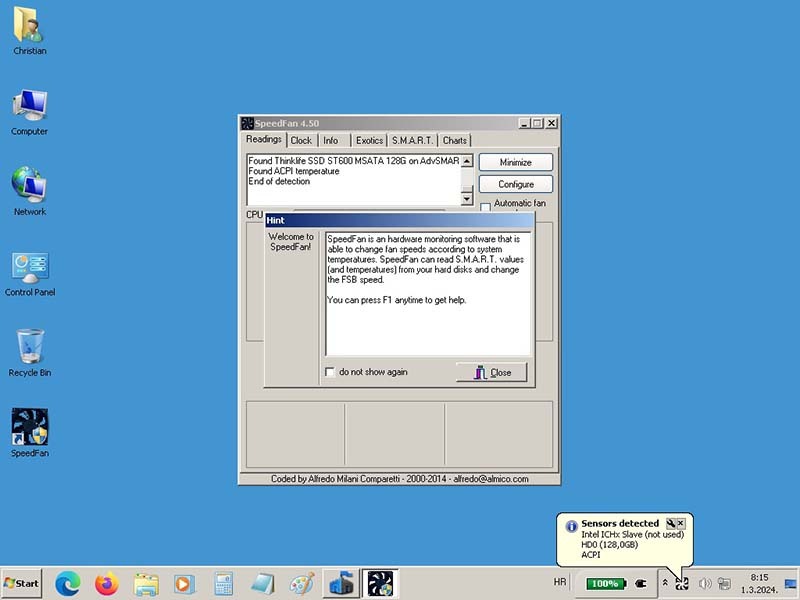
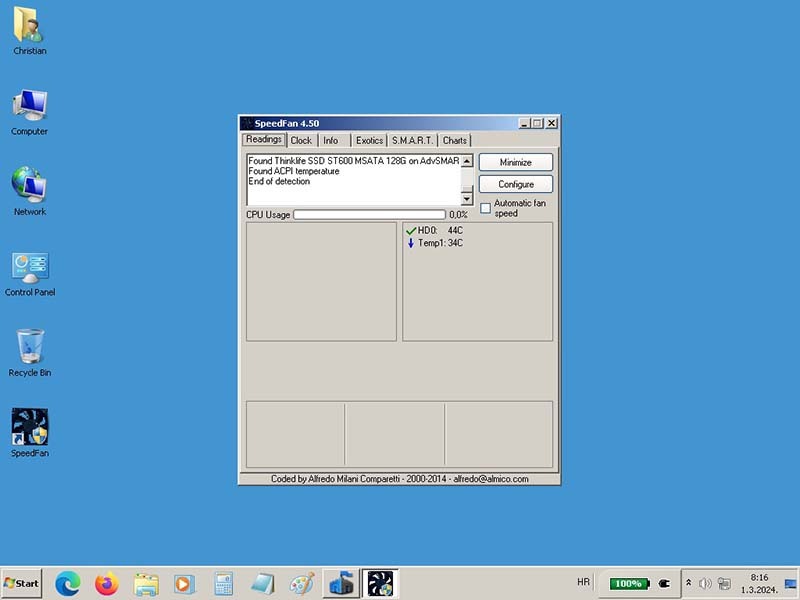
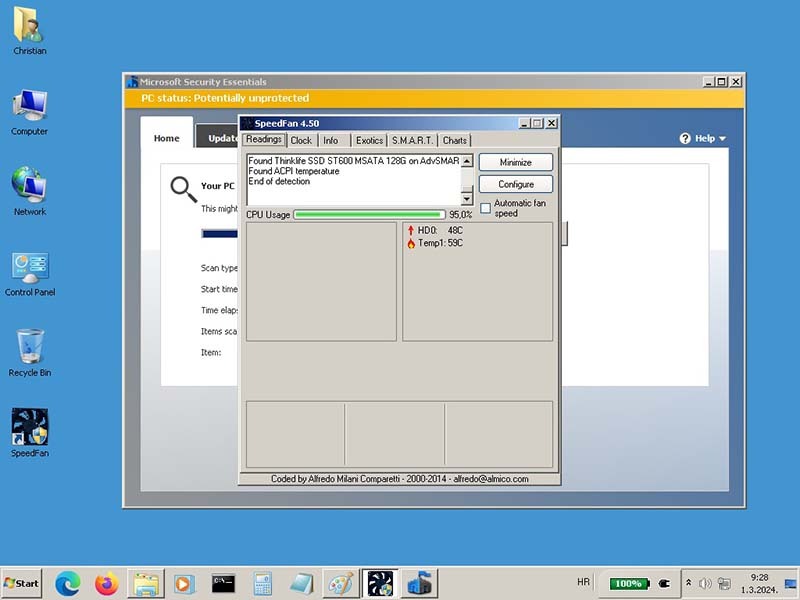
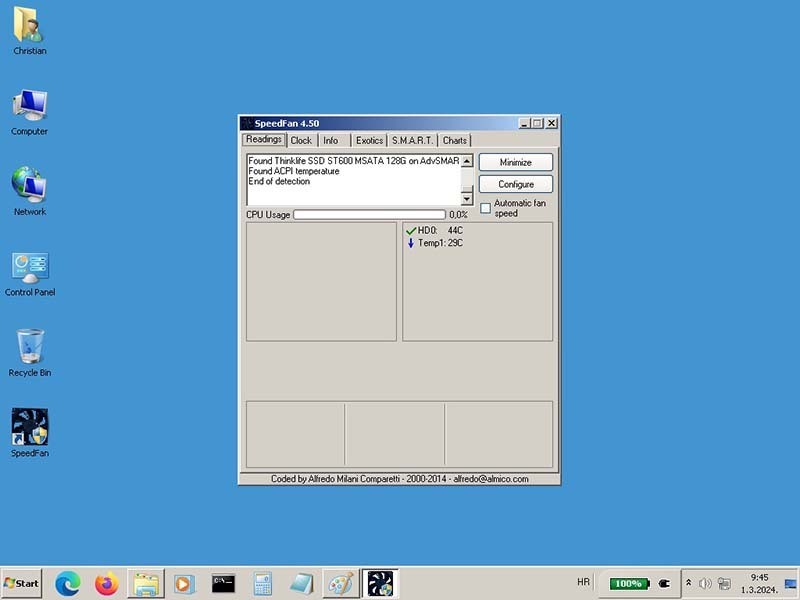
here some results from testing the CPU temperature after putting new Thermal paste Artic MX-4. Strange is that they was no rest from any thermal Compound on CPU and Fansink...

IBM R40 - CPU Temperature:
• 34°C medium
• 59°C highest
• 29°C lowest


Image

Image

Image

Image
IBMR40
IBMX60s
LenovoT60p
LenovoX61T
LenovoX61 WWAN
LenovoX61s WWAN
LenovoX300 WWAN
LenovoTV L171 17"
LenovoX270 i7-7500u
LenovoT480 i7-8650u
LenovoM920q i7-8700T

Gonzaleitor
Sophomore Member
Posts: 239
Joined: Thu Nov 10, 2022 4:01 pm
Location: Buenos Aires, Argentina

Re: IBM ThinkPad R40 (2722-BDG) 06/2004 - Project

#49 Post by Gonzaleitor » Wed Mar 06, 2024 12:13 am

Nice temps!

norrinraddhr
Freshman Member
Posts: 123
Joined: Sun Dec 01, 2019 4:03 am
Location: Zagreb, Croatia

Re: IBM ThinkPad R40 (2722-BDG) 06/2004 - Project

#50 Post by norrinraddhr » Wed Mar 06, 2024 3:18 am

Thanks. :)

It would be nice to compare this temps before/after, but in this time I have another "to do list" and the list was quit long, so I miss the temperature test and I don't know how it was before.
IBMR40
IBMX60s
LenovoT60p
LenovoX61T
LenovoX61 WWAN
LenovoX61s WWAN
LenovoX300 WWAN
LenovoTV L171 17"
LenovoX270 i7-7500u
LenovoT480 i7-8650u
LenovoM920q i7-8700T

norrinraddhr
Freshman Member
Posts: 123
Joined: Sun Dec 01, 2019 4:03 am
Location: Zagreb, Croatia

Re: IBM ThinkPad R40 (2722-BDG) 06/2004 - Project

#51 Post by norrinraddhr » Wed Mar 06, 2024 3:30 am

I think this is all what I wanted to do, it's ready for use and I'm quit satisfied how it went on the end. The fan is quiet for now, working perfectly but I miss that I did not lube it. For this I must remove the sticker, but I'm not sure is there any way to lube or not, so I asked here for advice, no one knows, so I left it as it is for now, can be done later.

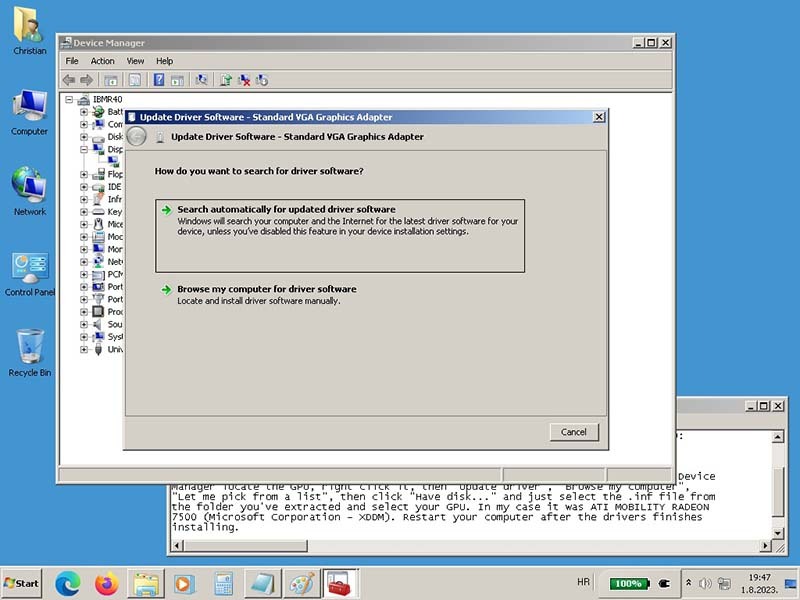
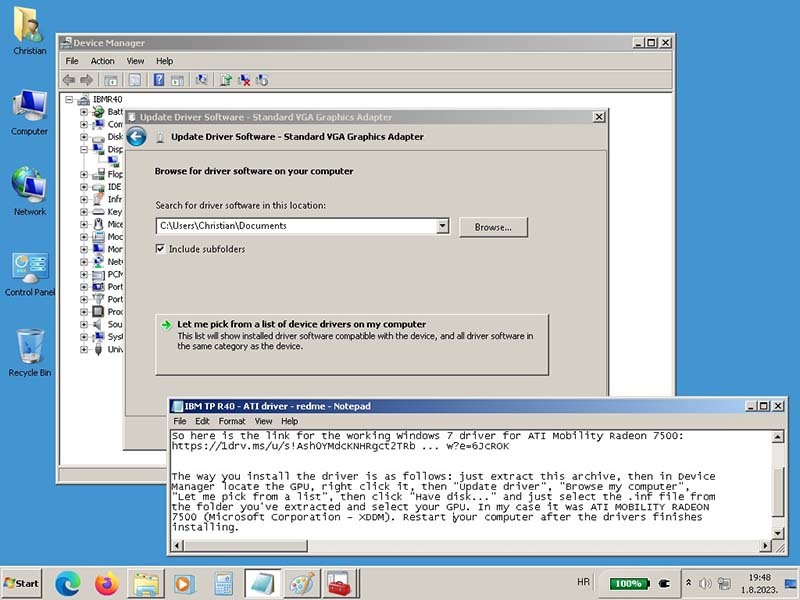
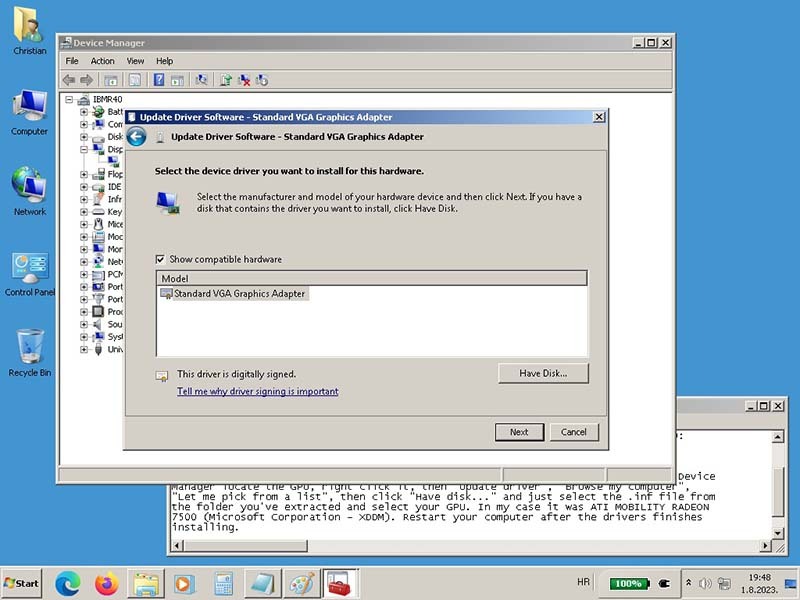
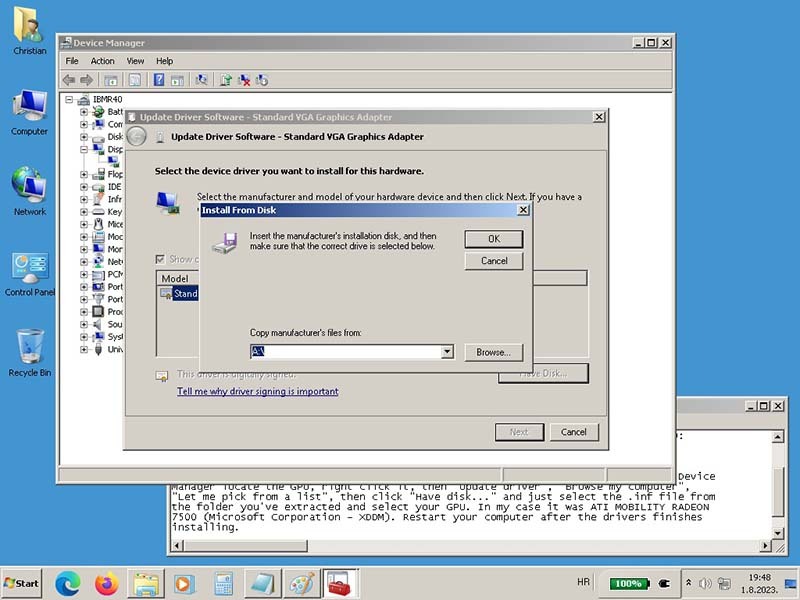
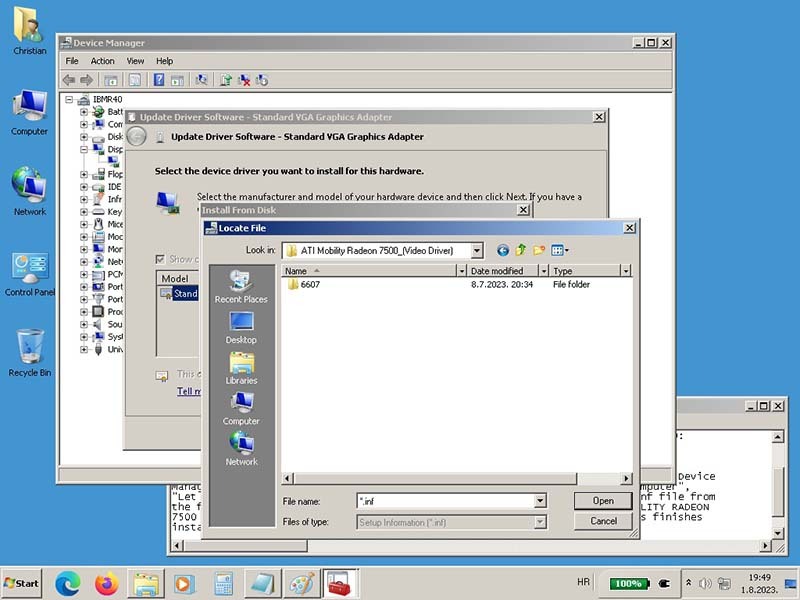
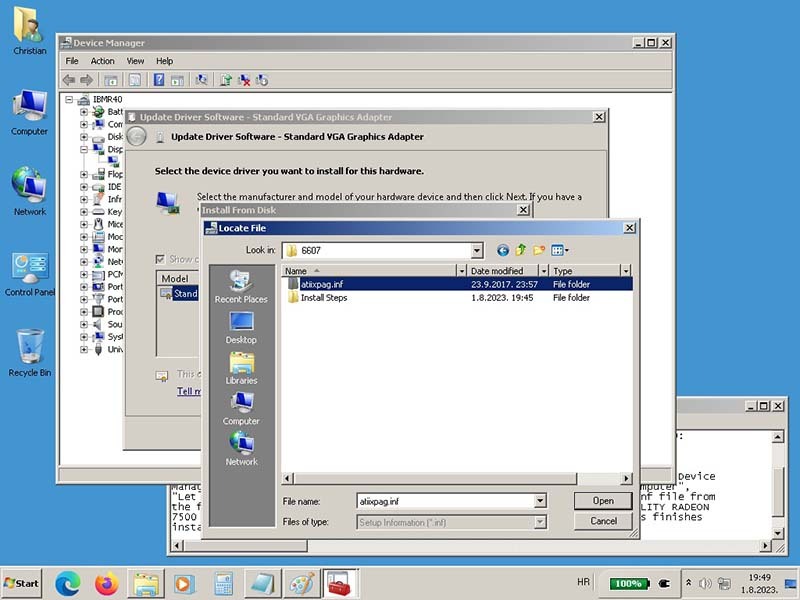
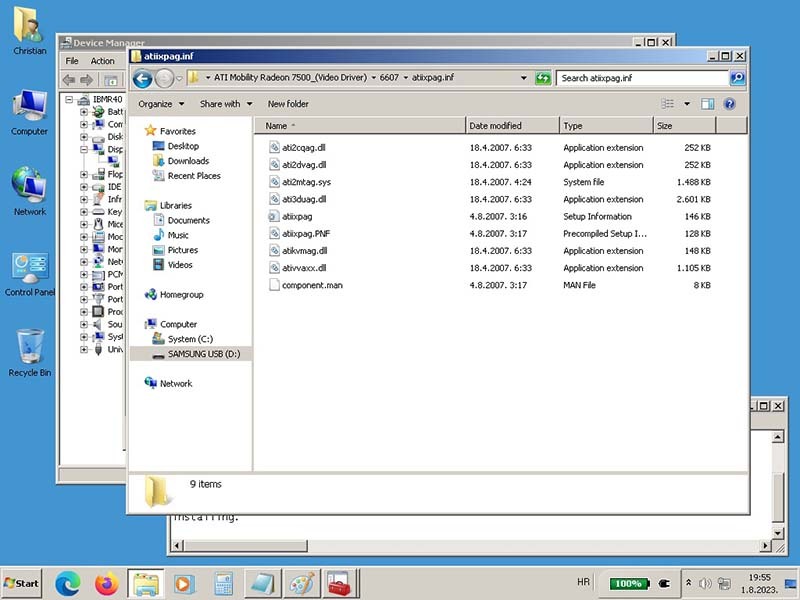
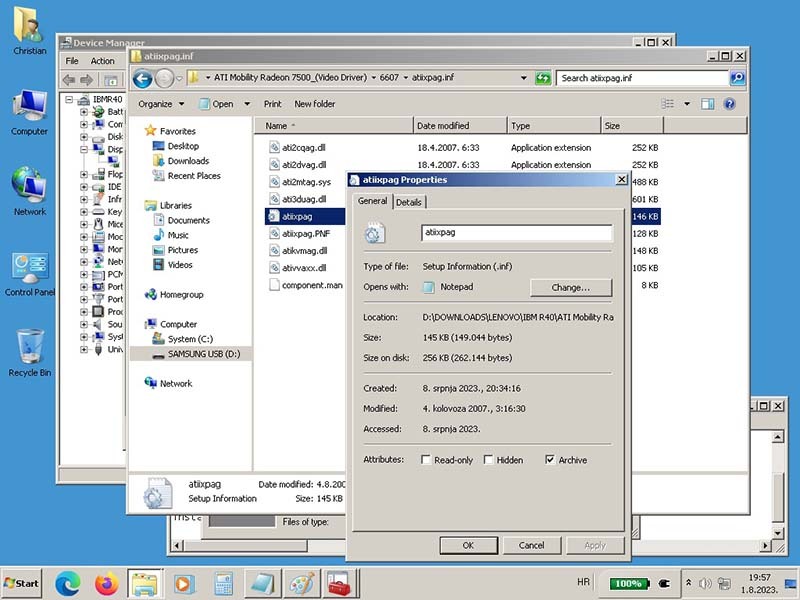
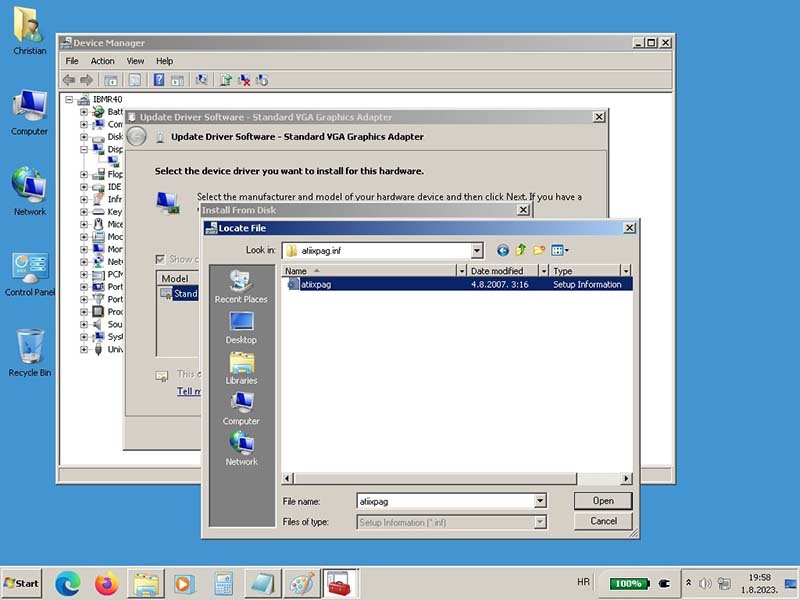
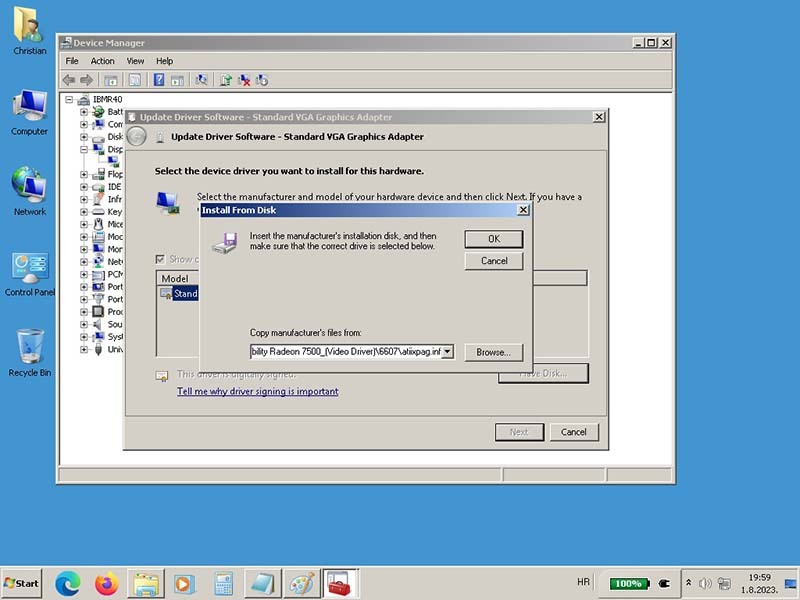
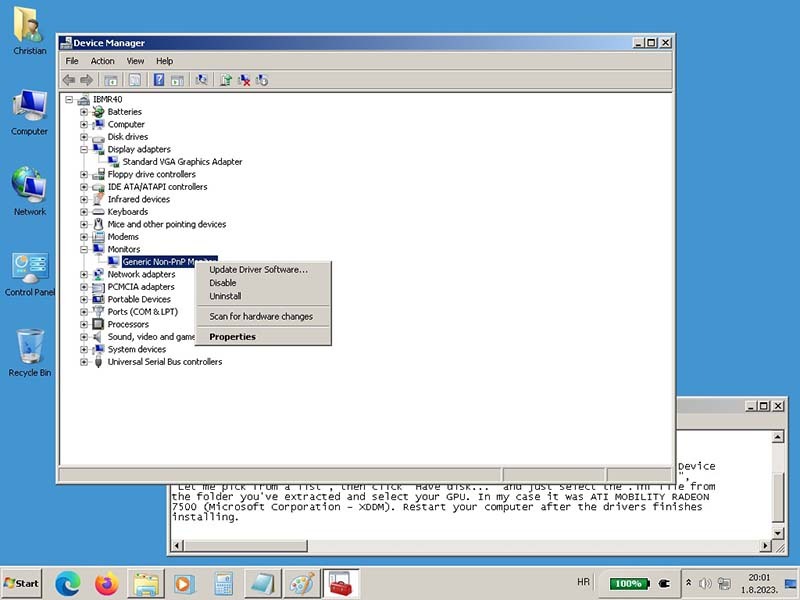
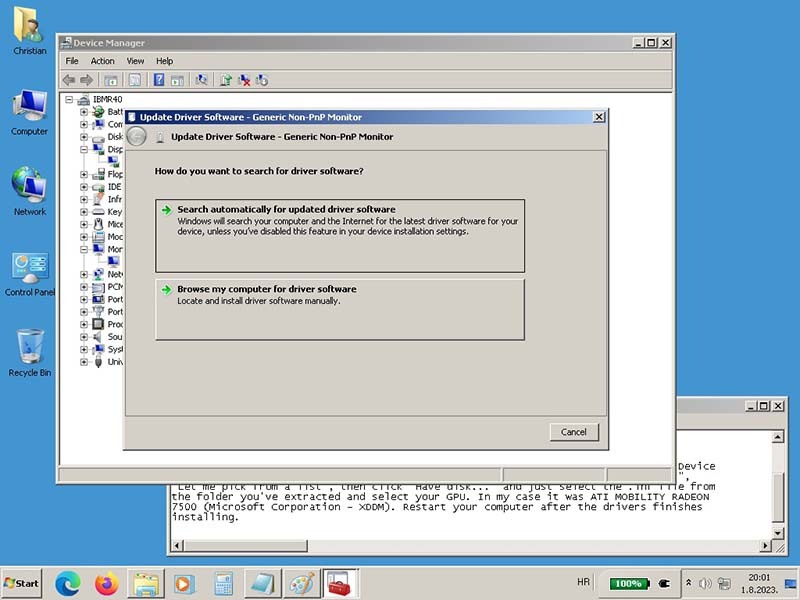
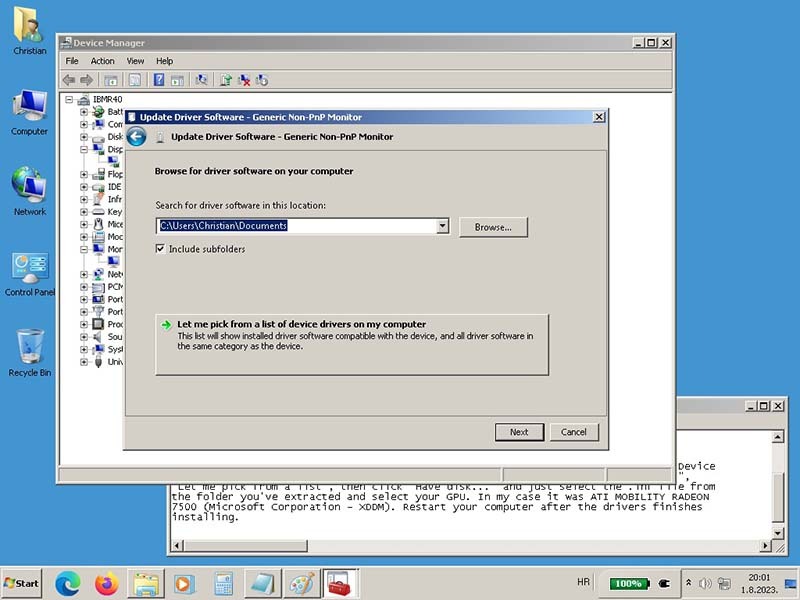
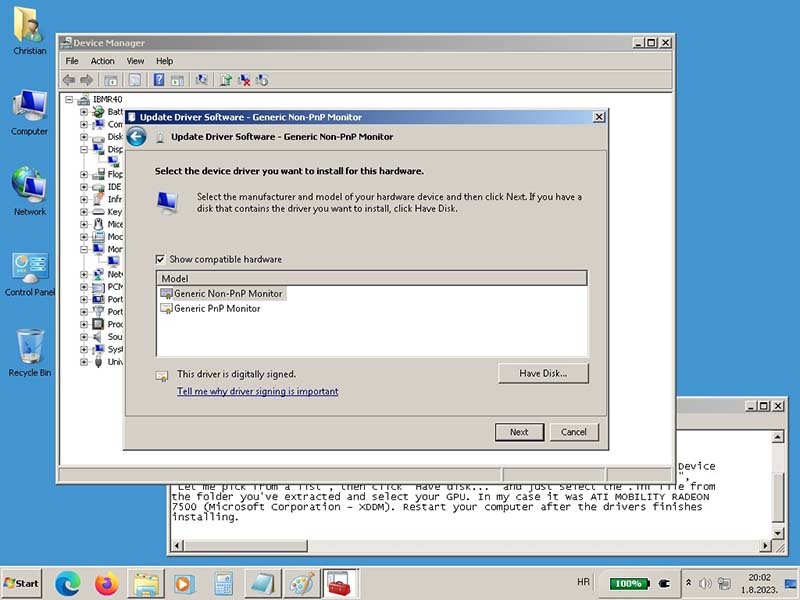
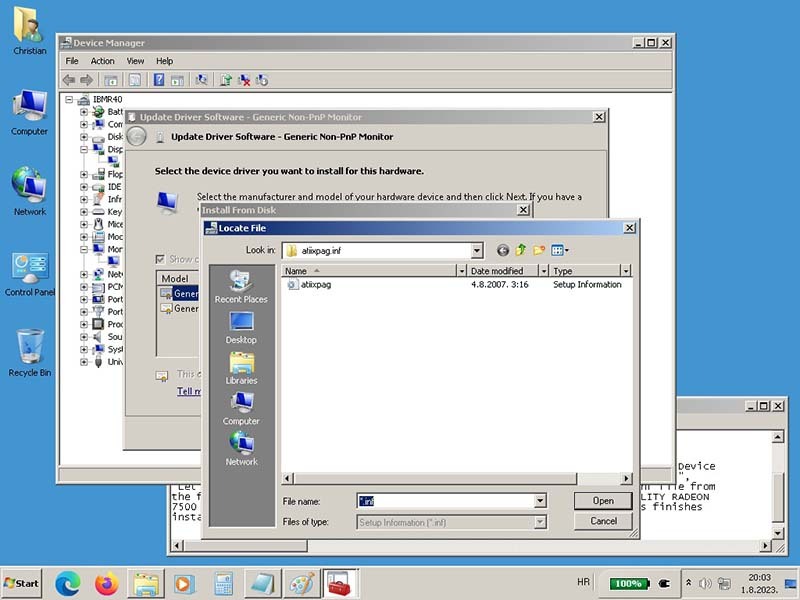
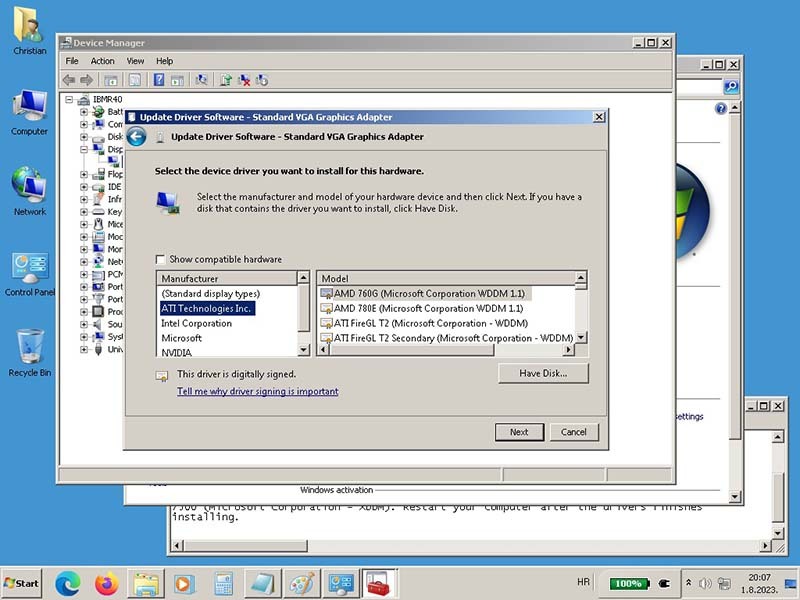
And I miss that I can not install the Win 7 ATI Mobility Radeon 7500 Graphic Card driver to have benefit of the graphic card, I miss that a lot. Colleague ibrazhko gave me the modified driver for Win 7 but I did not find the way how to install it, I will put some picture from this try.

This two thing is for now on my list, lube the fan if is possible and how to get ATI Mobility Radeon 7500 Graphic driver installed on Win 7, hopefully I get this to, if not I will use it as it is.
IBMR40
IBMX60s
LenovoT60p
LenovoX61T
LenovoX61 WWAN
LenovoX61s WWAN
LenovoX300 WWAN
LenovoTV L171 17"
LenovoX270 i7-7500u
LenovoT480 i7-8650u
LenovoM920q i7-8700T

norrinraddhr
Freshman Member
Posts: 123
Joined: Sun Dec 01, 2019 4:03 am
Location: Zagreb, Croatia

Re: IBM ThinkPad R40 (2722-BDG) 06/2004 - Project

#52 Post by norrinraddhr » Wed Mar 06, 2024 4:00 am

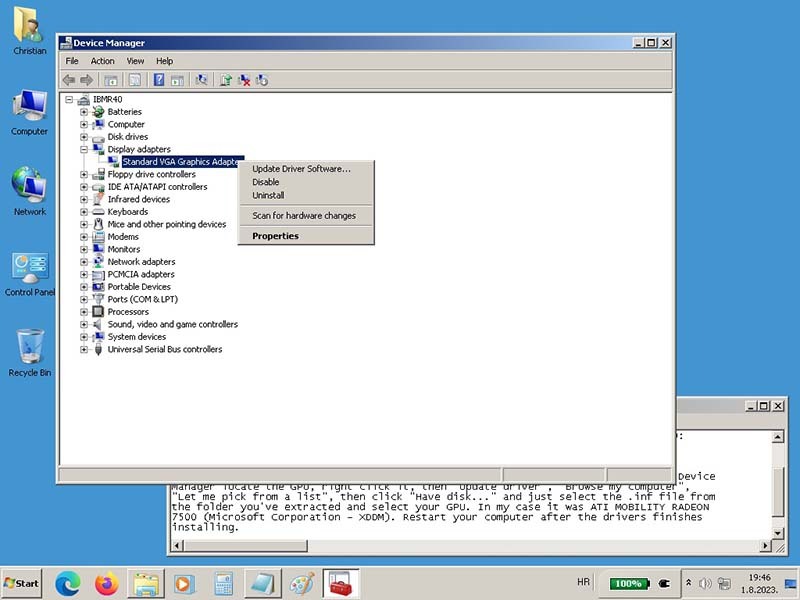
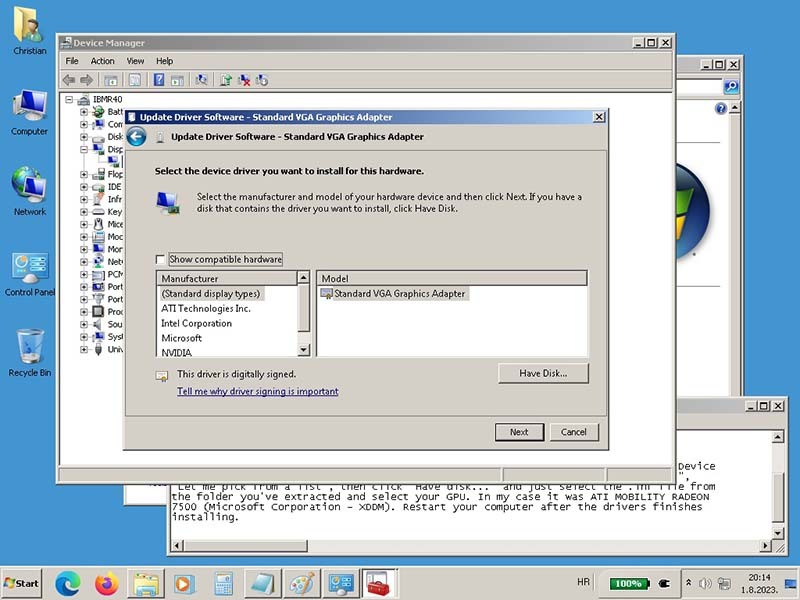
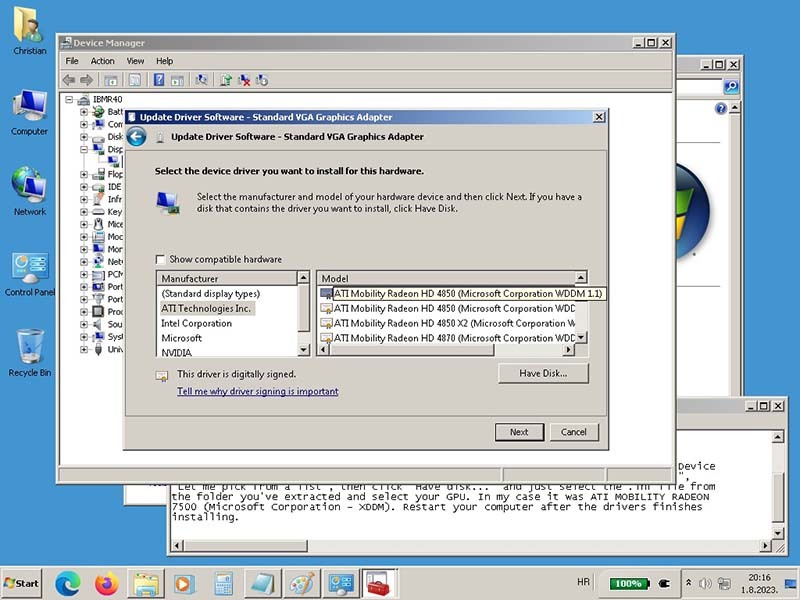
Here, some picture from trying to install modified driver for Win 7 driver to get ATI Mobility Radeon 7500 Graphic Card to work. I think the problem was that I did not find my GPU on the list, so I decide to stop here.

* ATI Mobility Radeon 7500 Graphic Card - IBM R40

Image

Image

Image

Image

Image

Image

Image

Image

Image

Image

Image

Image

Image

Image

Image

Image

Image

Image

Image
IBMR40
IBMX60s
LenovoT60p
LenovoX61T
LenovoX61 WWAN
LenovoX61s WWAN
LenovoX300 WWAN
LenovoTV L171 17"
LenovoX270 i7-7500u
LenovoT480 i7-8650u
LenovoM920q i7-8700T

kfzhu1229
Senior ThinkPadder
Senior ThinkPadder
Posts: 2659
Joined: Tue Sep 22, 2015 10:59 pm
Location: Toronto, Canada

Re: IBM ThinkPad R40 (2722-BDG) 06/2004 - Project

#53 Post by kfzhu1229 » Wed Apr 24, 2024 1:47 pm

norrinraddhr wrote:
Tue Feb 27, 2024 5:00 am
Hi Thinkpads Community,
some news about IBM R40 and what I made yesterday. Have this on my list some while and tomorrow was the day. I have clean the Fan two times before but the Thermal Paste was the first in plan, so I do the job, hopefully right. Strange, they was no rest of Thermal Paste or Compound on Heatsink and CPU, none. By the way, I clean all dust and junk under the Bazel, took me some time too.
I just did a complete overhaul of my own personal ThinkPad R40 so I might as well tag along in this post.
To clarify, these ThinkPad R40's use a graphite like thermal interface material stuck on a piece of foil. If you are replacing the thermal paste, peel all of that off and clean off the residue. Either way since yours has a Pentium M (mine has a heaty 2.2Ghz Pentium 4-M), the temps are always going to be great, the same copper fan is effective even against the 2.2Ghz P4-M CPU of mine.
I also had to lubricate the fan on mine as they were getting grindy.
Additionally, since these things have a graphics chip that is still somewhat prone to failure, I took apart the tiny aluminium heatplate off that and replaced the thermal pad with a copper shim and thermal paste, and then slapped a tiny VRAM heatsink on top of the heatplate.
And of course, there is my whole gallery about how I successfully rebuilt my ThinkPad R40 battery from being completely dead to now basically full capacity, with 100% original wiring and designs for maximum safety, and with the BMS playing nicely this time around and letting the full charge capacity go all the way back up.
norrinraddhr wrote:
Tue Feb 27, 2024 5:00 am
Here, some picture from trying to install modified driver for Win 7 driver to get ATI Mobility Radeon 7500 Graphic Card to work. I think the problem was that I did not find my GPU on the list, so I decide to stop here.
* ATI Mobility Radeon 7500 Graphic Card - IBM R40
As for your graphics woes on Windows 7, I do have a set of known good drivers that'll work reliably under Windows 7 that will work with all of mobility Radeon 7000 7500 and 9000. No Windows Aero support of course, but it is perfectly stable and fully capable of all the higher internal LCD resolutions.
I will reupload them if you need them.
Dell Lat CP MMX-233 64mb 40gb W2k
600 PII-266 416mb 40gb WXP
T23 PIII 1.13ghz 1gb W7
Precision M4300 X9000 8gb 160gb WUXGA Ultrasharp fp W10
T530i 15.6" i7 16gb fp W10
UXGA:
A30p PIII 1.2 1gb W7 (IDTech)
T43p 2.26 2gb fp W10 (Sharp)
Lat C840 P4-2.5 2gb 60gb W7 (Ultrasharp)

TPFanatic
Senior ThinkPadder
Senior ThinkPadder
Posts: 2824
Joined: Thu Jul 30, 2015 11:29 pm

Re: IBM ThinkPad R40 (2722-BDG) 06/2004 - Project

#54 Post by TPFanatic » Wed Apr 24, 2024 3:03 pm

Is there any windows 7 driver for the a31p’s firegl 7800?

kfzhu1229
Senior ThinkPadder
Senior ThinkPadder
Posts: 2659
Joined: Tue Sep 22, 2015 10:59 pm
Location: Toronto, Canada

Re: IBM ThinkPad R40 (2722-BDG) 06/2004 - Project

#55 Post by kfzhu1229 » Wed Apr 24, 2024 3:34 pm

TPFanatic wrote:
Wed Apr 24, 2024 3:03 pm
Is there any windows 7 driver for the a31p’s firegl 7800?
The same drivers will work for that. You may have to manually force a Mobility Radeon 7500/9000 option on and it'll work perfectly fine.
This is the one that I use, again: https://1drv.ms/f/s!At7-rt1KJ7WviMxKfMW ... A?e=8yZvci
Dell Lat CP MMX-233 64mb 40gb W2k
600 PII-266 416mb 40gb WXP
T23 PIII 1.13ghz 1gb W7
Precision M4300 X9000 8gb 160gb WUXGA Ultrasharp fp W10
T530i 15.6" i7 16gb fp W10
UXGA:
A30p PIII 1.2 1gb W7 (IDTech)
T43p 2.26 2gb fp W10 (Sharp)
Lat C840 P4-2.5 2gb 60gb W7 (Ultrasharp)

TPFanatic
Senior ThinkPadder
Senior ThinkPadder
Posts: 2824
Joined: Thu Jul 30, 2015 11:29 pm

Re: IBM ThinkPad R40 (2722-BDG) 06/2004 - Project

#56 Post by TPFanatic » Wed Apr 24, 2024 8:57 pm

Nice. For giggles I might try Windows 7 on the A31 again, even though XP flies on it, it'd be hilarious to get Bitlocker drive encryption running and Firefox ESR.

kfzhu1229
Senior ThinkPadder
Senior ThinkPadder
Posts: 2659
Joined: Tue Sep 22, 2015 10:59 pm
Location: Toronto, Canada

Re: IBM ThinkPad R40 (2722-BDG) 06/2004 - Project

#57 Post by kfzhu1229 » Wed Apr 24, 2024 11:32 pm

TPFanatic wrote:
Wed Apr 24, 2024 8:57 pm
Nice. For giggles I might try Windows 7 on the A31 again, even though XP flies on it, it'd be hilarious to get Bitlocker drive encryption running and Firefox ESR.
Yeah funny thing I've always run Windows 7 on my ThinkPad A30p basically the day since I own it and don't have much issues with it. Windows 7 doesn't get you that much more software support on a Pentium III-M since it lacks SSE2 and most software mandate SSE2 requirements before dropping XP support, but the UI sure is a lot more comfortable to use on such an UXGA display
Dell Lat CP MMX-233 64mb 40gb W2k
600 PII-266 416mb 40gb WXP
T23 PIII 1.13ghz 1gb W7
Precision M4300 X9000 8gb 160gb WUXGA Ultrasharp fp W10
T530i 15.6" i7 16gb fp W10
UXGA:
A30p PIII 1.2 1gb W7 (IDTech)
T43p 2.26 2gb fp W10 (Sharp)
Lat C840 P4-2.5 2gb 60gb W7 (Ultrasharp)

TPFanatic
Senior ThinkPadder
Senior ThinkPadder
Posts: 2824
Joined: Thu Jul 30, 2015 11:29 pm

Re: IBM ThinkPad R40 (2722-BDG) 06/2004 - Project

#58 Post by TPFanatic » Thu Apr 25, 2024 11:09 pm

Seems I lucked out there as the A31p's P4-M has SSE2, for what good it can do. Your 7500 driver works like a charm (FireGL 7800 is a 7500), although there is a warning triangle for the Philips WDM Video Decoder which I believe is a feature of the FireGL, not sure for what precisely. I have favor for the XP theme but don't particularly want XP, so I have a theme patcher applied and a custom Luna theme I got on deviantart years ago, along with old classic shell 4.2.5's two column Luna skin (latest version of open shell doesn't play well with my theme patcher). A31p doesn't have a TPM but Bitlocker has an alternate non-TPM mode where a USB startup key must be present at bootup instead. So some passive "security" is possible on this nearly 21 year old computer after all (build date reads 03/06, shortly after the introduction of the T40).

To get audio to work I needed to use the Windows XP "Audio driver for Windows XP, 2000, 98SE - ThinkPad R40, R50, R50e, R50p, R51, T40, T40p, T41, T41p, T42, T42p, X31, X32, X40" from https://support.lenovo.com/us/en/downloads/ds013790 or found in the drives page above. Even though A31p is not listed, it works and is the only one that will work for 7. The official A31p drivers seem to only go up to NT 4.0 and while they work on XP are incompatible with Vista/7.

Now I just need a working WLAN card, or I can hookup via 100mb/s Fast Ethernet, and this A31p can browse the internet again. :lol: I am unfortunately encountering immobilizing system freezes. I'm hoping it's just an OS setup issue rather than a latent hardware failure considering I never encountered this with my XP environment, which is in another partition on the SSD and could be dualbooted for further testing.

The other impressive thing is the Sanyo battery manufactured in 2001, first used in 2005, is only down to 22wh from 43, so close to a T470's internal battery. Speedstep coming in clutch here.

Well enough about A31p and back to R40.

kfzhu1229
Senior ThinkPadder
Senior ThinkPadder
Posts: 2659
Joined: Tue Sep 22, 2015 10:59 pm
Location: Toronto, Canada

Re: IBM ThinkPad R40 (2722-BDG) 06/2004 - Project

#59 Post by kfzhu1229 » Fri Apr 26, 2024 12:29 am

TPFanatic wrote:
Thu Apr 25, 2024 11:09 pm
Seems I lucked out there as the A31p's P4-M has SSE2, for what good it can do. Your 7500 driver works like a charm (FireGL 7800 is a 7500)
Honestly I am surprised it took you this long to figure that out. That one set of drivers work for practically all of the mobility Radeon cards without DX9/Aero support, excluding the IGP solutions (those require special drivers). However if you do use it on say my R40 with the Radeon 7000 but select a radeon 9000 option to get past the installation, your app may outright crash if it uses directX features that's supported on the 9000 but unsupported on the 7000, rather than letting you choose software rendering.
TPFanatic wrote:
Thu Apr 25, 2024 11:09 pm
To get audio to work I needed to use the Windows XP "Audio driver for Windows XP, 2000, 98SE - ThinkPad R40, R50, R50e, R50p, R51, T40, T40p, T41, T41p, T42, T42p, X31, X32, X40" from https://support.lenovo.com/us/en/downloads/ds013790 or found in the drives page above. Even though A31p is not listed, it works and is the only one that will work for 7. The official A31p drivers seem to only go up to NT 4.0 and while they work on XP are incompatible with Vista/7.
I know those drivers work perfectly on my ThinkPad R40, but on my A3x I've been using some Intel ac97 drivers that come bundles in Vista but not 7 (I extracted them). Also, surprise surprise, the ThinkPad R40 speakers are pretty good. I'd say almost on par with A3x, and definitely better than all of T4x R5x regardless of variants.
TPFanatic wrote:
Thu Apr 25, 2024 11:09 pm
Now I just need a working WLAN card, or I can hookup via 100mb/s Fast Ethernet, and this A31p can browse the internet again. :lol: I am unfortunately encountering immobilizing system freezes. I'm hoping it's just an OS setup issue rather than a latent hardware failure considering I never encountered this with my XP environment, which is in another partition on the SSD and could be dualbooted for further testing.
The other impressive thing is the Sanyo battery manufactured in 2001, first used in 2005, is only down to 22wh from 43, so close to a T470's internal battery. Speedstep coming in clutch here.
I've been just using the easy to find Intel 2200bg/2915abg cards that seem to be everywhere, and they work perfectly fine with the Vista drivers.
The said freezing issue could be bad omen for either failing graphics or failing RAM slots coming, my A31 was advertised as also freezing before I found out it's RAM slot and eventually the RAM 2.5V power supply shorted itself through the board insulation failure.
The R40 battery is definitely just getting better. It came in 100% dead, like actually 0V across the entire battery, I rebuilt it using 4 exotic LG 18650 MJ1's and 4 used known good LG cells, and now it's heading towards 0% wear. And to sweeten the deal, all wiring (excluding the nickel strips) and wiring designs are basically factory original and the casing closed almost perfectly with very little signs of tampering.
Dell Lat CP MMX-233 64mb 40gb W2k
600 PII-266 416mb 40gb WXP
T23 PIII 1.13ghz 1gb W7
Precision M4300 X9000 8gb 160gb WUXGA Ultrasharp fp W10
T530i 15.6" i7 16gb fp W10
UXGA:
A30p PIII 1.2 1gb W7 (IDTech)
T43p 2.26 2gb fp W10 (Sharp)
Lat C840 P4-2.5 2gb 60gb W7 (Ultrasharp)

TPFanatic
Senior ThinkPadder
Senior ThinkPadder
Posts: 2824
Joined: Thu Jul 30, 2015 11:29 pm

Re: IBM ThinkPad R40 (2722-BDG) 06/2004 - Project

#60 Post by TPFanatic » Fri Apr 26, 2024 6:14 pm

ok i have more to say about the a31p

I was able to run no-1802.com and replace my faulty WLAN with the Intel 2200bg out of my dead t43p, and am typing this post on the a31p with Firefox ESR on Windows 7. :D

the battery is actually worse off than initially estimated. i'll keep it in the machine since it's not getting hot or anything, like some really bad T400 batteries I encountered.

Online chess is a no-go on the a31p.

Web surfing is a little less miserable if the browser window is shrunk to an 800x600 corner of the display. Full resolution causes system interrupts, which seem prone to sending the entire machine into a freeze. I'm pretty sure I'm giving the poor P4-M 2.0 ghz the most intense workout it's ever gotten.

old.Reddit actually works really good. Google search, eh, it works. Most other webpages should be avoided, everything is incredibly slow to load. Fooling around with this A31p is making Core 2 feel fast.

Post Reply
  • Similar Topics
    Replies
    Views
    Last post

Return to “ThinkPad R, A, G and Z Series”

Who is online

Users browsing this forum: No registered users and 43 guests